TE20 Videoconferencing Endpoint
Huawei Proprietary and Confidential
Copyright © Huawei Technologies Co., Ltd.
Local camera → 3 → 5 → Communications network → 6 → 9 → Remote monitor
Local display ← 4 ← 5 ← Communications network ← 6 ← 10 ← Remote camera
11.1.2 Fault Diagnosis Methods
With the diagnosis file functions on your endpoint, you can perform sound, color bar,
loopback, network tests, one-click diagnosis, signaling packet capture, and route test.
You can use either of one-click trace diagnosis and signaling diagnosis at a time.
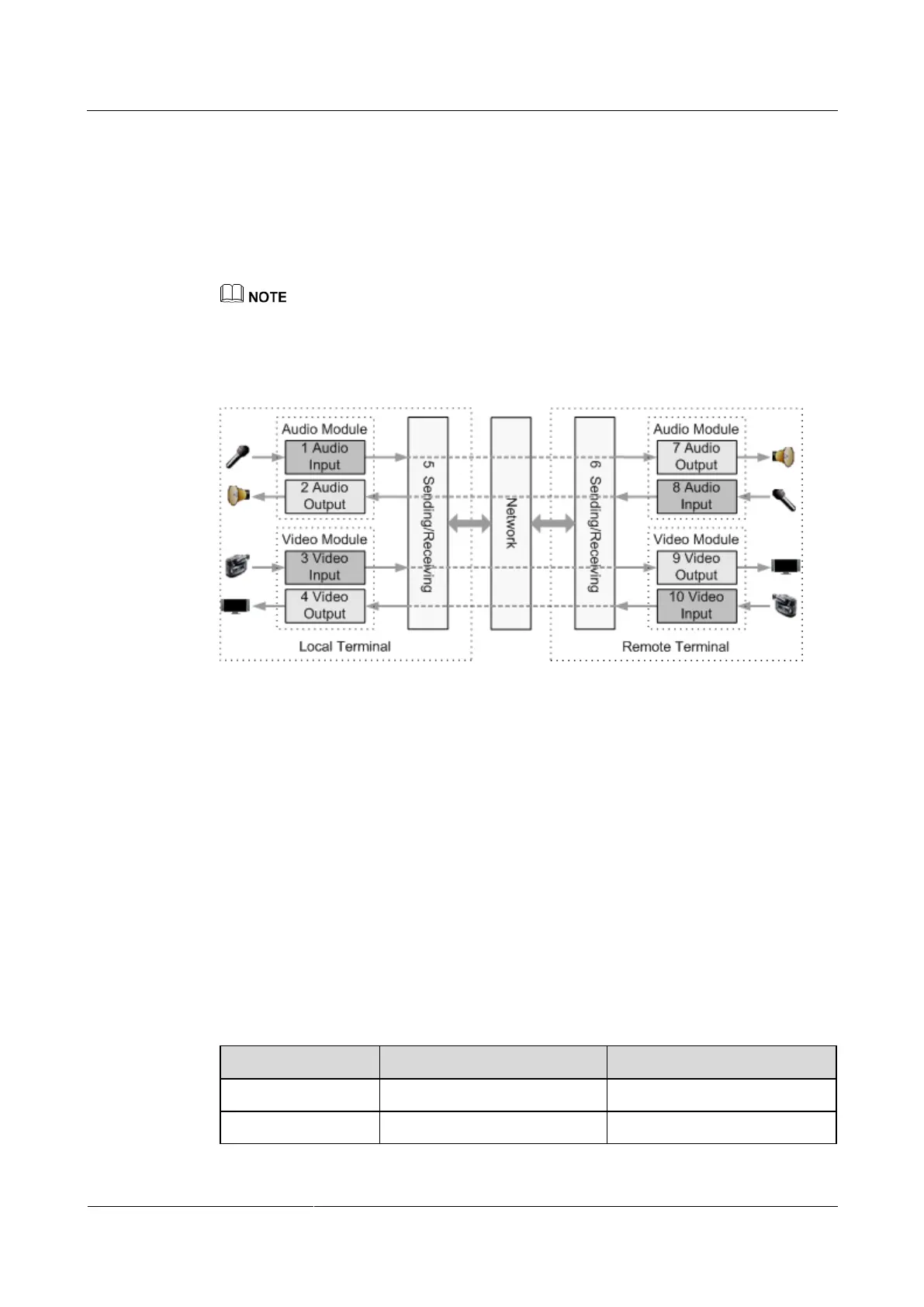
Figure 11-2 shows the diagnostic model for your endpoint.
Figure 11-2 Diagnostic model
According to Figure 11-2, diagnosis functions diagnose the audio module, video module, and
network module.
Audio signals are transmitted in the following paths:
Local microphone → 1 → 5 → Communications network → 6 → 7 → Remote speaker
Local speaker ← 2 ← 5 ← Communications network ← 6 ← 8 ← Remote microphone
Video signals are transmitted in the following paths:
Local camera → 3 → 5 → Communications network → 6 → 9 → Remote monitor
Local display ← 4 ← 5 ← Communications network ← 6 ← 10 ← Remote camera
Sound and Color Bar Tests
Table 11-1 lists the sound and color bar tests.
Table 11-1 Sound and color bar tests



 To Next Page