TE20 Videoconferencing Endpoint
3 Conference Operations Using the Remote Control
Huawei Proprietary and Confidential
Copyright © Huawei Technologies Co., Ltd.
3 Conference Operations Using the Remote
Control
On the remote control interface of the endpoint, you can join a conference in diverse ways.
During a conference, you can control the conference, sharing a document, and configure the
image layout.
3.1 Initiating a Point-to-Point Conference
You can initiate a point-to-point conference by placing a call to a remote site on the
conferencing screen.
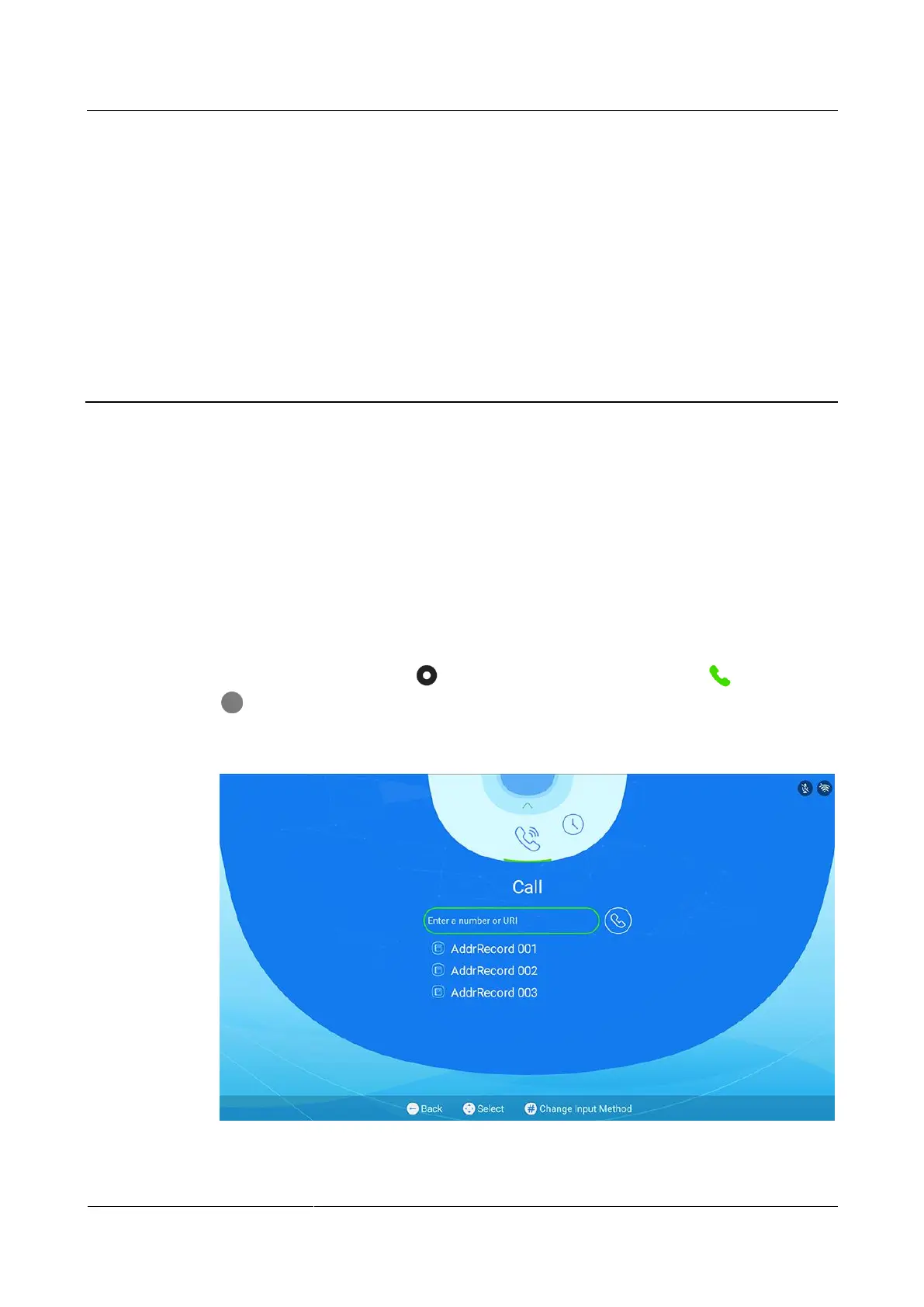
On the main menu, press the button on the remote control, switch to , and press the
button on the remote control to enter the Speed Dial screen, as shown in Figure 3-1.
Figure 3-1 Speed dial



 To Next Page