TE20 Videoconferencing Endpoint
Huawei Proprietary and Confidential
Copyright © Huawei Technologies Co., Ltd.
Step 4 Fill in User name and Password.
The default user name and password are admin and Change_Me respectively. You are advised to
change the default password the first time you log in to the web interface, and then change your
password regularly.
Step 5 From the Language drop-down list, select a language.
Step 6 Click Log In.
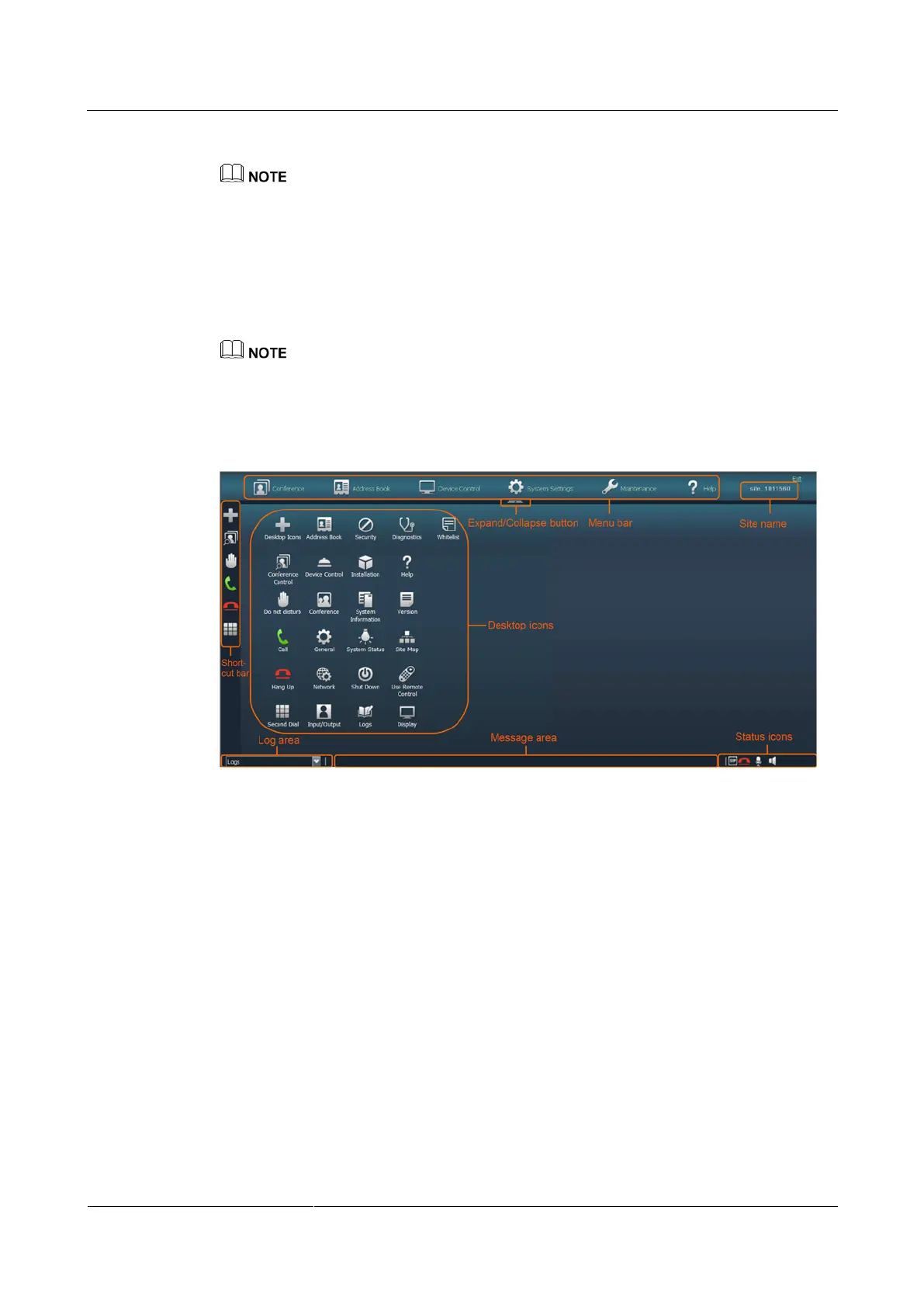
The home page is displayed, as shown in Figure 2-6.
To ensure data security, after accessing the endpoint web interface, close the browser and delete
browser caches.
If the computer desktop resolution has been changed, log in to the web interface again.
Figure 2-6 Home page of the endpoint web interface
----End



 To Next Page