2-28 • Installing BSC hardware 8018653 1.1
8. If there are no expansion BSC racks to install, continue on to
section 2.7, “Installing BSC LAN cables.” Otherwise, repeat
steps 2 through 7 to install power and ground cables onto the
remaining BSC racks.
2.7
Installing the external LAN
cable
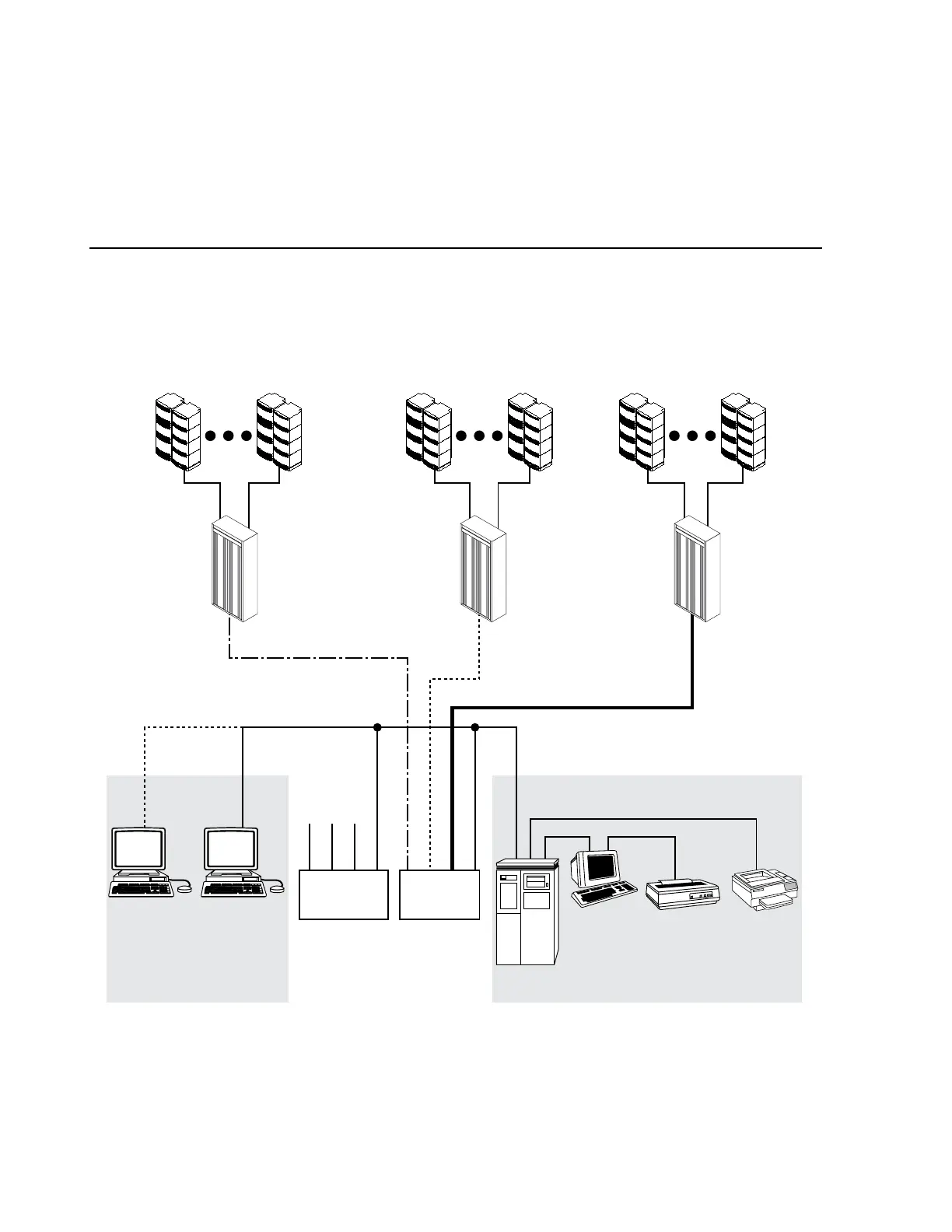
This section describes installing the external LAN cable that connects the
BSC to the BSC LAN repeater (see figure 2-20).
If the BCP LAN cable is suspended from the ceiling above the BSC rack,
refer to section “Ceiling access.” Otherwise, continue on to the following
section.
MICROVAX
VT420
TERMINAL
LN05
PRINTER
PAN 2624
PRINTER
LAN
REPEATER
#1
LAN
REPEATER
#2
BSC RACK
EXPANSION
#1#15
VAXSTATIONVAXSTATION
BCC BCP
BTS BTS
BSC
RACK #3
BTS BTS
BSC
RACK #2
BTS BTS
BSC
RACK #2
THINWIRE ETHERNET INTERFACE
EXTERNAL LAN
Figure 2-20. BSC/BCP LAN repeater connection



 To Next Page