USE AND OPERATION
6
302.028
- 34 -
❑
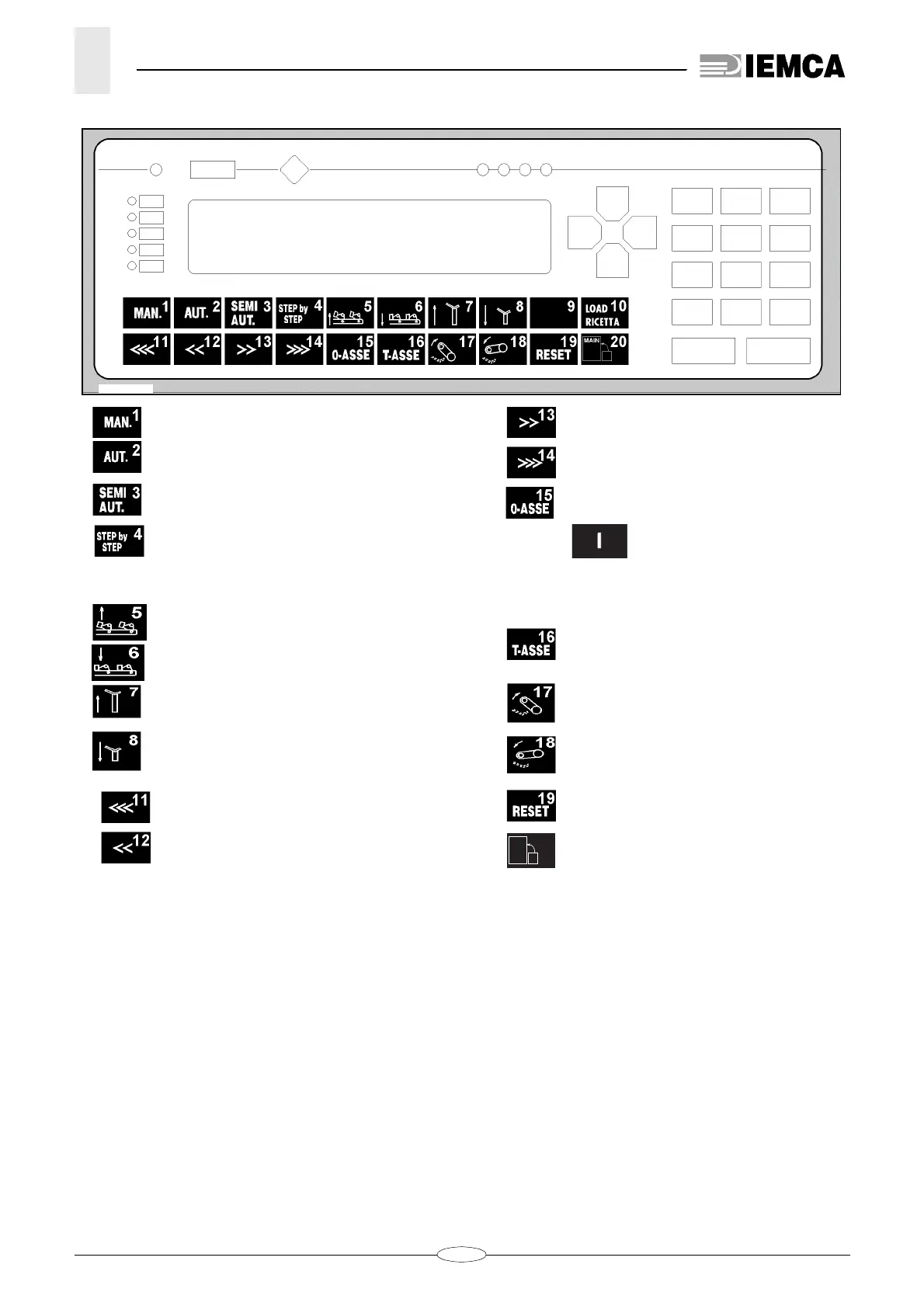
Programming and manual functions controls
1-
Key
to select bar feeder manual operation.
2-
Key
to select bar feeder automatic opera-
tion.
3-
Key
to select the bar feeder semiautoma-
tic function.
4-
Key
to control a step-by-step operating
cycle. If pressed, the bar feeder performs
the first step, if pressed again the bar fee-
der performs the second step, and so on.
5-
Key
to lift the bar lifting device
6-
Key
to lower the bar lifting device
7-
Key
lifting the guide
8-
Key
lowering the guide
11-
Key
for bar pusher backward manual
motion at high speed.
12-
Key
for bar pusher backward manual
motion at low speed.
13-
Key
for bar pusher forward manual
motion at low speed.
14-
Key
for bar pusher forward manual
motion at high speed.
15-
Key
for “BAR FEEDER ZERO SETTING”.
It must be pressed only after key
has been pressed; once the
carriage has started moving, they can
be released.
16-
TKey
to adjust the motor for the bar
pusher motion. Never press it during
daily operation of bar feeder.
17- Bar pusher lifting
key
18- Bar pusher lowering
key
19- “RESET”
key
.
20-
Key
to recall “MAIN MENU”.
28_053_2.bmp
S 73






 To Next Page