USE AND OPERATION
6
- 35 -
302.028
❑
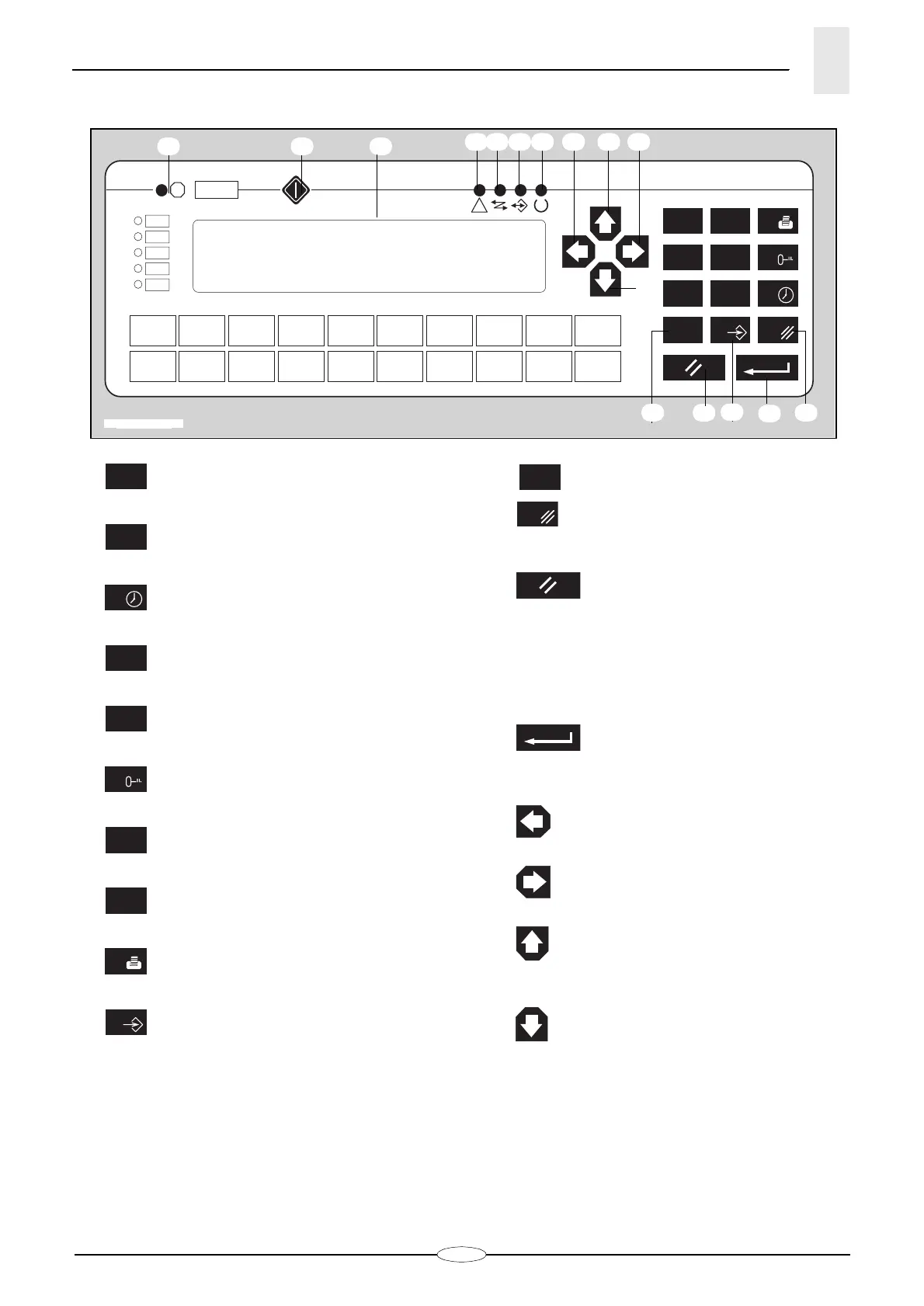
Display controls and LEDS
1- Key
for numerical value 1.
2- Key
for numerical value 2.
3- Key
for numerical value 3 and to access
the date and hour programming mode
.
4- Key
for numerical value 4.
5- Key
for numerical value 5.
6- Key
for numerical value 6 and to access
protected parameter entering mode.
7- Key
for numerical value 7.
8- Key
for numerical value 8.
9- Key
for numerical value 9.
10 - Key
for numerical value 0 or to recall se-
lection cursor.
11 - Key
for “minus” or “plus” sign.
12 - Key
for “comma” sign.
13 - Key
for “CLEAR” function:
• to stop selection function,
• to return to the value which had been
displayed before the non-confirmed
modification,
• to return to the screenful displayed
after the date and time programming.
14 - Key
for “ENTER” function to confirm
entered data.
15 - Key
to recall the previous parameter or to
move the selection cursor left.
16 - Key
to recall the next parameter or to
move the selection cursor right.
17 - Key
to scroll page upwards or to move se-
lection cursor upwards or to increase by
one the value in the date and hour pro-
gramming mode.
18 -
Key
to scroll page downwards or to move
selection cursor downwards or to decrea-
se by one the value in the date and hour
123
456
789
+/- 0
•
F( )
!
?
14
10
11 1213
18
2019 21 22 15 17 16
2423 25
IDM - 36.004 Ec. 0
1
2
3
4
5
6
7
8
9
0
•






 To Next Page