4
1
GENERAL INFORMATION
302.061
❑
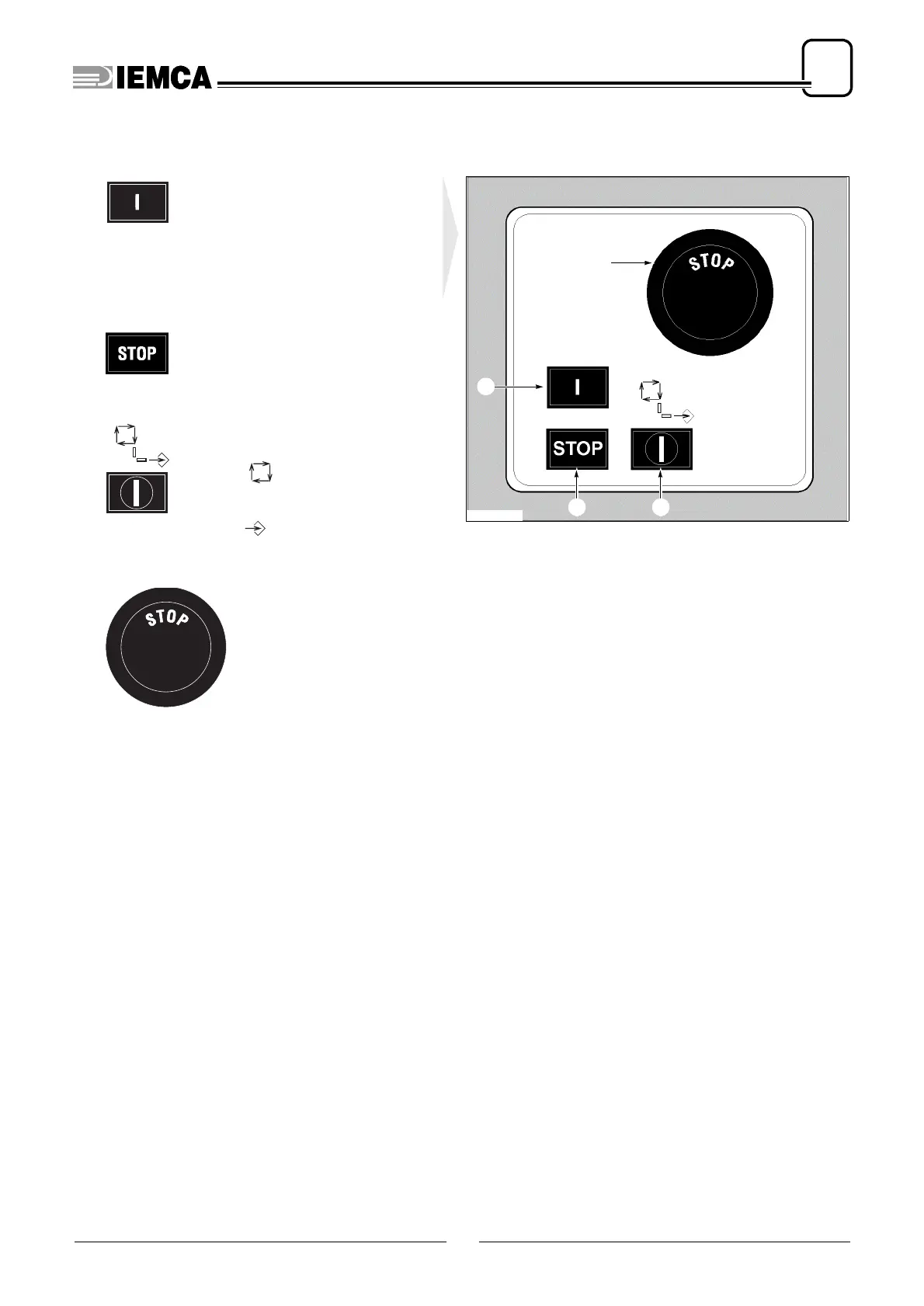
Main controls
1 - Green lighted push-button
; it star-
ts the feeder. Press the key and
keep it pressed until the indicator li-
ght corresponding to the key itself
turns on.
2 - Red push-button
; it stops the fee-
der.
3 - Key-operated two-position se-
lector
Position : the push-button panel
is enabled for the “message display”
mode.
Position : push-button panel ena-
bled to data entering mode.
4 - Emergency push-button
;
it stops the feeder. The fee-
der can be restarted only
after the push-button has
been manually released.
S 73
4
32
56_002 Ec.1
1






 To Next Page