48 Programming terminals
Anti-intrusion control panels
5. If the device to be enrolled is an output connected to a terminal of any device with an
Air2-MC300 output terminal, you must enable the “Broadcast RF” zone option (refer to
Table 6-9: Wireless parameters).
Once done, you must step back to the configuration of the terminal and configure it as
an “OUTPUT”.
Note
The “Broadcast RF” option must be enabled for each terminal of the Air2-MC300 device concerned.
6. Enroll all remote controls in the same way as you would enroll keys, and select as the
reader the one with the same address as the expansion.
7. Set the parameters of the zones, outputs and keypads.
6-6-2
Programming wireless terminals
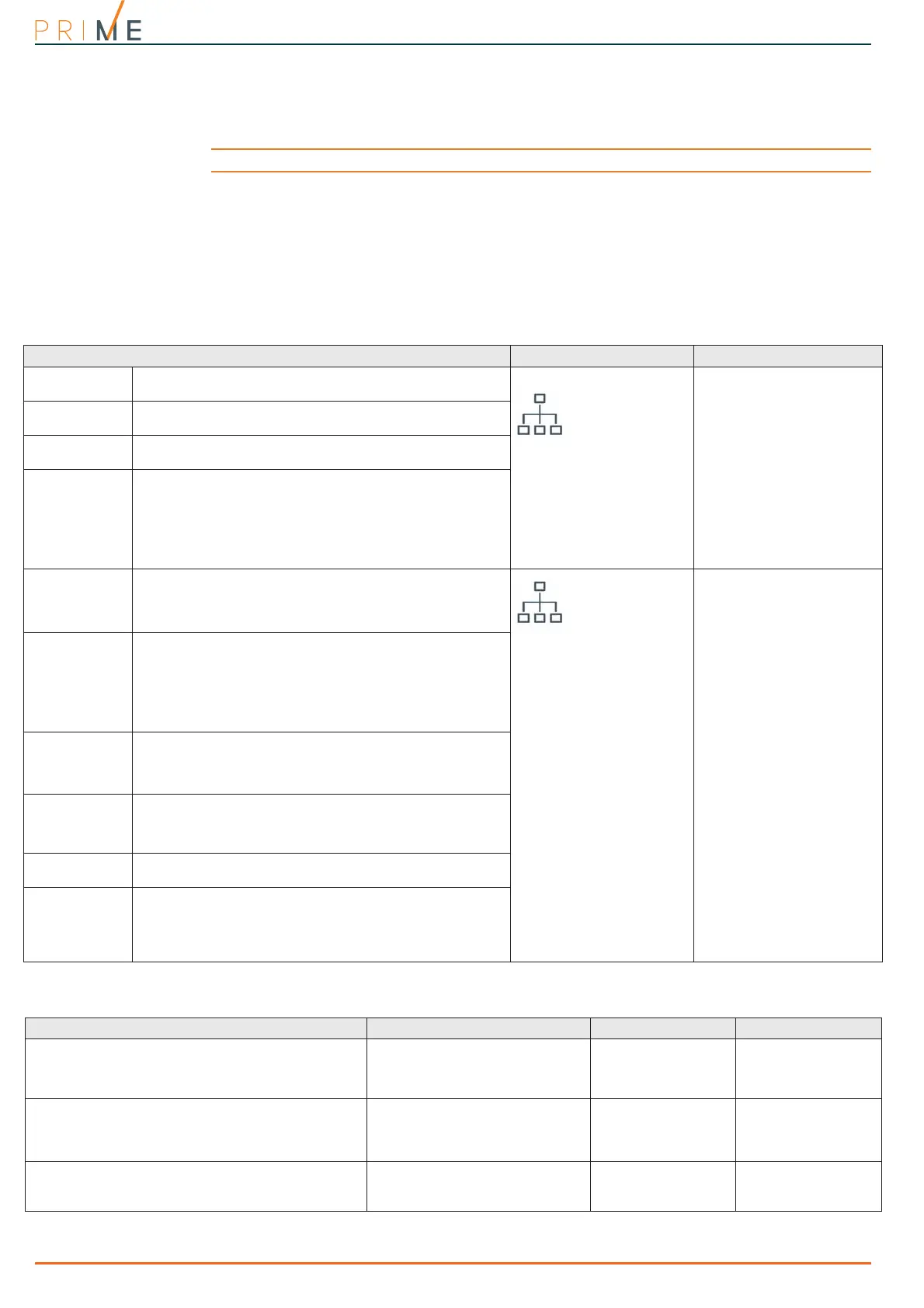
Table 6-9: Wireless parameters
Parameter Software section Installer menu section
Enroll
This section allows you to enroll a wireless detector which
has not yet been enrolled on the terminal concerned.
Wireless expansion,
Selected terminal,
Wireless
Terminals, "terminal",
Wireless
Enroll device
Type
Type of device to be enrolled (Table 6-8: Wireless terminal
types).
Remove
Section to delete from the terminal in question.a
previously enrolled wireless detector.
Delete device
Sensitivity
The “Wireless” section contains the parameters for
adjustment of the detector sensitivity of the previously
enrolled devices and their functions.
These parameters vary depending on the type of wireless
terminal to be configured (refer to Table 6-8: Wireless
terminal types and Table 6-10: Wireless detector
sensitivity).
Terminal type
Tamper on
unused reed
relays
Detects tamper on the Air2-MC300 magnetic-contact when
both reeds are in stand-by status.
Wireless expansion,
Selected terminal,
Wireless, Options
Terminals, "terminal",
Options,
TampReed/FollPir
Disable detec-
tor when parti-
tion is
disarmed
In order to increase battery life, the PIR detector will
deactivate when the partitions it belongs to are disarmed
and will only activate when the partitions it belongs to arm.
When the detector is deactivated it will not generate
alarms. When the partitions arm, there may be a delay of
up to 3 minutes before the detector receives the activation
command.
Use detector
LED
The red LED on the device provides visual signalling of
alarm or tamper conditions on the device itself.
This option will be enabled on all the terminals of the Air2
device.
Use sensor LED
Broadcast RF
This option assures the activation/deactivation of the
output within four seconds of the control panel command.
Valid only for terminals T1 and T2 of Air2-MC300
configured as outputs.
Broadcast RF
Bypass tamper
If this option is disabled, open/dislodgement tamper on
Air2 devices will not generate the respective events.
DisableTamperWLS WLS
Disable wire-
less monitoring
Enabling this option (disabled by default), disables
monitoring on the wireless detector.
In the event of the loss of the specific detector, no event
will be generated and no fault signal will be signalled on
the keypad.
No superv. WLS
Table 6-10: Wireless detector sensitivity
Parameter Terminal type Via software via keypad
Detector sensibility:
• PIR: from 1 (least sensitive) to 4 (most sensitive)
• Air2-FD100: from 0.08 dB/m to 0.15 dB/m
(default)
Infrared
Smoke detector
Sensitivity
Sensitivity
PIR detector sensitivity
Varies from 1 (least sensitive) to 10 (most sensitive).
The default setting is 6.
Passive infrared detector
Outdoor terminal
Dual technology detector
Curtain detector
Sensitivity
Sensitivity
Microwave detector sensitivity.
Varies from 1 (least sensitive) to 10 (most sensitive).
The default setting is 6.
Dual technology detector
Curtain detector
Microwave sensitivity
MicrowaveSensit.



 To Next Page