Browsing Your PDM Records 8
84
8 Browsing Your PDM Records
c. Tap the ending date for the time range.
d. Tap OK.
4. When nished, tap the back arrow ( ) in the upper le of the screen.
New notications have a blue icon (
). When a notication has been displayed
on this screen and you have exited by tapping the back arrow (
), the icon will be
grey (
) the next time you view this screen.
For a description of the alarms and notications, see page 109.
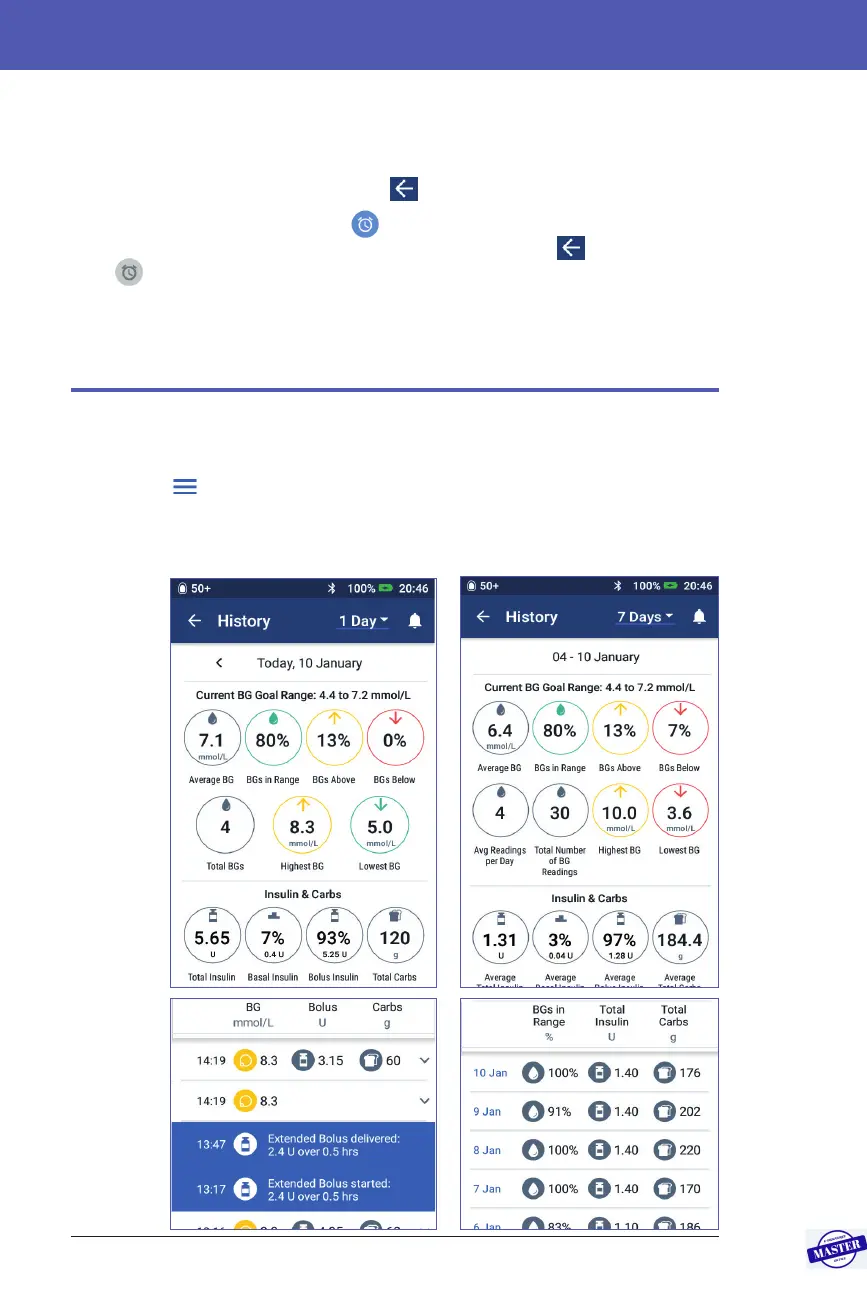
Overview of the Insulin and BG History Screens
To access your insulin and blood glucose records, navigate to:
Menu icon (
) > History : Insulin & BG History
You have the option of viewing records for one day or for multiple days.
Details
section
Swipe up
to see the
Details
section
Row 3
Row 2
Row 1
Summary
section
Date
selection
Multiple days
One day
Effective Date: 27SEP2019, ECO-000240



 To Next Page