73
Modifying Basal Insulin Delivery 66 Modifying Basal Insulin Delivery
Suspending and Resuming Insulin Delivery
Sometimes you may need to stop insulin delivery briey. For example, you must
suspend insulin delivery prior to editing an active Basal Program or resetting the
time or date. e Omnipod DASH™ System lets you suspend all insulin delivery
for up to two hours.
For the dierence between stopping insulin delivery using the suspend feature
or the temp basal feature, see “Methods to temporarily stop insulin delivery” on
page 141.
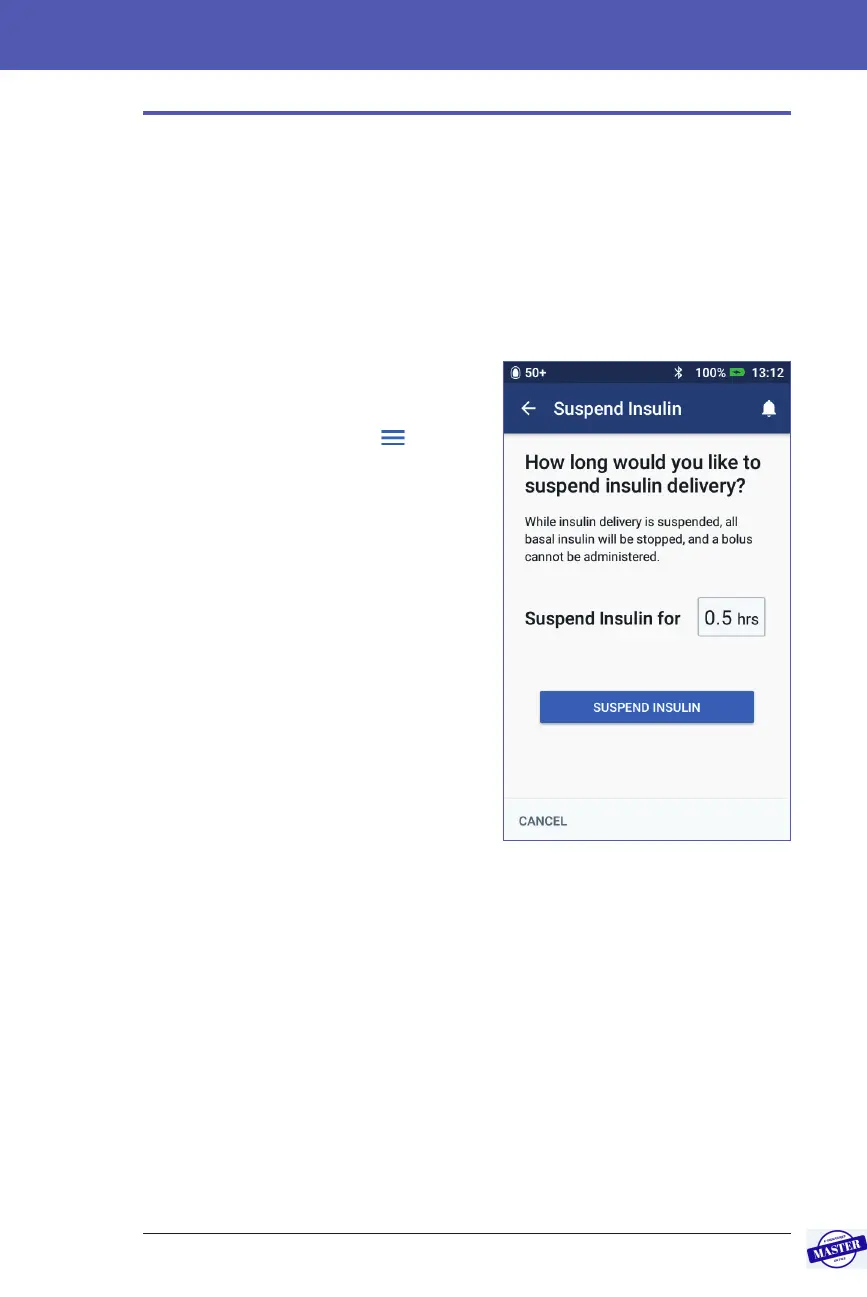
Suspend insulin delivery
To suspend insulin delivery:
1. Navigate to: Menu icon ( ) >
Suspend Insulin.
2. Tap the Suspend Insulin for eld.
Scroll the scroll wheel to specify the
duration of insulin suspension. e
suspension can last 30 minutes, 1
hour, 1.5 hours or 2 hours.
3. Tap SUSPEND INSULIN.
4. Tap YES to conrm that you want to
stop all insulin delivery.
e basal insulin delivery is
suspended.
e Home screen displays a yellow banner
stating that “Insulin delivery is suspended”.
Note: e Pod beeps every 15 minutes
throughout the suspension period. At the end of the suspension period, insulin
delivery does not automatically resume. e Pod and PDM notify you every
minute for three minutes and repeat this notication every 15 minutes until you
have resumed insulin delivery.
Note: Temp basals or extended bolus are automatically cancelled when you
suspend insulin delivery.
Effective Date: 27SEP2019, ECO-000240



 To Next Page