43
Changing Your Pod 33 Changing Your Pod
Warnings:
NEVER use a Pod if you feel resistance when you depress the plunger.
is condition can result in interrupted insulin delivery.
NEVER inject air into the ll port. Doing so may result in unintended or
interrupted insulin delivery.
5. Remove the needle from the insulin ll port. e port is self-sealing; insulin
will not leak aer the needle is removed.
6. Place the protective cap back on the syringe needle and remove the needle
from the ll syringe.
Pair the PDM and Pod
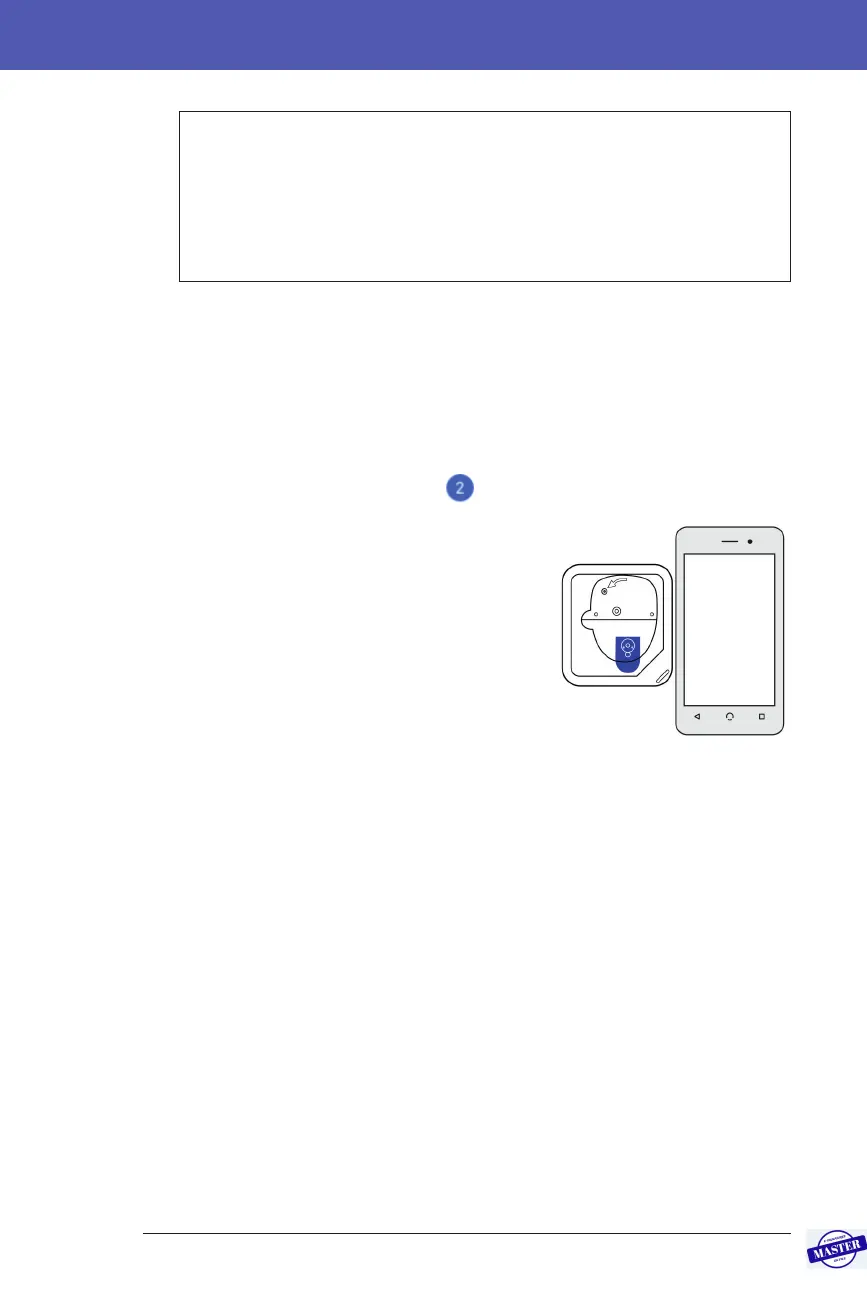
To pair the PDM and Pod (screen step ):
1. Place the PDM next to the Pod so they are
touching. e Pod should be in its plastic tray
during this process.
2. Tap NEXT.
• If more than one lled DASH Pod is
in range, the PDM informs you of this.
Move at least 1.5 m (5 ) away from any
other DASH Pod and tap TRY AGAIN.
• If only one Pod is in range, the Omnipod
DASH™ System performs a series of safety checks and primes the Pod.
3. Listen for the tone from the PDM that indicates that the Pod is paired to the
PDM and is ready to be applied.
Note: Aer pairing, the PDM should always be able to communicate with a Pod
that is up to 1.5 m (5 ) away. Depending on the location, the PDM may be able to
communicate with a Pod that is as much as 15 metres (50 ) away.
Note: Aer pairing, the Pod beeps every 5 minutes until you apply it. If you do not
apply it within 60 minutes aer pairing, the Pod becomes unusable.
If you see a communication error message when you attempt to pair your Pod, see
“Communication Errors” on page 120.
Effective Date: 27SEP2019, ECO-000240



 To Next Page