15
Omnipod DASH™ Insulin Management System 11 Omnipod DASH™ Insulin Management System
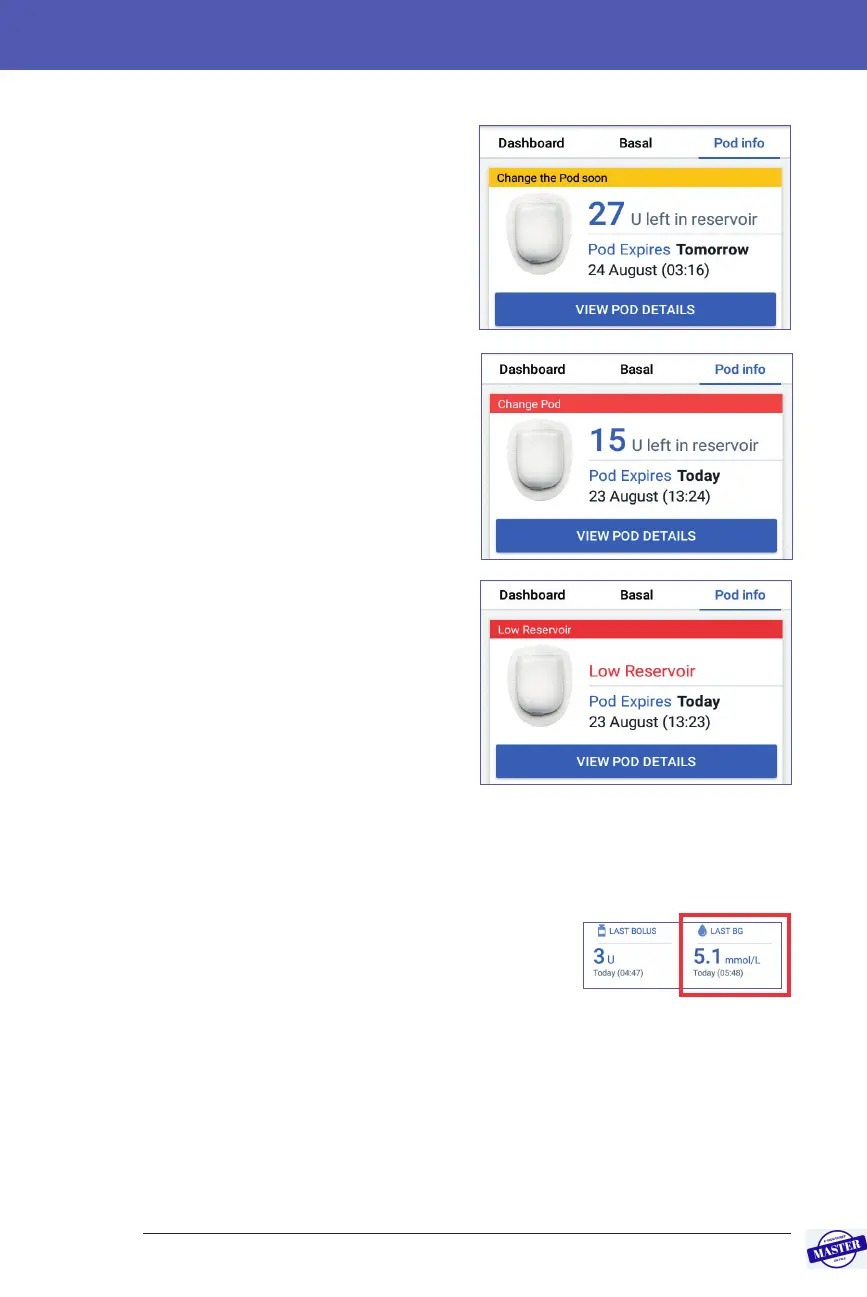
When your Pod is going to expire soon,
a yellow Change the Pod soon banner
appears on the Pod Info tab. e yellow
banner appears 12 hours before Pod
expiry or at the time of your Pod expiry
reminder, whichever is earlier.
At six hours before Pod expiry, a red
Change Pod banner appears on the Pod
Info tab.
When less than ve units of insulin
remain in the Pod, a red Low Reservoir
banner appears on the Pod Info tab.
If the Pod is going to expire soon and
there are less than ve units of insulin in
the Pod, the red Low Reservoir banner
is displayed on the Pod Info tab.
Note: If you change the date or time,
thePod expiry date and time will be
adjusted to match the new date and time.
Last BG section
e lower right side of the Home screen
displays the value and time of your most
recent blood glucose reading.
Effective Date: 27SEP2019, ECO-000240



 To Next Page