85
Browsing Your PDM Records 88 Browsing Your PDM Records
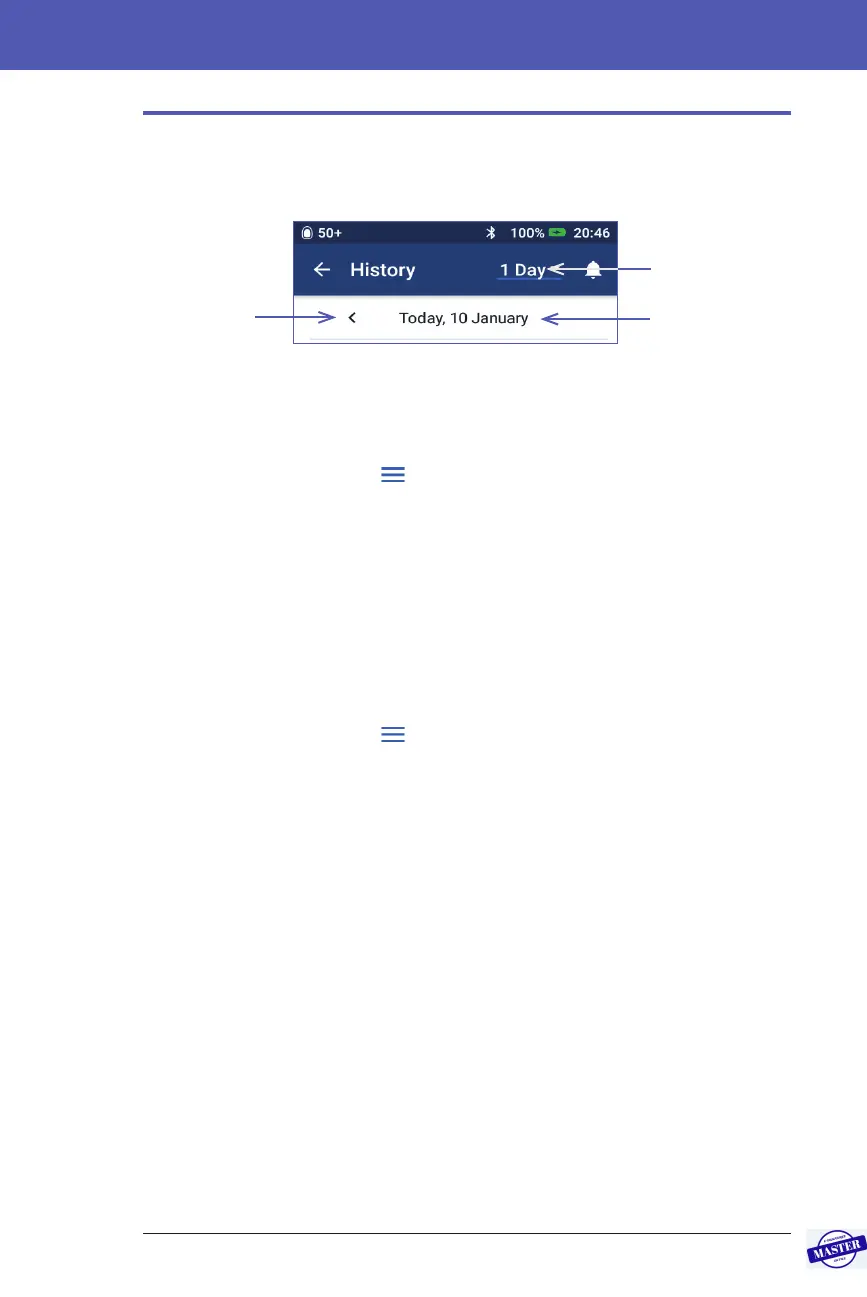
Date Selection
When you rst access the History screens, information from the current day is
displayed. You can view records from a dierent day or a range of dates.
One day
To view records from today or a recent day:
1. Navigate to: Menu icon ( ) > History : Insulin & BG History.
Today’s history records are displayed.
2. To view a recent date, tap the previous date arrow (<).
3. To move forward in time, tap the next date arrow (>). is arrow is not visible
when today’s records are displayed.
Range of days
To view records from a range of dates, or to quickly nd a day from weeks or
months ago:
1. Navigate to: Menu icon ( ) > History : Insulin & BG History.
2. Tap the date range selector.
3. Choose 1, 7, 14, 30, 60 or 90 days to select the number of days to display. Select
a larger number to display older data.
e multi-day screen appears showing the selected range of dates.
4. To see details for a single day in the date range:
a. Swipe up to see the details section of the multi-day screen.
b. Tap the desired date to view its one-day history screen.
e one-day History screen for that date appears.
Date(s) being
displayed
Date range
selector
Previous date
arrow (single
day view only)
Effective Date: 27SEP2019, ECO-000240



 To Next Page