Understanding PDM and Pod Function 12
138
12 Understanding PDM and Pod Function
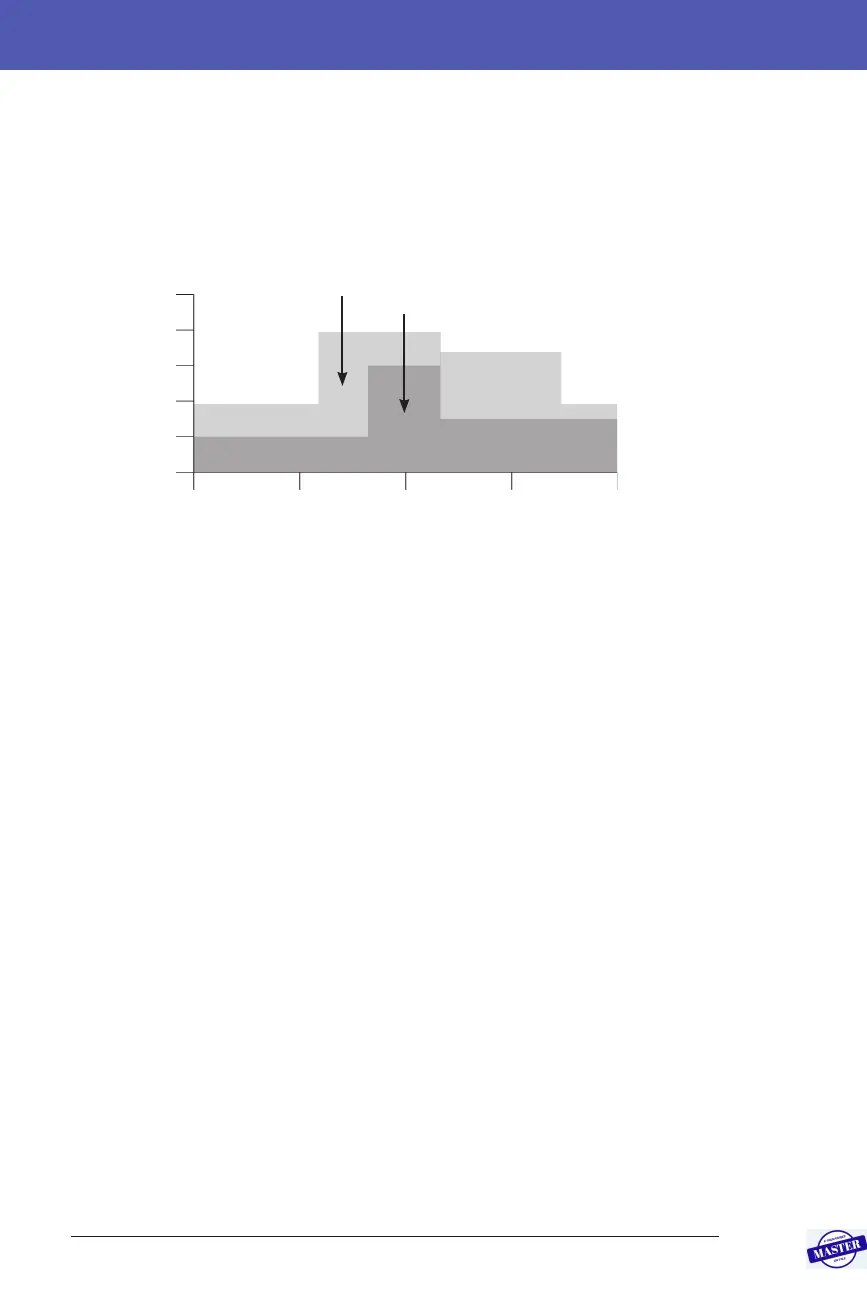
You may have dierent routines on dierent days of the week; for example
your weekend routine may dier from your weekday routine. To handle these
predictable changes in your routine, you can create up to 12 dierent Basal
Programs (see “Basal Programs” on page 75). is gure shows two possible Basal
Programs, one for weekdays and the other for weekends.
Temporary Basal Rates
e ability to set temporary basal rates, also called “temp basals”,
is an important feature of the Omnipod DASH™ System. A temp basal lets
you override the currently running Basal Program by setting a dierent basal
rate for a predetermined period of time.
For example, if you are going cross-country skiing for several hours, you
could set a temp basal to lower your basal rate during and aer your exercise
(see “Using Temporary Basal Rates” on page 69).
Temp basals can last from 30 minutes to 12 hours. At the end of the specied time,
the Pod automatically reverts to the active Basal Program.
Temp basal settings: Units per hour (U/hr) or per cent (%)
Temp basals can be set using percentage (%) or units per hour (U/hr).
Setting temp basals to units per hour (U/hr) means that the Pod delivers insulin
at a at rate for the duration of the temp basal. In other words, the details of the
currently scheduled Basal Program are ignored during these temp basals.
Setting temp basals to per cent (%) means that insulin delivery follows the pattern
dened by the currently scheduled Basal Program, but increases or decreases the
insulin delivery by the specied percentage. For example, a 50% increase raises
the Basal Program’s insulin delivery by 50%, while a 50% decrease lowers the Basal
Program’s insulin delivery by 50%.
Midnight Midnight06:00 18:00Noon
Weekday Basal Program
Weekend Basal Program
0
0.2
0.4
0.6
0.8
1.0
Basal Rate (U/hr)
Effective Date: 27SEP2019, ECO-000240



 To Next Page