51
CHAPTER 4
Entering Blood Glucose Readings
About Blood Glucose Testing
Warning: Follow the guidance of your healthcare provider for proper blood
glucose monitoring.
You may want to test for low blood glucose when:
• You feel symptoms such as weakness, sweating, nervousness, headache or
confusion.
• You have delayed a meal aer taking insulin.
• Your healthcare provider advises you to do so.
Entering Your Blood Glucose Reading
Note: Only enter blood glucose readings; do not enter control solution readings.
Any readings you enter are averaged into
your blood glucose history records.
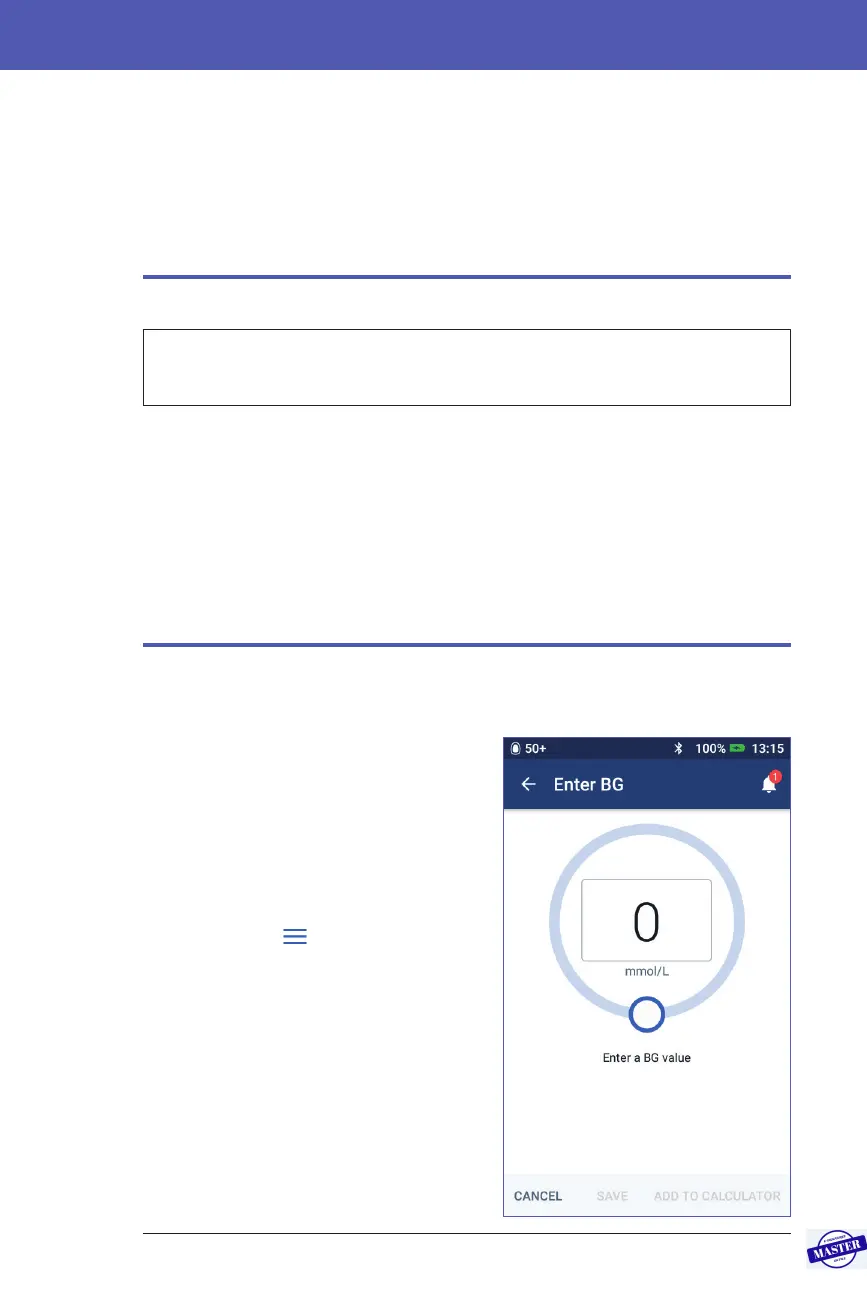
To enter your blood glucose reading:
1. Check your blood glucose following
the BG meter’s instructions for use.
2. Go to the Enter BG screen on your
PDM:
Menu icon (
) > Enter BG
3. Manually enter or edit a blood glucose
value as follows:
a. Tap the box inside the circle.
b. Use the number pad to enter your
blood glucose reading.
c. Tap the tick symbol to close the
number pad.
Effective Date: 27SEP2019, ECO-000240



 To Next Page