19
Omnipod DASH™ Insulin Management System 11 Omnipod DASH™ Insulin Management System
PDM Messages to You
e PDM can deliver alarm messages, notications and conrmation messages.
Alarms
Hazard alarms and advisory alarms require your immediate attention
(see “Alarms, Notications and Communication Errors” on page 109). If
you ignore an alarm, you could develop hypoglycaemia or hyperglycaemia.
Hazard alarms ( ) are accompanied by a continuous vibration or tone
and interrupt anything else the PDM is doing except another hazard alarm.
For example, a hazard alarm is issued if the Pod runs out of insulin.
Advisory alarms ( ) alert you to some aspect of the PDM or Pod that needs
your attention in the near future. For example, if the level of insulin in your Pod
is getting low, the PDM issues an advisory alarm.
Notications
Notications ( ) remind you about actions you may want to perform
(see “Notications List” on page 117). For example, you can set a reminder
to tell you to measure your blood glucose aer a specied amount of time.
Conrmation Messages
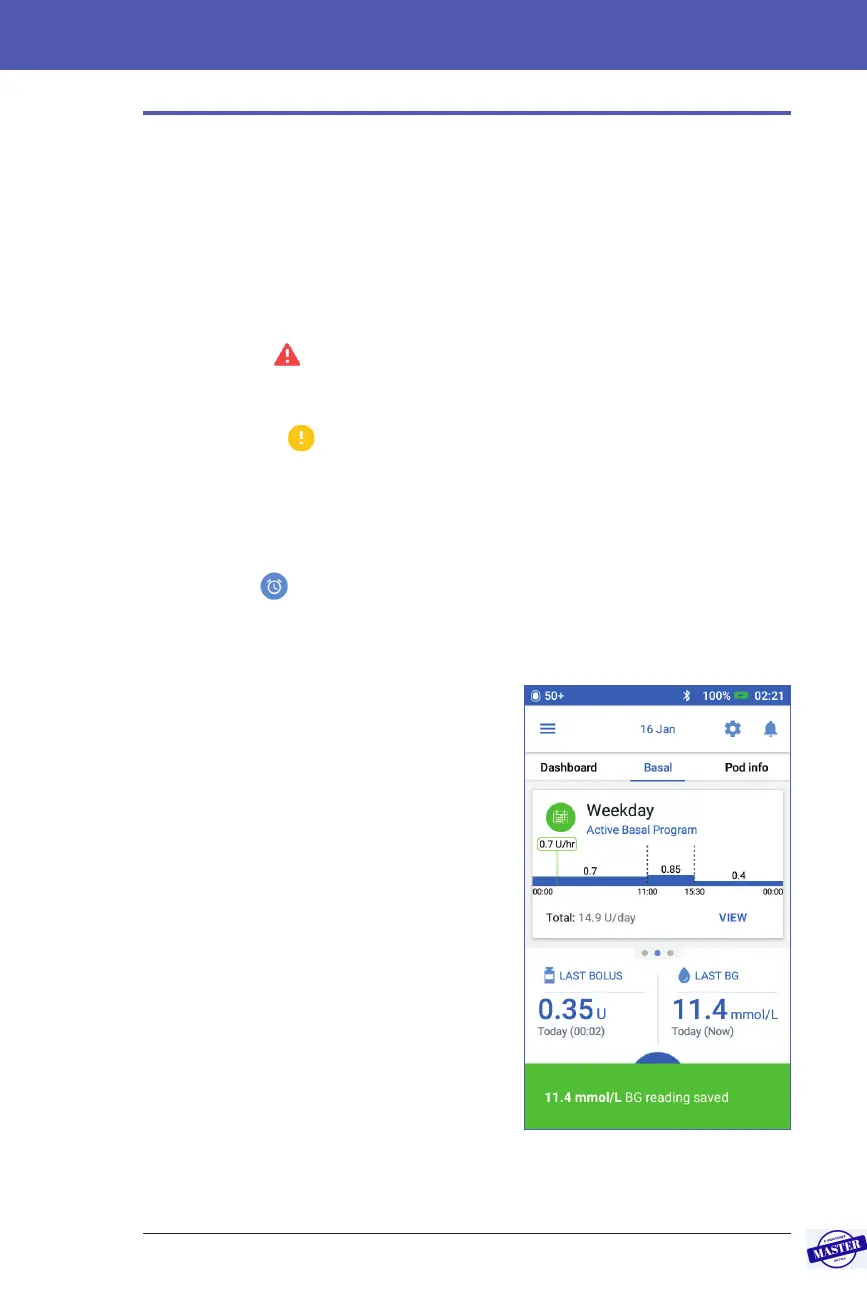
e PDM conrms that an instruction was
successful by displaying a green banner with
a conrmation message. e conrmation
message disappears aer several seconds.
Tip: Swipe to the right on the message to
dismiss it sooner.
If an instruction is not successful, the PDM
displays a communication error message
(see “Communication Errors” on page 120).
Effective Date: 27SEP2019, ECO-000240



 To Next Page