25
Initial PDM Setup 22 Initial PDM Setup
Set the time zone and time
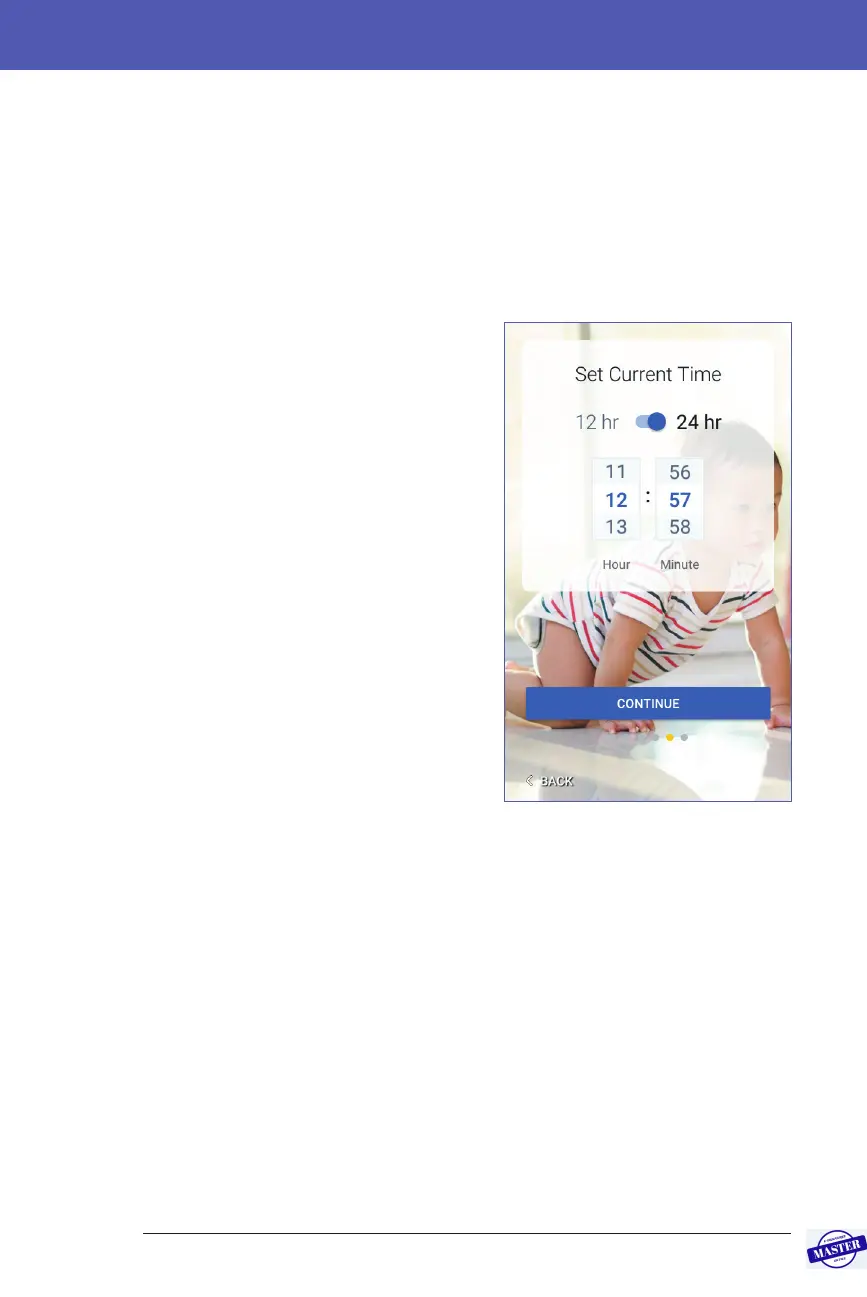
To set the current time zone and time:
1. Tap Select One to show the list of time zones.
2. Tap your time zone. You may need to swipe up or down to nd your time
zone.
3. Tap CONTINUE.
4. Tap the 12 hr / 24 hr toggle to choose
your preferred time display. For
example, six hours before midnight is:
• 18:00 in 24 hr display
• 6:00 pm in 12 hr display
5. Place your nger on the Hour scroll
wheel. Slide your nger up or down
to scroll the wheel up or down. Stop
scrolling when the correct hour
appears in the centre of the wheel.
6. Scroll the Minute scroll wheel up or
down until the correct minute appears
in the centre of the scroll wheel.
7. If using 12 hr time, scroll the right-
most eld and select am or pm.
8. Review the time and tap CONTINUE.
Caution: Check that you have set
the time correctly. e time setting
aects the operation of several
Omnipod DASH™ System features
and can impact your insulin delivery.
Effective Date: 27SEP2019, ECO-000240



 To Next Page