39
Changing Your Pod 33 Changing Your Pod
3. When the green banner tells you to remove your
Pod, remove the deactivated Pod from your body:
a. Gently li the edges of the adhesive tape from
your skin and remove the entire Pod.
Tip: Remove the Pod slowly to help avoid
possible skin irritation.
b. Use soap and water to remove any adhesive that remains on the skin,
orifnecessary, use an adhesive remover.
c. Check the infusion site for signs of infection (see “Avoid Infusion Site
Infections” on page49).
d. Dispose of the used Pod according to local waste disposal regulations.
4. To activate a new Pod, tap SET UP NEW POD.
5. Go to “Preliminary Pod Change Steps” on page 40.
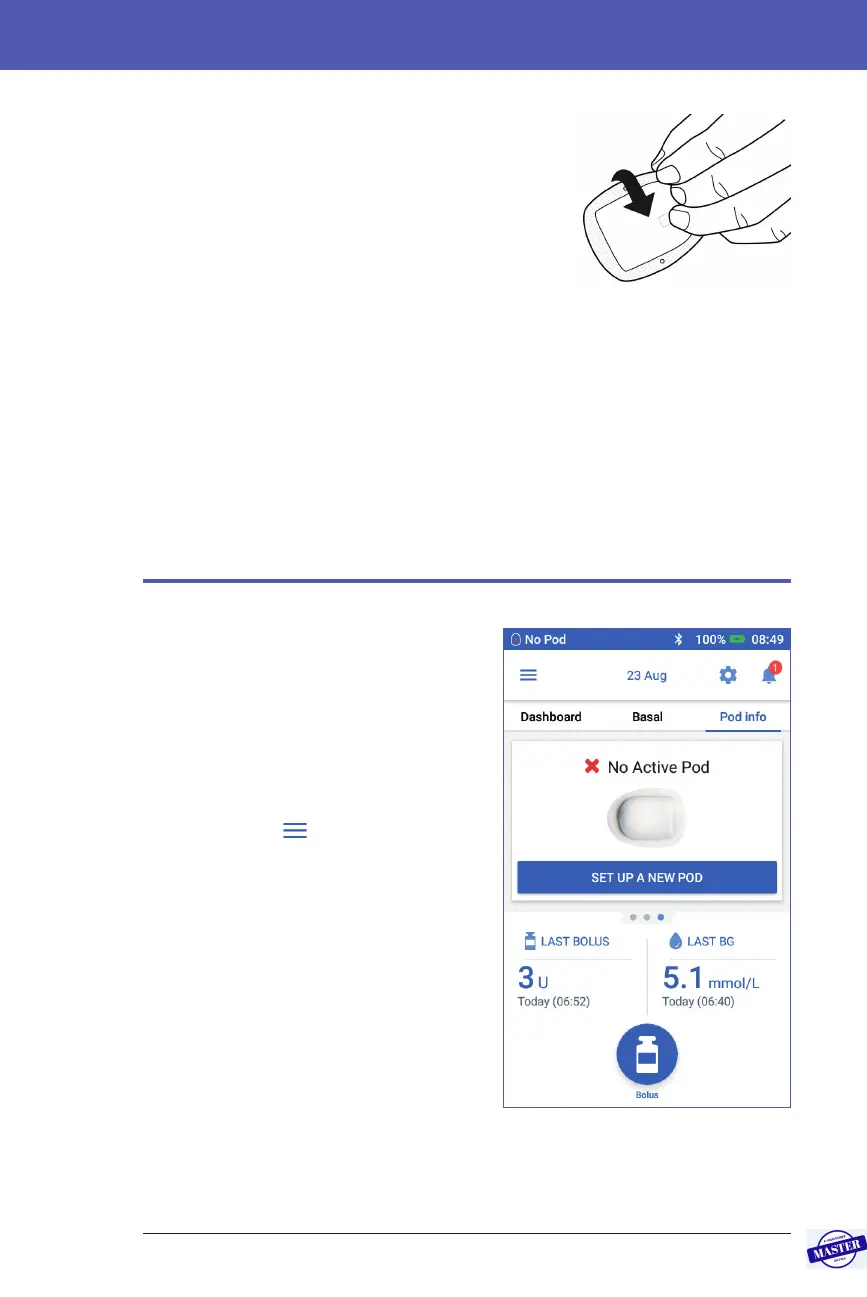
No Active Pod
If you have no active Pod and are ready to
activate a new Pod:
1. Navigate to the Pod change screen:
Home > Pod Info tab > SET UP NEW
POD
or
Menu icon (
) > Pod >
SET UP NEW POD
2. Go to “Preliminary Pod Change
Steps” on page 40.
Effective Date: 27SEP2019, ECO-000240



 To Next Page