81
Managing Programs and Presets 77 Managing Programs and Presets
Bolus Presets
Use bolus presets to store commonly used bolus amounts for quick retrieval in the
future. Bolus presets are only available if the Bolus Calculator is o.
A bolus preset stores the units of insulin in a bolus. You can choose to extend some
or all of the bolus preset when you activate it.
You can set up to seven bolus presets. A bolus preset cannot exceed your
Maximum Bolus.
Create a new bolus preset
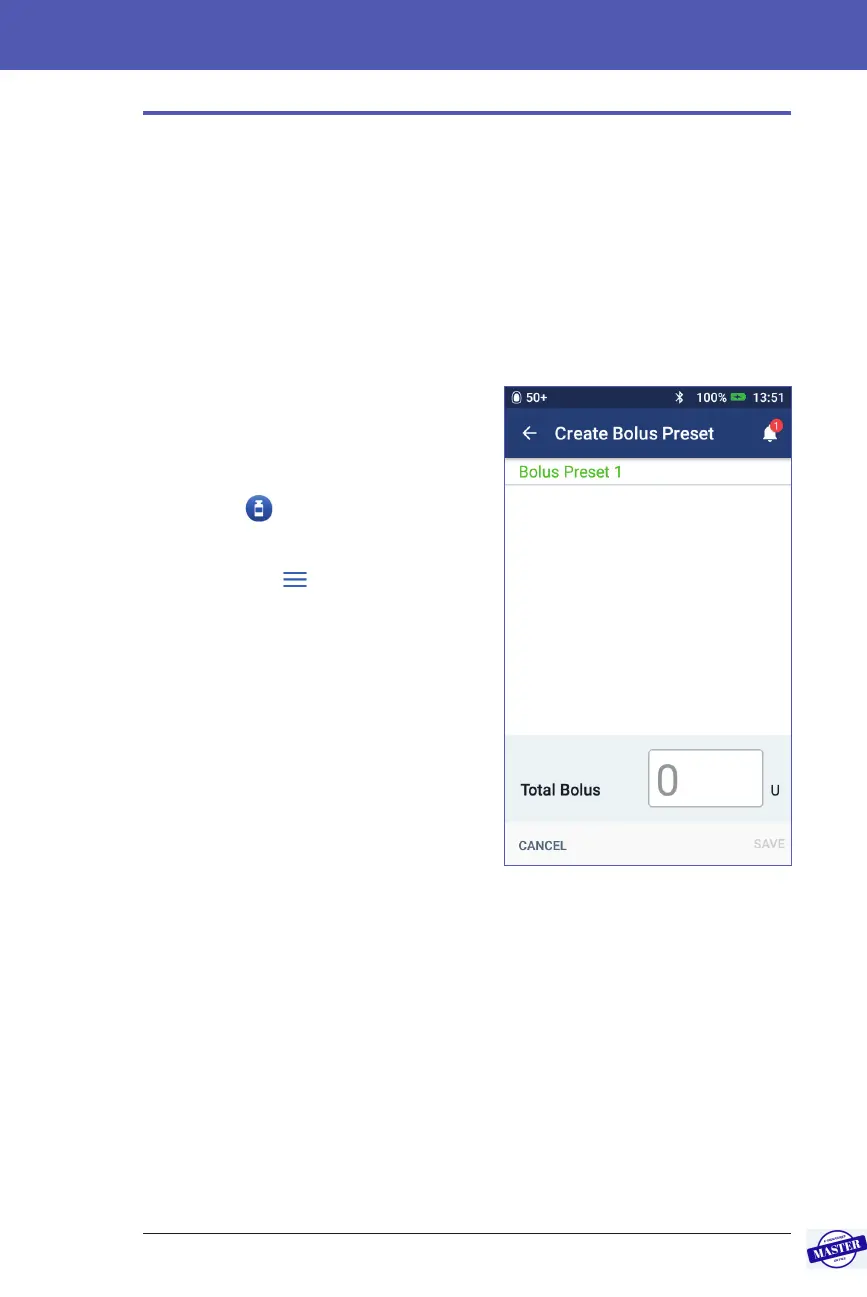
To create a new bolus preset:
1. Navigate to the Bolus Presets screen:
On the Home screen, tap the Bolus
button (
)
or
Menu icon (
) > Bolus Presets
2. Tap SELECT FROM PRESET.
3. Tap CREATE NEW.
Note: If you already have seven bolus
presets, CREATE NEW does not appear.
If necessary, you can delete an existing
preset.
4. Optional: Tap the Preset Name eld
and enter a descriptive name for
your preset. e default name for the
preset is “Bolus Preset” followed by a
number.
5. Optional: Tap a tag to appear next to the name of the new preset. Tap a second
time to deselect the tag. If you do not select a tag, a default tag is used.
6. Tap NEXT.
7. Tap the Total Bolus eld and enter the units of insulin for the bolus preset.
8. Tap SAVE to save the new bolus preset.
Effective Date: 27SEP2019, ECO-000240



 To Next Page