Modifying Basal Insulin Delivery 6
70
6 Modifying Basal Insulin Delivery
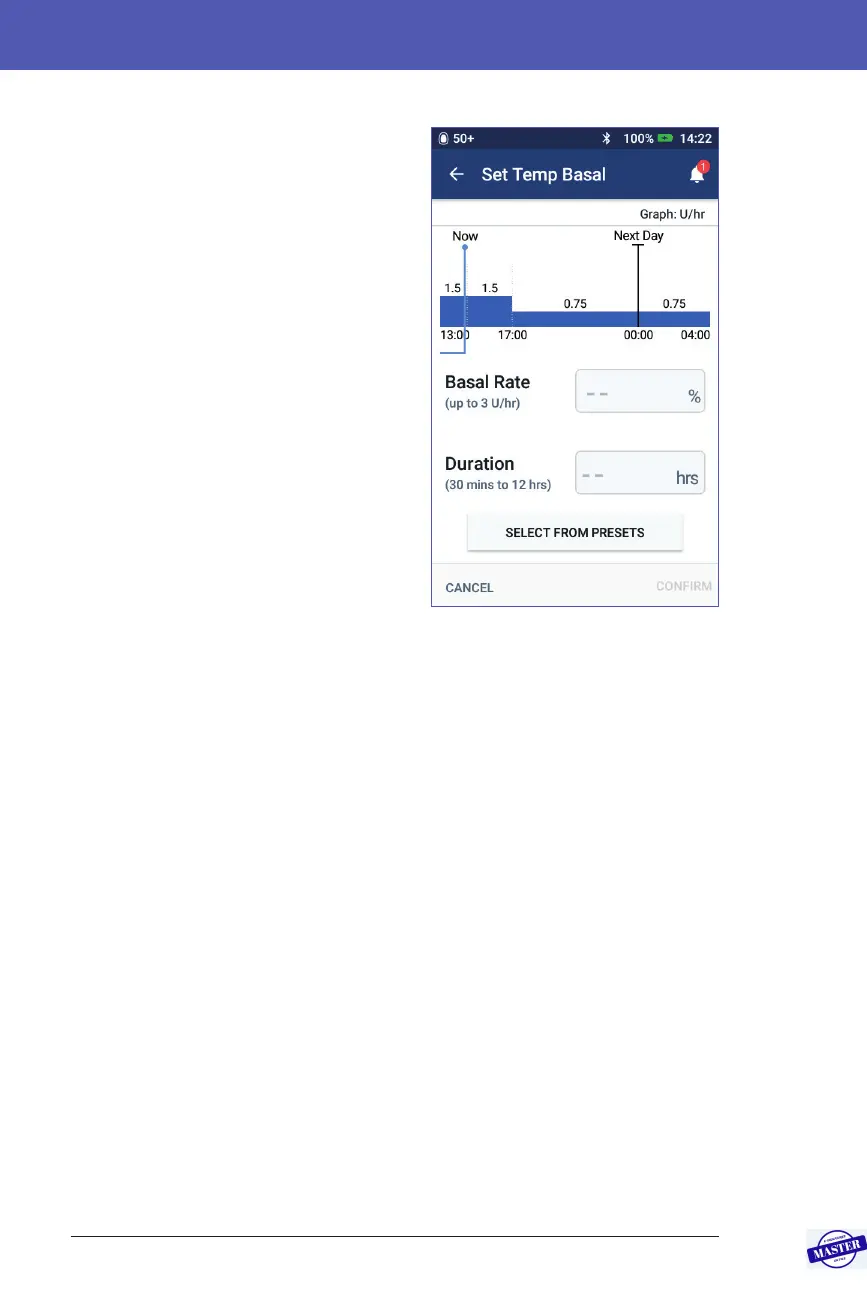
2. Tap the Basal Rate eld and enter the
desired change in the basal rate:
• If temp basals are congured as a
percentage (%) change, scroll the
wheel up or down to dene the
per cent change to the active Basal
Program. An up arrow indicates
increasing the basal rate above
that of the active Basal Program. A
down arrow indicates decreasing
the basal rate below that of the
active Basal Program.
• If temp basals are congured as a
at rate (U/hr), scroll the wheel to
select the basal rate for the entire
temp basal period.
To change whether temp basals are
congured as percent (%) or U/hr, see
“Temp basal” on page 105.
Note: e scroll wheel will not scroll above your Maximum Basal Rate. To
adjust your Maximum Basal Rate, see “Maximum Basal Rate” on page104.
Tip: You can turn o insulin delivery for the duration of the temp basal
by setting a decrease of 100% or setting the temp basal to 0 U/hr. For more
information, see “Temp basal limitations” on page 140 and “Methods to
temporarily stop insulin delivery” on page 141.
3. Tap the Duration eld and enter the temp basal duration (between 30
minutes and 12 hours).
Examine the temp basal graph at the top of the screen. e proposed temp
basal is superimposed on the active Basal Program.
• e lighter blue shaded area shows the proposed temp basal rate for each
segment.
• If you set a decrease, the active Basal Program is shown as a dotted line.
4. Tap CONFIRM to continue.
5. Review the temp basal details. If corrections are needed, tap on the row that
you would like to change. en enter your corrections and conrm them.
Note: If necessary, the PDM limits the basal rate of any segment that would
exceed your Maximum Basal Rate setting. is is indicated by a red line on
the graph and the word “Max”.
6. To activate the temp basal, tap ACTIVATE. en tap ACTIVATE again.
Effective Date: 27SEP2019, ECO-000240



 To Next Page