91Chapter 11 Settings
The encryption method in use for this prole. An encryption type
must be exactly the same as it is in an wireless LAN access point
which you have installed.
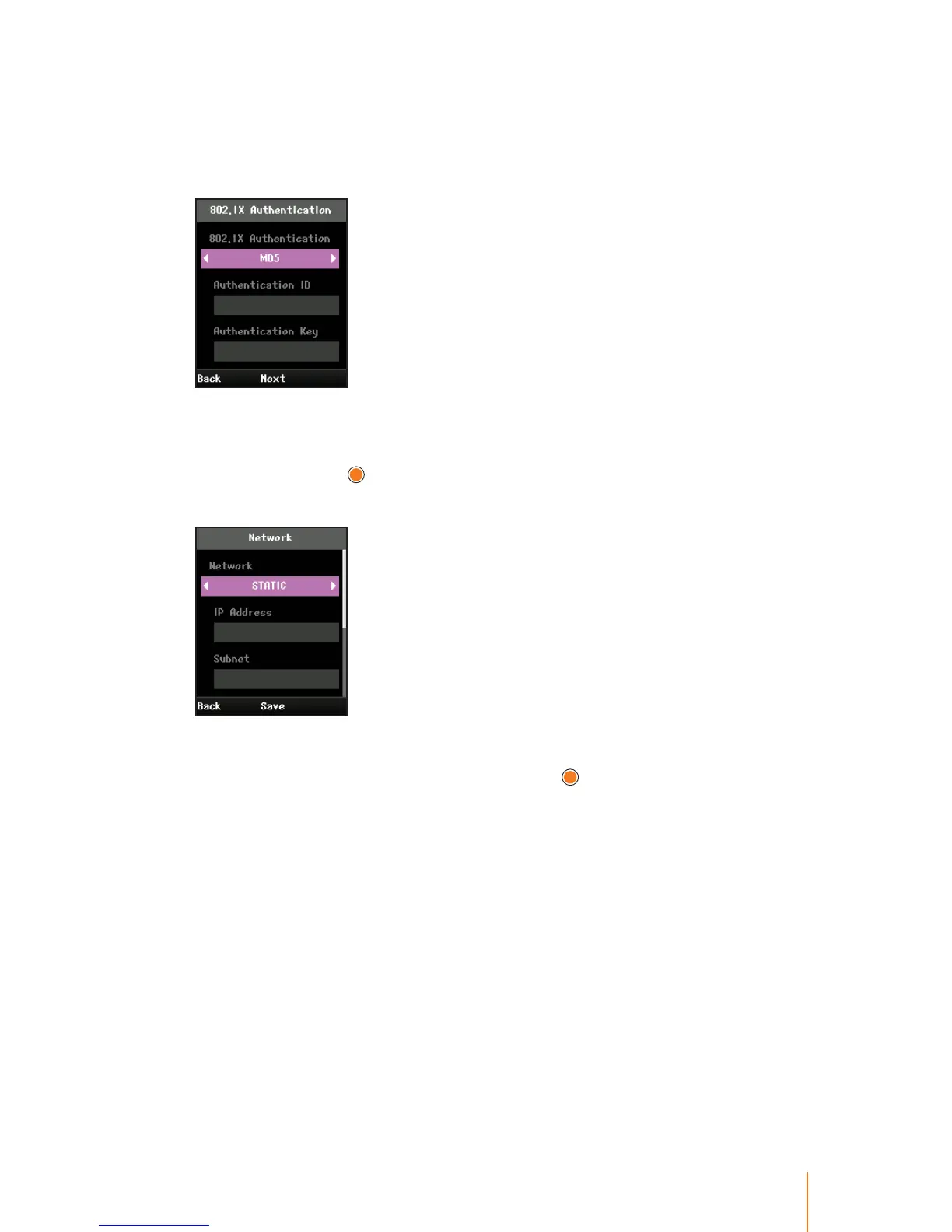
7. To set authentication to the default prole:
Select 802.1X Authenication eld and press navigation key left or
right to select an valid value NONE, MD5, TTLS, PEAP, LEAP, or TLS
and then press
.
8. To set network to the default prole:
Select Network eld and press navigation key left or right to select
one of DHCP or STATIC, and then press
.
IP Address must be within the same network area and all access
point’s IP address are within it too for supporting handover.
- DHCP is client provides a mechanism for allocating IP addresses
dynamically so that addresses can be reused when hosts no
longer need them.
- STATIC is a number that is assigned to a phone by an Internet
service provider to be its permanent address on the Internet. In
this case, you must manually enter the following information to
set for the network.
IP Address: The IP address of this phone.
Subnet: The subnet mask used for the network.
Primary GW: The IP address of the gateway for the network.



 To Next Page