EasyManua.ls Logo

Iridium 9555 - Page 167

Iridium 9555
193 pages
Print Icon
To Next Page IconTo Next Page
To Previous Page IconTo Previous Page
Loading...
14: Using the Security Menu
156 Iridium 9555 Satellite Phone User Manual
Phone Lock
SIM lock
Change PINs
Security
Select Back
Enable SIM lock
Disable SIM lock
SIM Lock
Select Back
Phone PIN
Enter PIN
Select Clear
* * * *
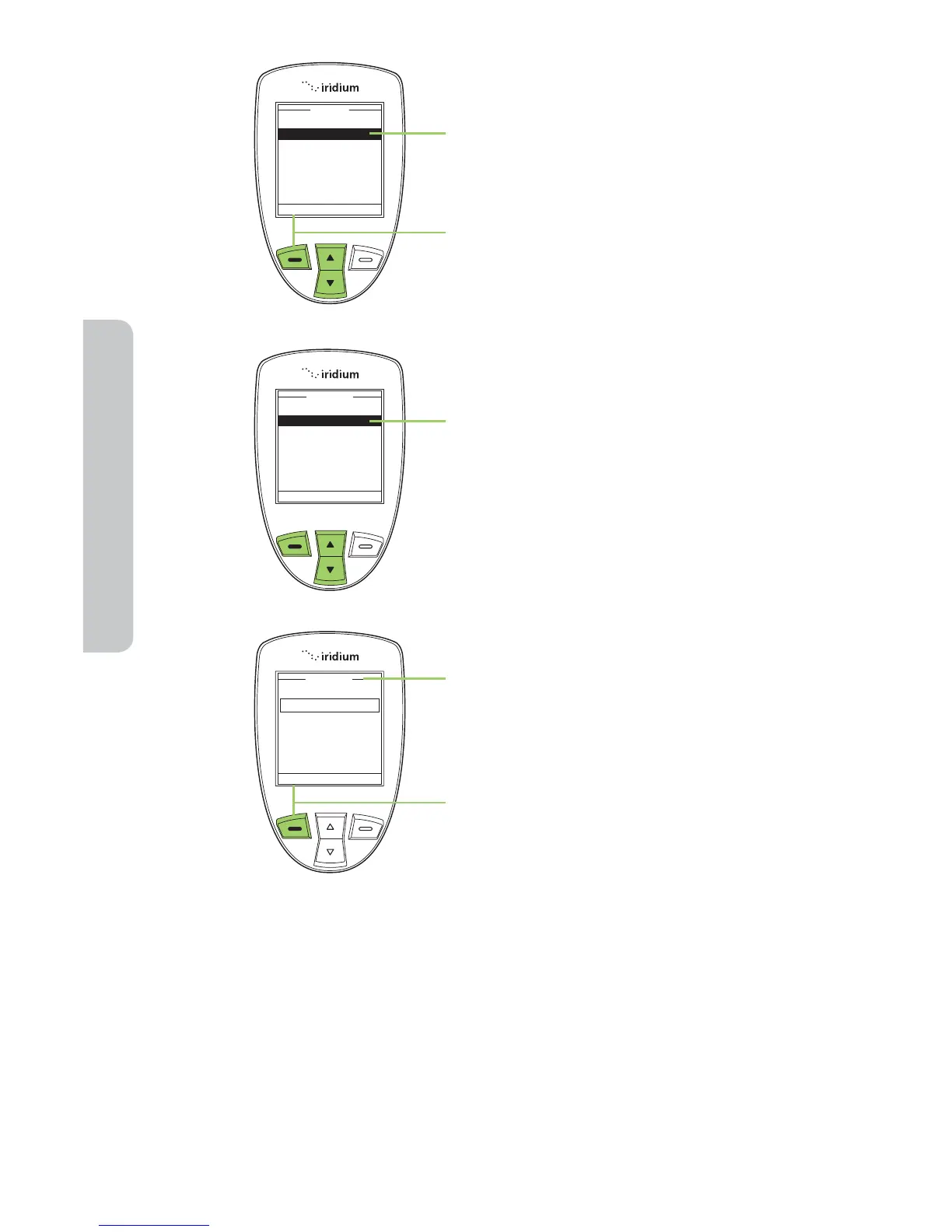
3. Use the 2-way Navi-key to scroll
until SIM lock is highlighted.
4. Press the left soft key, labeled
Select.
5. Use the 2-way Navi-key until the
action you prefer is highlighted.
6. The Enter PIN screen appears. Using
the keypad enter the PIN number.
7. Press the left soft key, labeled
Select.
The message SIM lock disabled briefly
appears, then returns to the SIM Lock
menu.


Table of Contents

Other manuals for Iridium 9555

Related product manuals