EasyManua.ls Logo

Iridium 9555 - Page 74

Iridium 9555
193 pages
Print Icon
To Next Page IconTo Next Page
To Previous Page IconTo Previous Page
Loading...
Iridium 9555 Satellite Phone User Manual 63
7: Predictive Text Entry
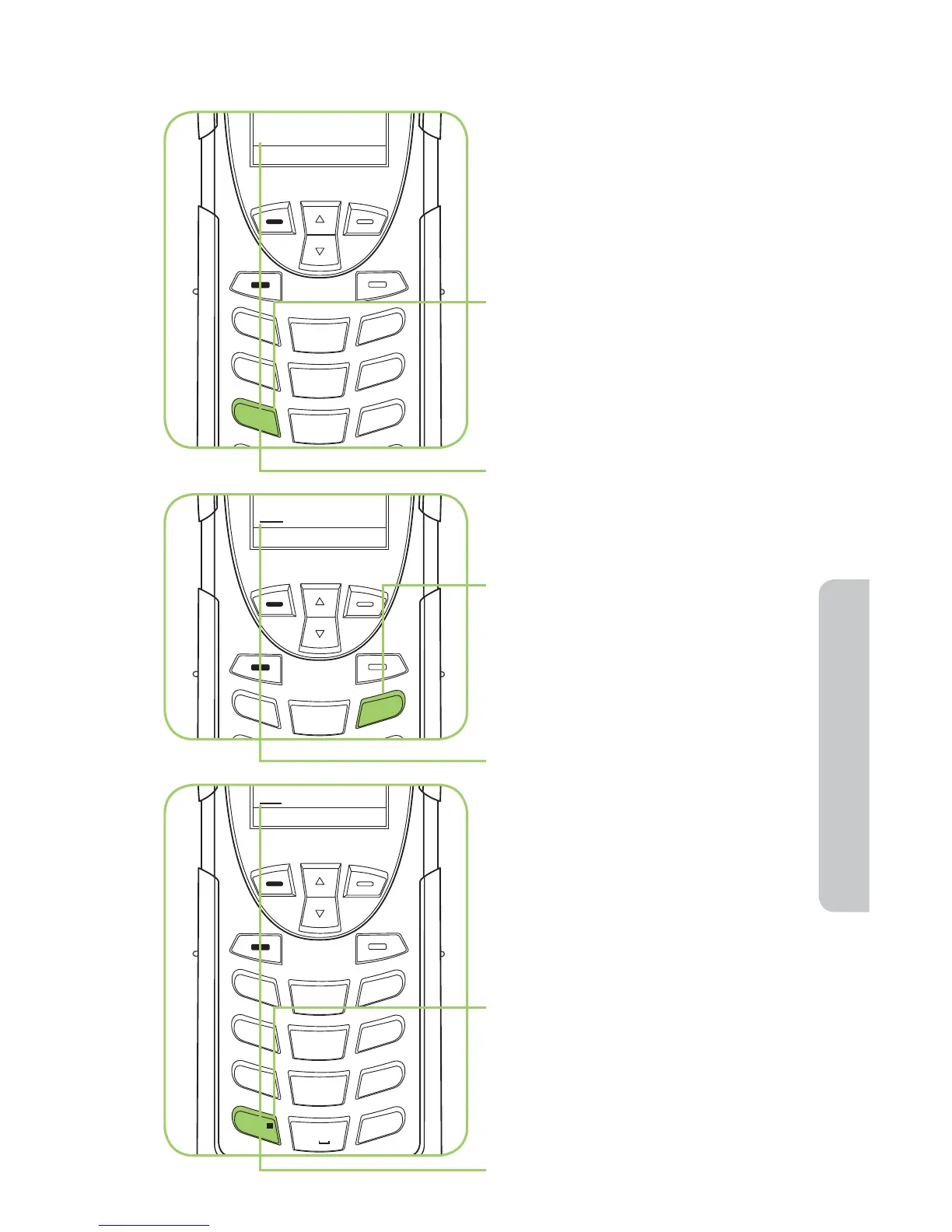
Example: Entering “red”
see
Options
Clear
1
2
ABC
3
DEF
red
Options
Clear
1
2
ABC
3
DEF
4
GHI
5 JKL
6
MNO
7
PQRS
8 TUV
9
WXYZ
0 +
#
*
«
1. Press key 7.
Even if the correct letter r has not
appeared, proceed with the next
letter in the word.
2. Press key 3 twice for the next
two letters c & d”.
The word see comes up which
is more common than “red”. The
underline indicates there are other
words to choose from.
3. Press Next Key (
).
The word “red” appears.

s
Options
Clear
1
2
ABC
3
DEF
4
GHI
5 JKL
6
MNO
7
PQRS
8 TUV
9
WXYZ

Table of Contents

Other manuals for Iridium 9555

Related product manuals