5-9
Advanced Operations
1.
2.
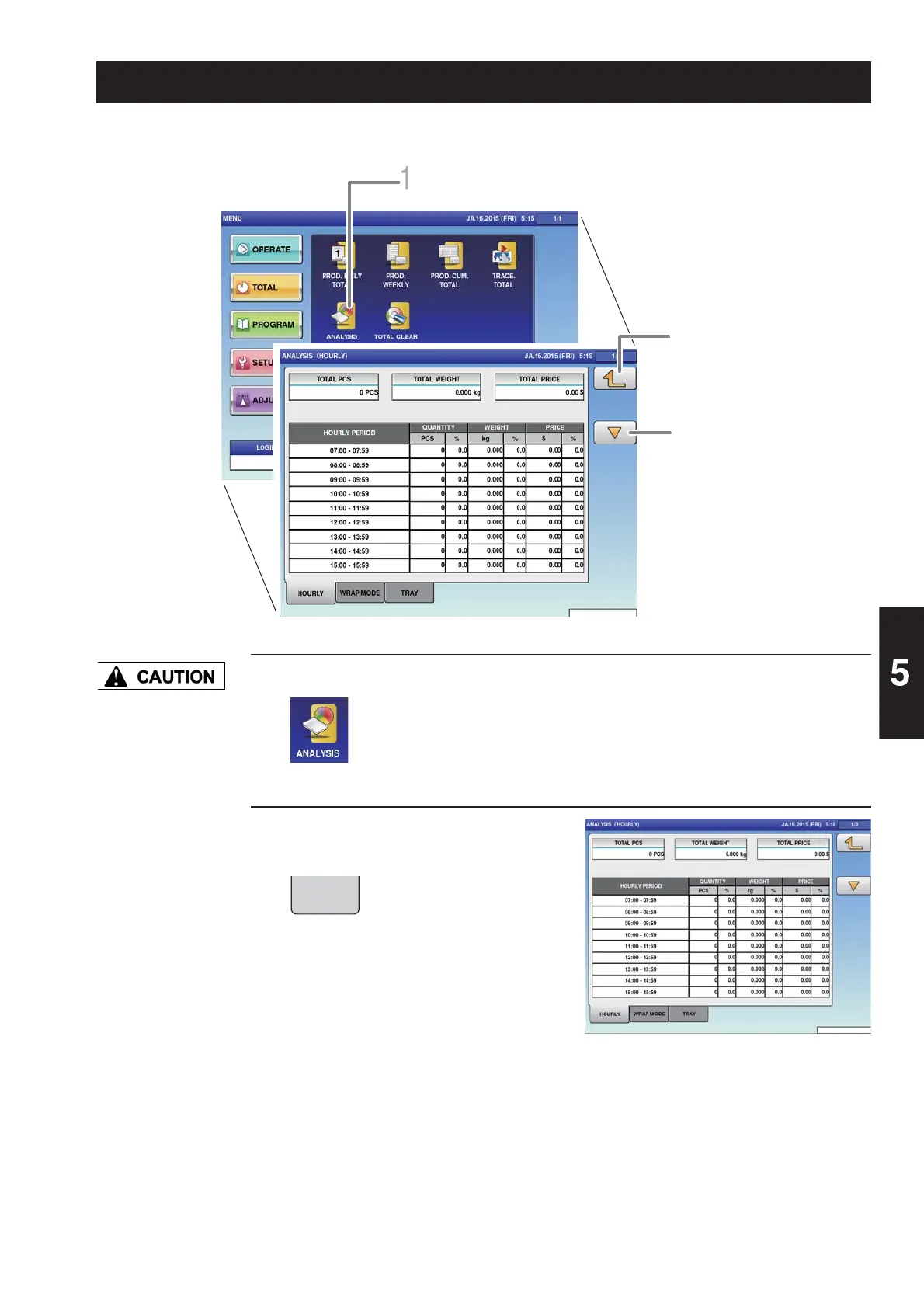
Touch [ANALYSIS] on the total menu screen.
The analysis (hourly) screen is displayed.
Touch the [HOURLY] tab on the
work analysis (hourly) screen.
The display changes to the analysis
(hourly) screen, and the quantity, weight,
and price is displayed per hour.
Totals cannot be
printed out from
this machine. The
connection of an
external device is
required to print out
totals.
For details, consult
your ISHIDA dealer.
The production quantity, weight, and price are totalized on an hourly basis.
The display returns to the total
menu screen.
Switches the page.
The analysis (hourly) screen is displayed.
5.7 TOTAL PER HOUR
HOURLY



 To Next Page