3-14
Basic Operations
This section explains useful features for using function keys.
Perform each operation for the selected item.
(Function key positions may be changed according to how it is programmed at the installation.)
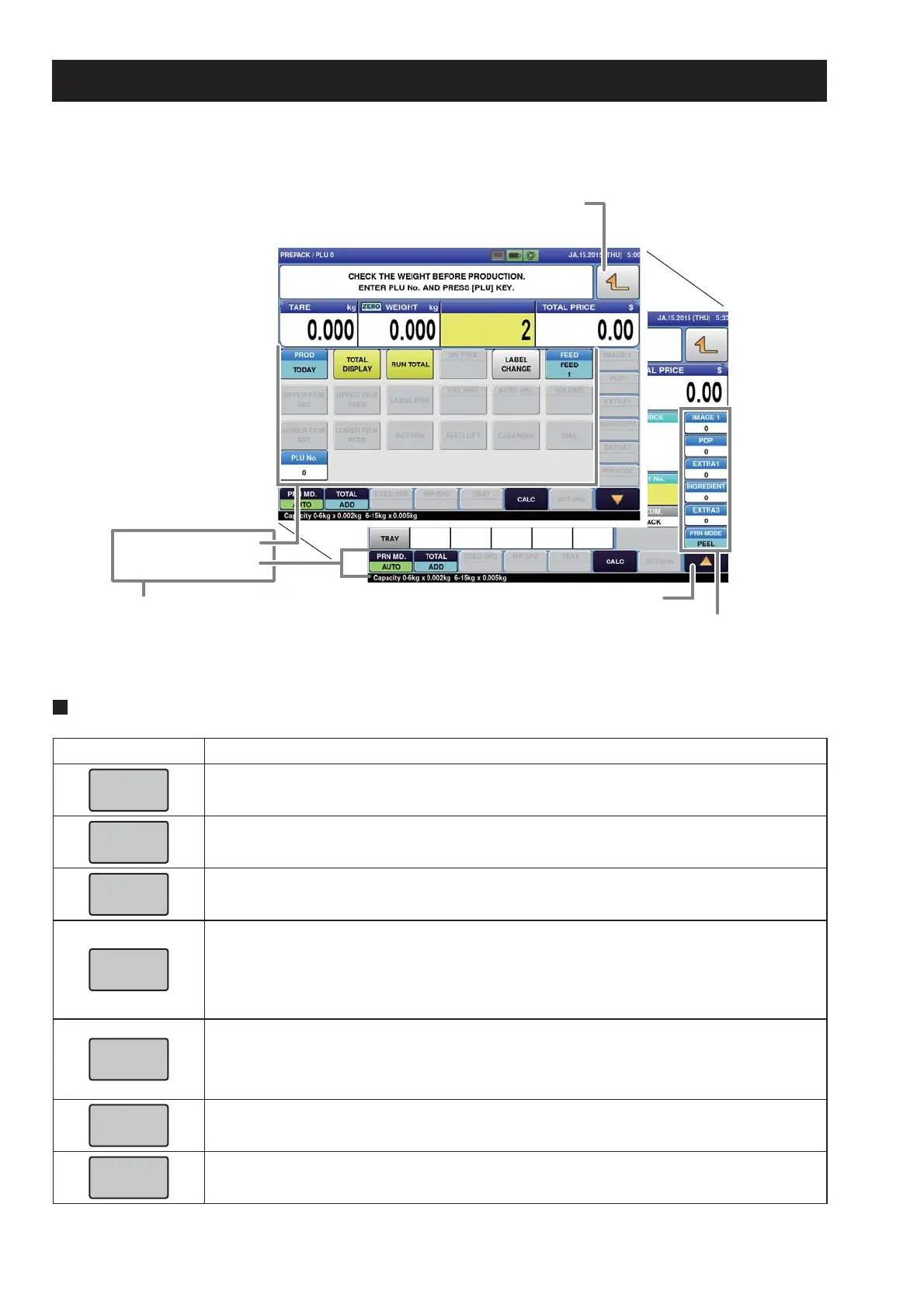
Touch to return to the production screen without using function
keys on the pop-up screen.
Pop-up function keys
Function keys
Main function keys
The pop-up screen is displayed.
Numeric function keys
Function keys that
cannot be displayed
under the pop up
screen are arranged.
3.6 USEFUL FEATURES OF FUNCTION KEYS
Description of function keys
Function Keys Functions and Usages
•
Touching this button will call up the PLU item displayed on the button.
•
Touching this button will recognize the weight being measured now as a tare weight.
•
Touching this button will changed the item to a fi xed price item.
Note: For operation procedures, consult your ISHIDA dealer.
•
Touching this button will delete the results of an item that has been fed into the wrapping
unit most recently (on the lift unit), or an item with the label attached (on the discharge
unit).
•
If there are items both on the lift and the discharge unit, the VOID screen to select the
item is displayed.
•
Touching this button will issue a label with information of the total labels (packs), total
weight and total amount since the same key was last pressed.
•
The item name called on the screen is printed.
(The subtotal data will be cleared when the subtotal label is printed.)
•
Touching this button will change the item to a fi xed price and weight item.
Note: For operation procedures, consult your ISHIDA dealer.
•
Touching this button will clear the numerical value being input.



 To Next Page