Chapter 5 PROGRAMING MODE
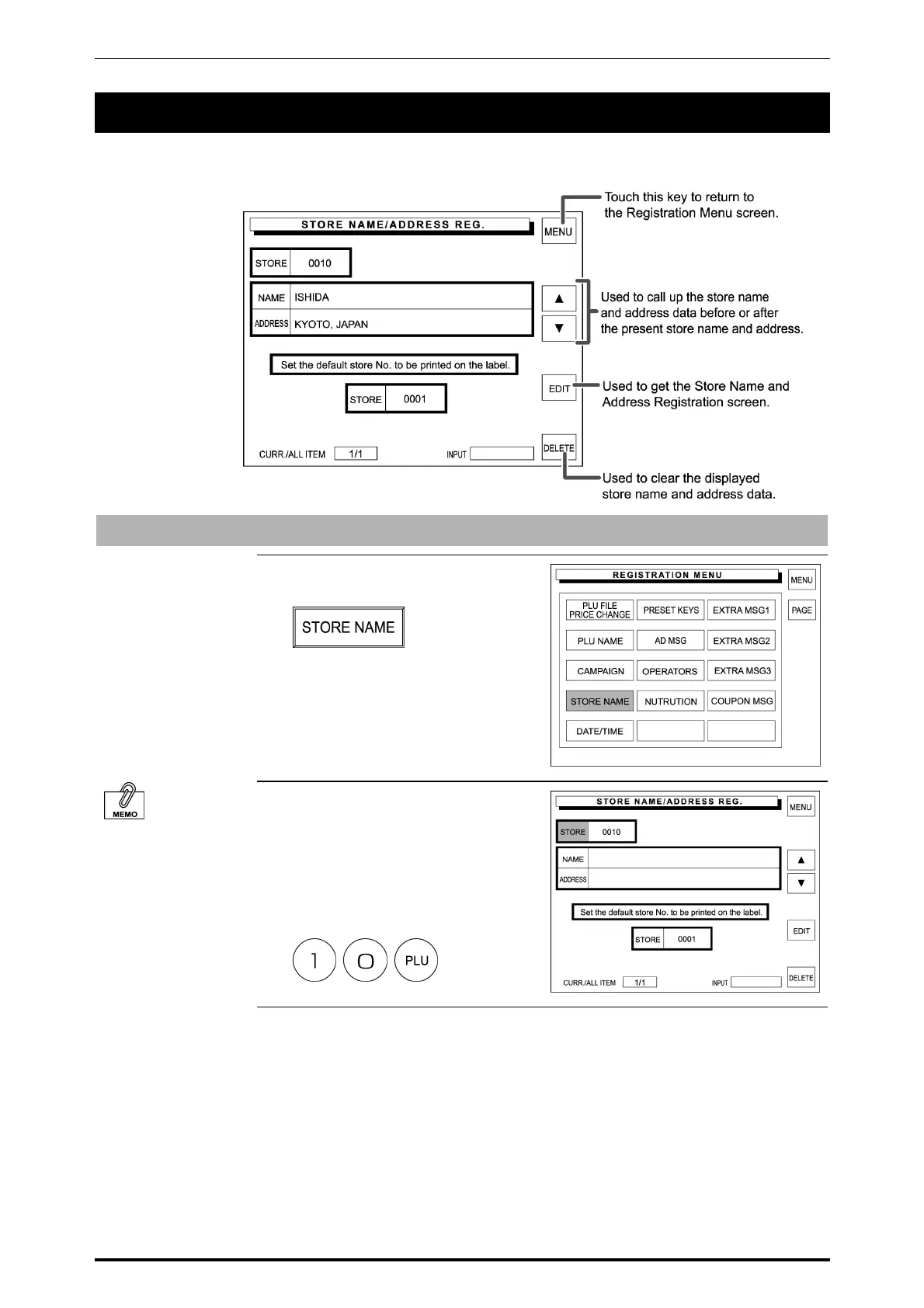
5.5 STORE NAME AND ADDRESS REGISTRATION
The store name and address can be registered. Store name and address are printed on label or receipt
based on this setting.
Store Name
1. Touch [STORE NAME] on the
Registration Menu screen.
It is also possible to
enter the store number
by touching [STORE]
on the screen after
entering the store
number.
2. The Store Name/Address
Registration screen is displayed.
Then, enter the store number and
press the PLU key on the keypad.
Example: PLU number “10”
5-20 SR-2000α User’s Manual (No. 0000A)



 To Next Page