Chapter 5 PROGRAMING MODE
Finishing PLU Data Registration
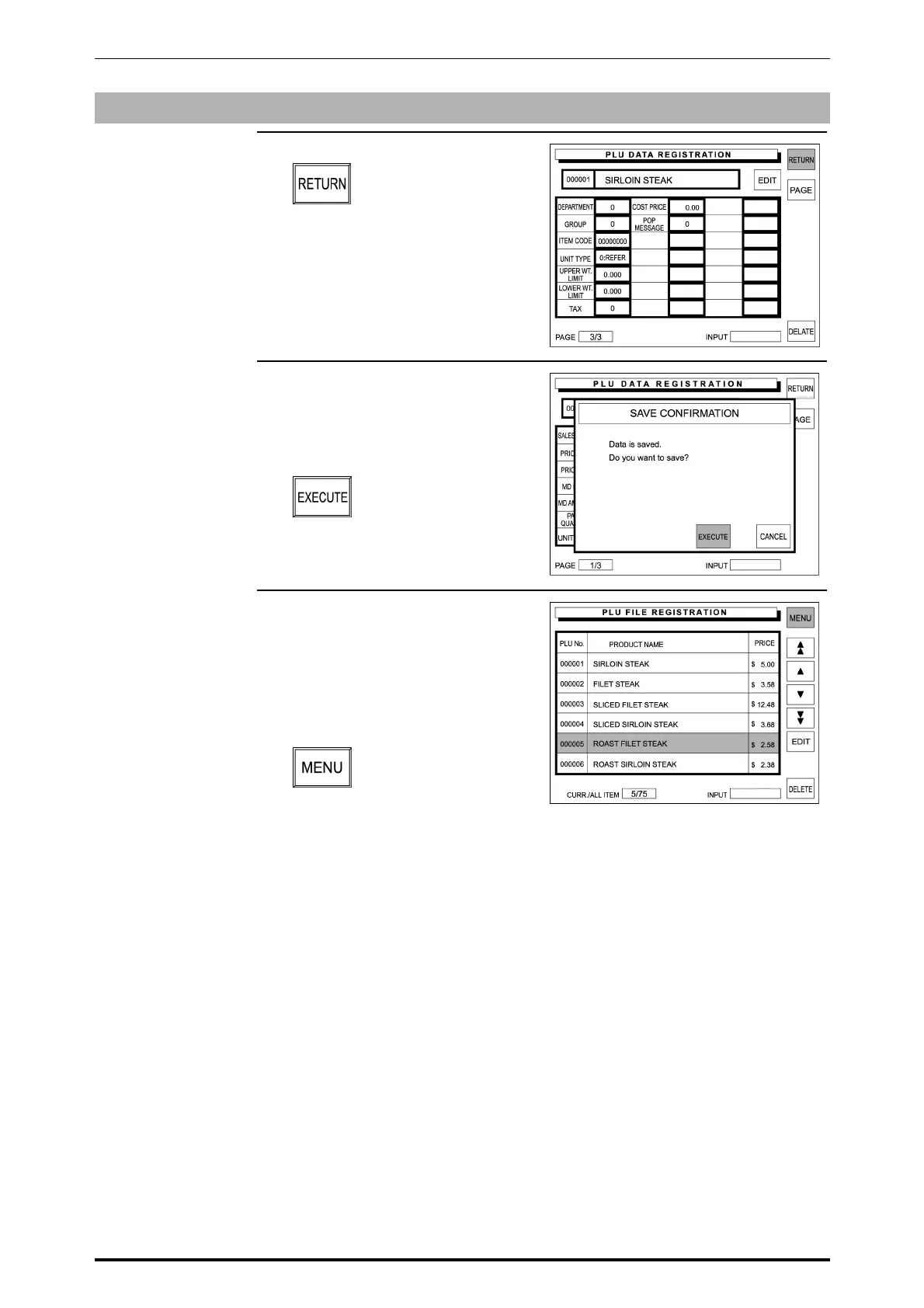
1. Touch [RETURN] on the screen.
2. The confirmation screen appears
on the display for saving.
Touch [EXECUTE] to save the
data.
3. The data is saved, and the screen
returns to the PLU File Registration
screen.
Then, touch [MENU] to return the
display to the Registration Menu
screen.
5-12 SR-2000α User’s Manual (No. 0000A)



 To Next Page