Chapter 5 PROGRAMING MODE
Starting PLU Data Registration
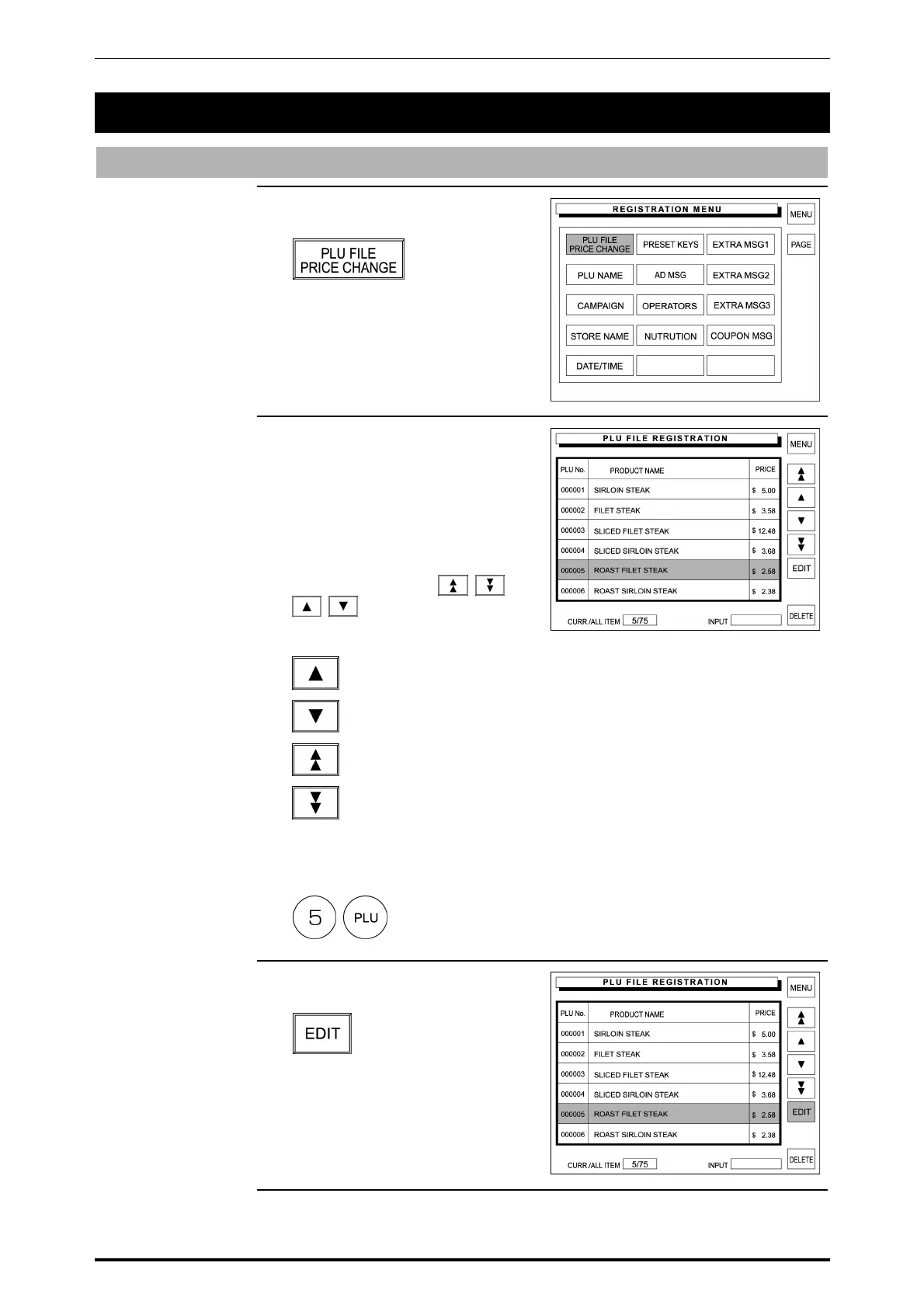
1. Touch [PLU FILE / PRICE
CHANGE] on the screen.
2. The PLU File Registration screen
appears on the display
When a desired PLU is found on
the current screen, touch the
corresponding field to select.
When it is not found on the screen,
try to find it by using
and touch the
corresponding field to select.
Used to select the previous PLU.
Used to select the next PLU.
Used to scroll up for the previous screen.
Used to scroll down for the next screen.
Or, enter a desired PLU number and press the PLU key on the keypad.
Example: PLU No. 5
3. Touch the EDIT button on the
screen.
5-2 SR-2000α User’s Manual (No. 0000A)
5.1 PLU DATA REGISTRATION



 To Next Page