Chapter 2 OPERATION MODE
2.6 DISCOUNT OPERATIONS
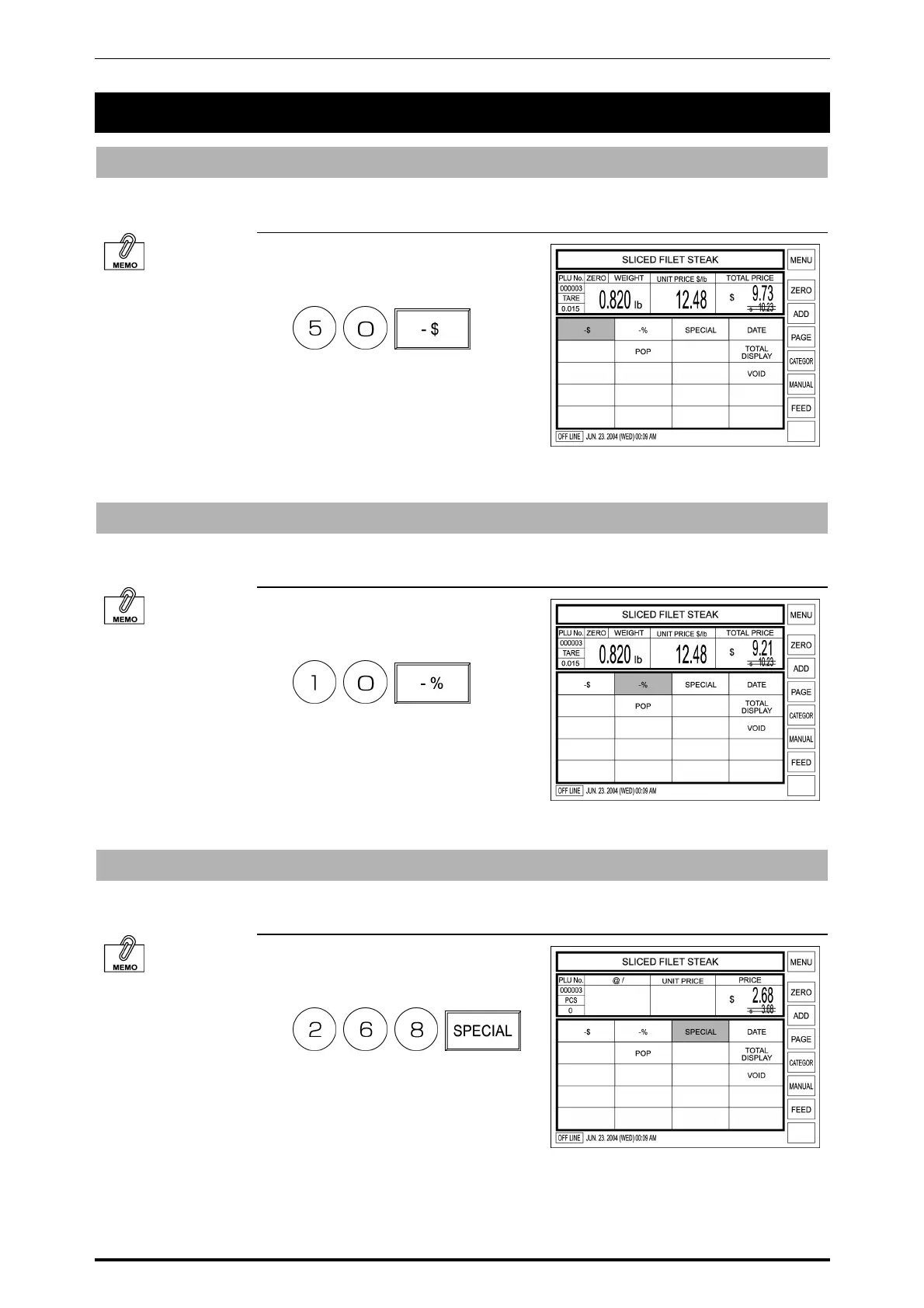
Amount Discount
Selling price of the displayed PLU can be temporarily discounted by amount.
Example: Discount the selling price $10.23 by $0.50.
To perform amount
discount, [-$] preset
key must have been
registered on the
screen.
1. Enter the discount amount using
the keypad, and touch [-$] on the
screen.
The price after discount is
displayed and the cancellation
lines appear to the price before
discount.
Percent Discount
Selling price of the displayed PLU is temporarily discounted by percentage.
Example: Discount the selling price $8.50 by 10%.
To perform amount
discount, [-%] preset
key must have been
registered on the
screen.
1. Enter the discount percentage
using the keypad, and touch [-%]
on the screen.
The price after discount is
displayed and the cancellation
lines appear to the price before
discount.
Special Price
Selling price of the displayed PLU is temporarily sold at the special price.
Example: Special price $2.58 instead of normal selling price $3.68.
To perform a special
price sale, [SPECIAL]
preset key must have
been registered on the
screen.
1. Enter the special price using the
keypad, and touch [SPECIAL] on
the screen.
The special price is displayed and
the cancellation lines appear to the
normal price.
SR-2000α User’s Manual (No. 0000A) 2-11



 To Next Page