Chapter 2 OPERATION MODE
2.8 POP MESSAGE PRINT
Unit Price Change
A message printed on the label is temporarily changed.
To perform the POP
message print, [POP]
key must have been
preset on the function
screen.
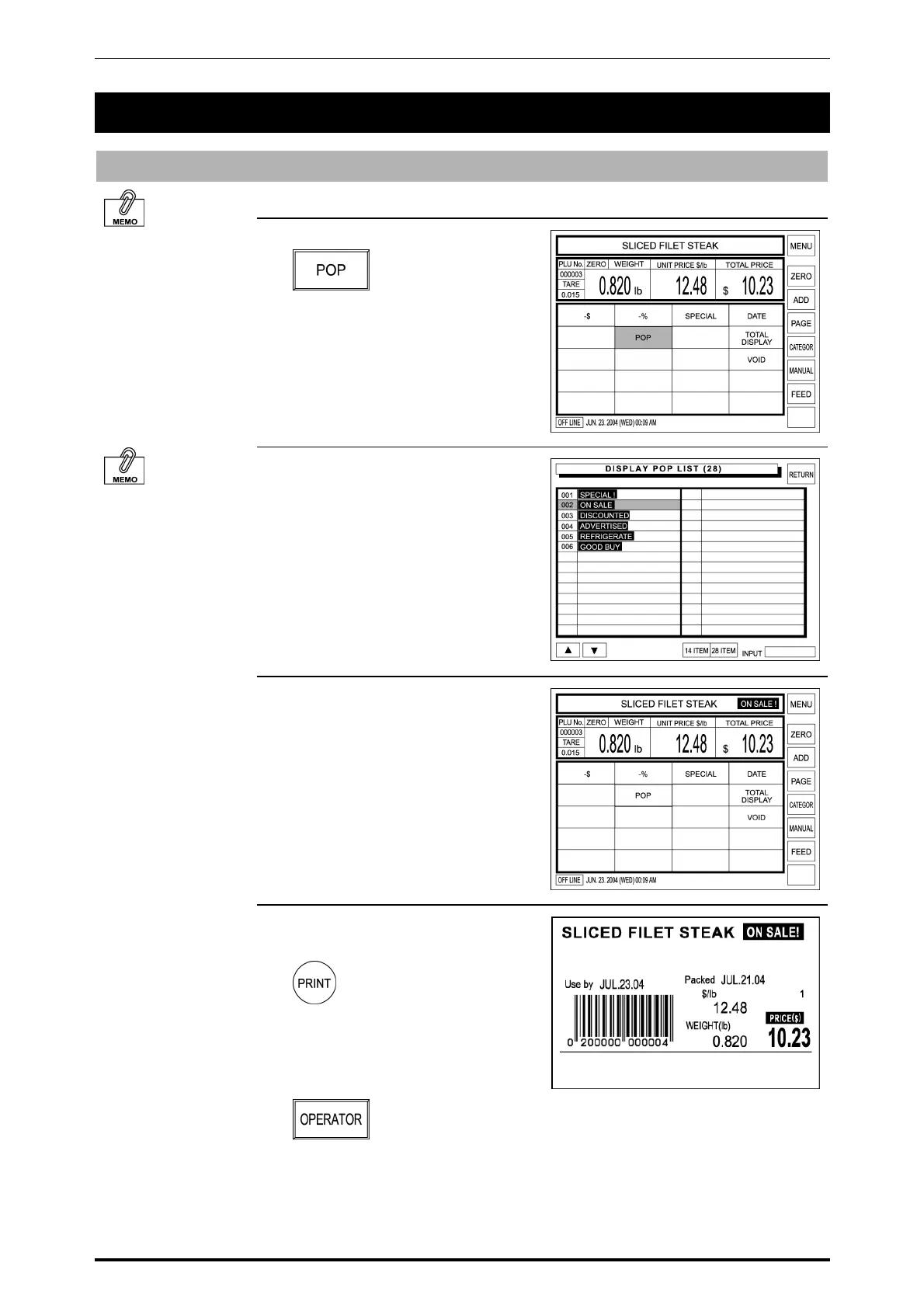
1. Touch [POP] on the screen.
Messages can be
freely created from
No.7 to No.99.
2. Six default messages are shown
on the right.
Touch the desired message on the
screen to select.
Example: Message 002
3. The selected message is shown to
the right of the PLU name.
4. Press the PRINT key on the
keypad to issue a label.
When the operator system is used,
touch the [OPERATOR] preset key
on the screen to issue a label.
SR-2000α User’s Manual (No. 0000A) 2-15



 To Next Page