Chapter 5 PROGRAMING MODE
Chapter 5
PROGRAMING MODE
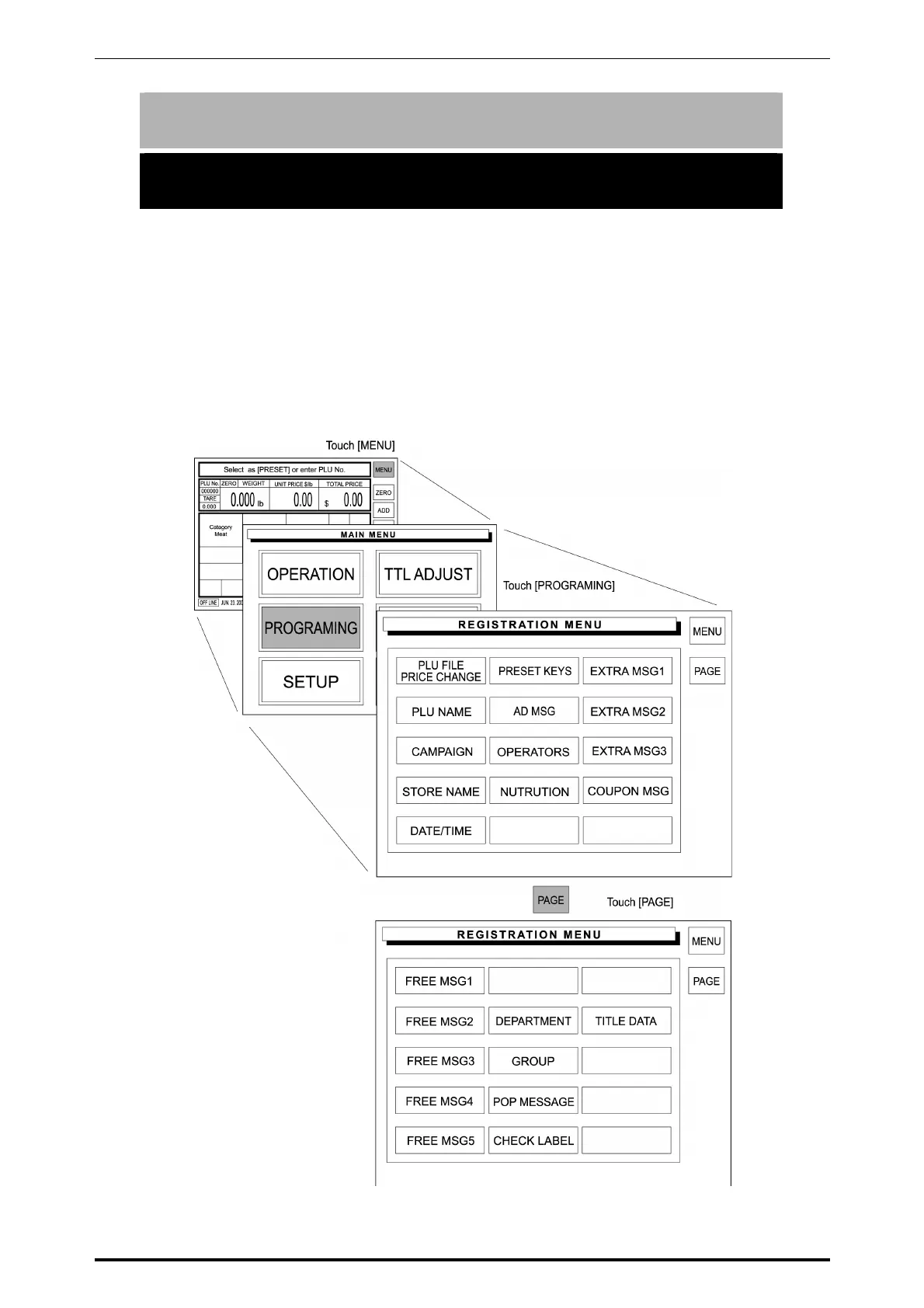
Programing Mode is used to register various preset data required for normal
operations. To enter the Registration Menu screen from the initial screen, touch
[MENU] first, and touch [PROGRAMING] to access to the Registration Menu
screen.
Note: If a password is programmed for accessing to the Programing Mode, enter the 6-digit
password using the keypad before touching [PROGRAMING].
SR-2000α User’s Manual (No. 0000A) 5-1



 To Next Page