Chapter 4 TOTAL MODE
4.7 TOTAL CLEAR
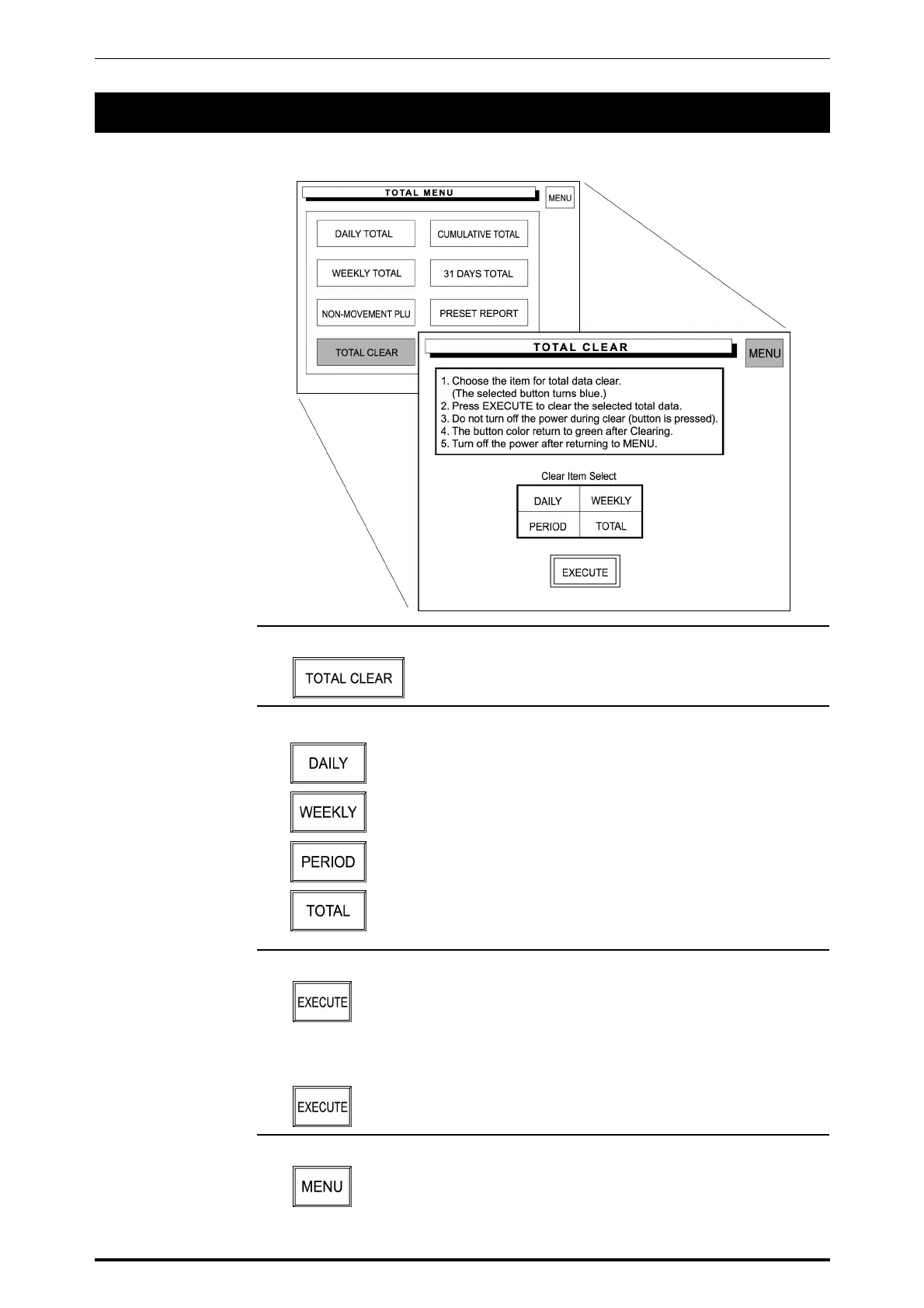
Total Clear operation is used to clear the specified total data.
1. Touch [TOTAL CLEAR] on the screen.
2. Touch a desired report type to select.
Used to clear Daily Totals.
Used to clear Weekly Totals.
Used to clear 31 days Totals.
Used to clear Cumulative Totals.
3. Touch [EXECUTE] to clear the selected total data.
The confirmation screen appears on the screen for deletion.
Touch [EXECUTE] on the screen to carry out total clear.
4. Touch [MENU] to return the display to the Daily Total Menu.
SR-2000α User’s Manual (No. 0000A) 4-31



 To Next Page