Chapter 2 OPERATION MODE
Automatic Labeling for Fixed Price Products
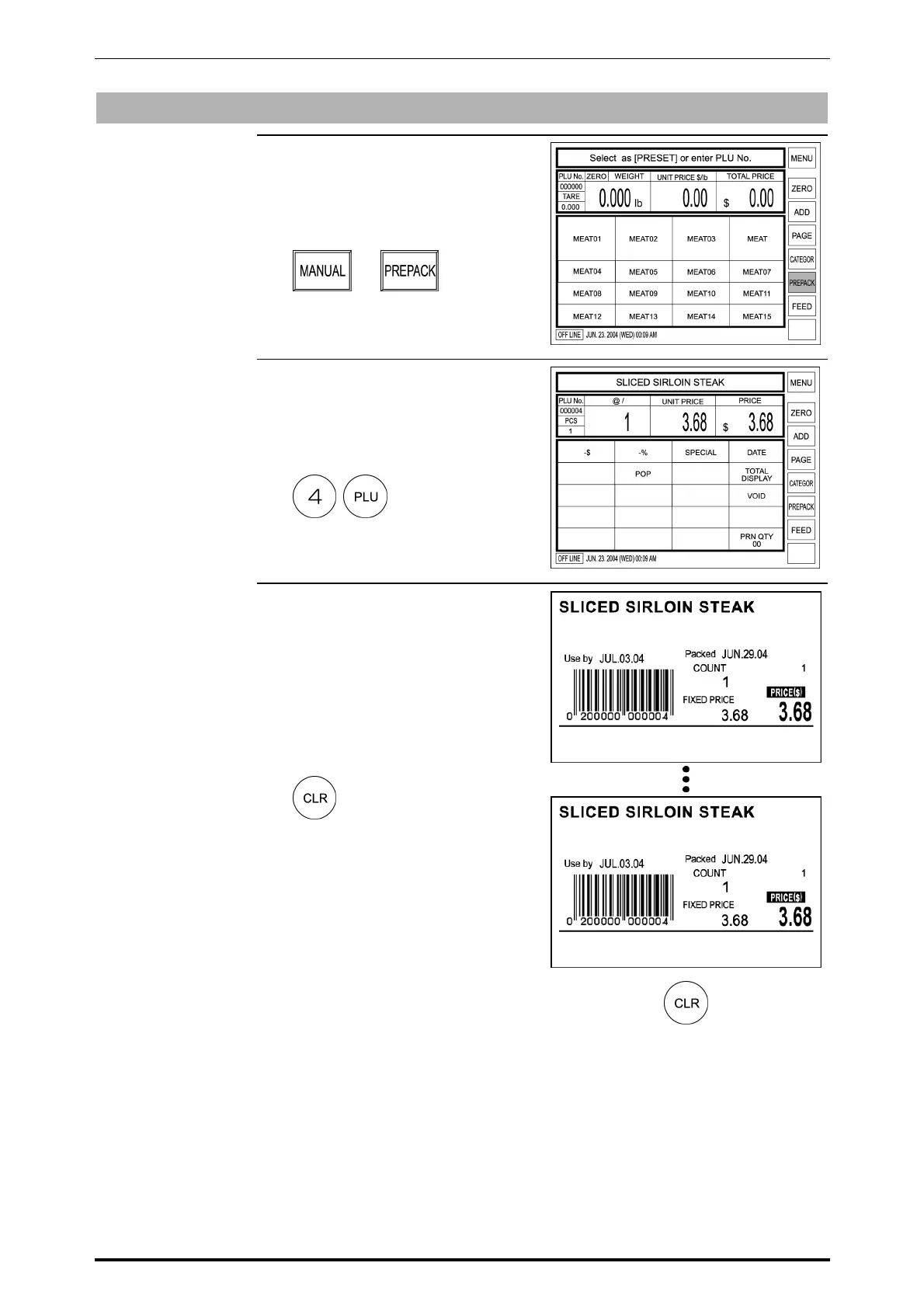
1. Confirm that [PREPACK] is
selected on the screen.
If not, touch [MANUAL] to change
to [PREPACK].
X
2. Enter the PLU number (Weighing
product) and press the PLU key on
the keypad.
Example: PLU No. 4
3. Press the PRINT key on the
keypad to issue a label.
Whenever the label is peeled off,
the next label will be issued
continuously.
To stop issuing labels, press the
CLEAR key on the keypad.
Then, the machine return to
[MANUAL] status.
SR-2000α User’s Manual (No. 0000A) 2-19



 To Next Page