Chapter 5 PROGRAMING MODE
5.17 CHECK LABEL
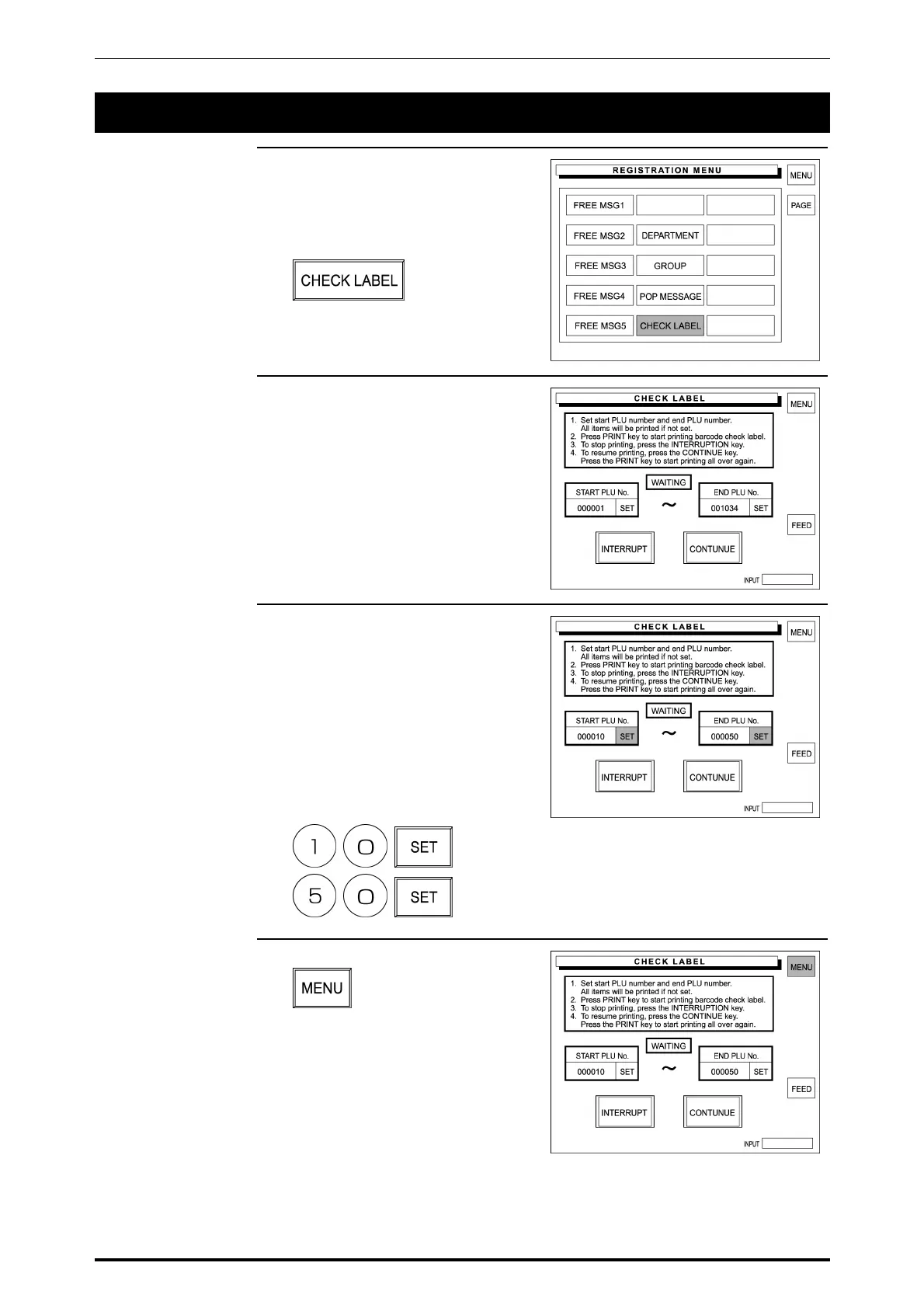
1. Confirm that the second page of
Registration Menu is displayed.
Then, touch [CHECK LABEL] on
the screen to select.
2. The Check Label screen appears
on the display.
3. Enter Start PLU number using the
keypad and touch the
corresponding [SET].
In the same manner, enter End
PLU number using the keypad and
touch the corresponding [SET].
Example: Start PLU No. “10”,
End PLU No. “50”
4. Touch [MENU] on the screen.
SR-2000α User’s Manual (No. 0000A) 5-65



 To Next Page