APPENDIX
Multiple Function Buttons
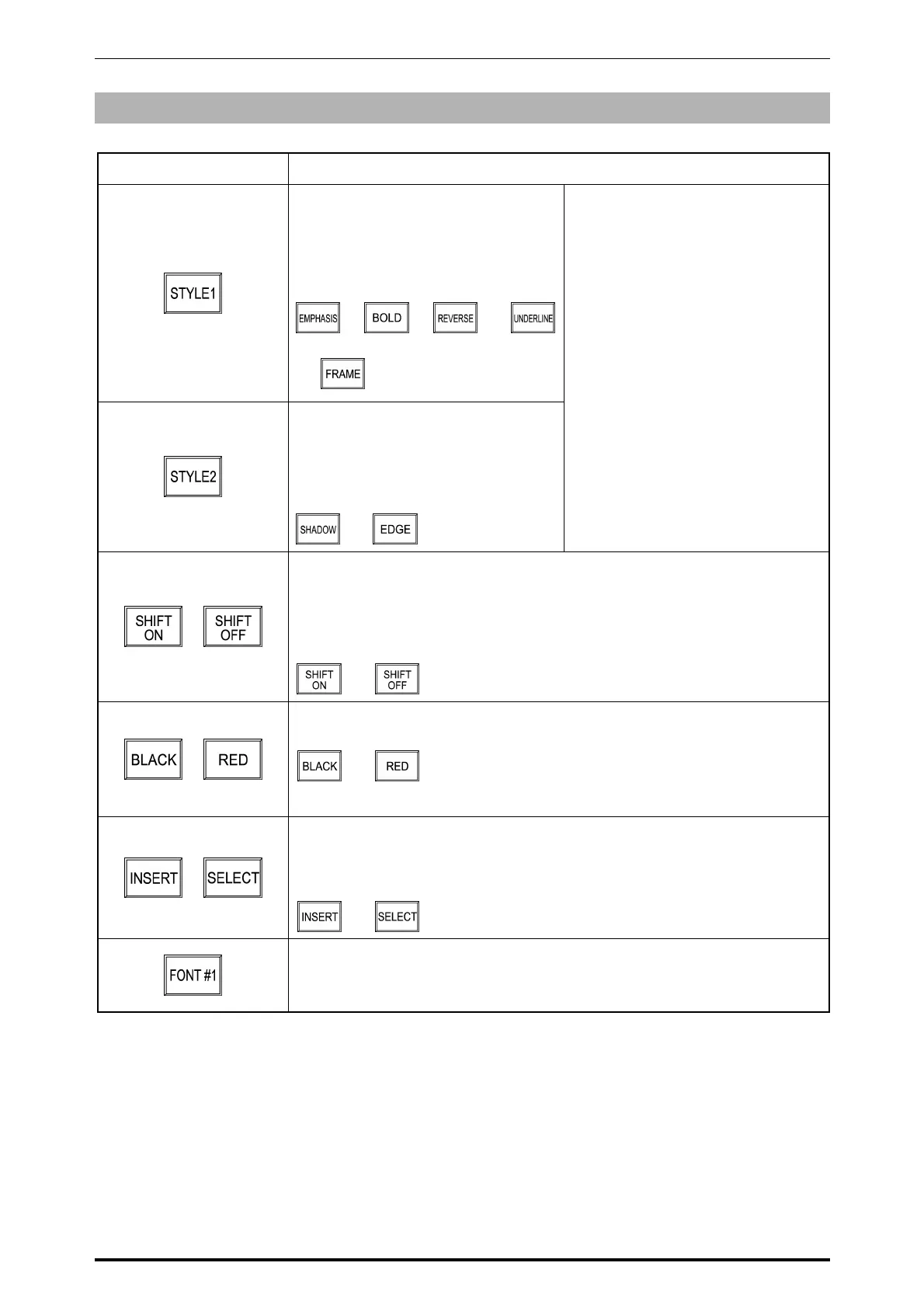
Button Function
Used to emphasize the characters with
Bold, Reverse, Underline, or Frame.
Touching this button changes the
display in the following order.
→ → →
→
Used to emphasize the characters
with Shadow or Edge.
Touching this button changes the
display in the following order.
→
Touch the TYPE1 button to select
the emphasizing type, then enter the
characters.
When emphasizing the characters
later, touch the INSERT/SELECT
button to change to SELECT, then
select the characters to be
emphasized by using [←] and [→]
buttons.
Touch the FIX button to complete
emphasizing the selected
characters.
/
Used to select capital or small letter.
SHIFT ON: Capital letter
SHIFT OFF: Small letter
Touching this button changes the display in the following order.
→
/
Used to select black letter or red letter.
Touching this button changes the display in the following order.
→
Note: Available only when two-color print specification is used.
/
Used to select either for inserting a character or selecting the characters
fixed on the text display field.
Touching this button changes the display in the following order.
→
Used to select a character size.
Touching this button changes the display in the order from FONT #1
(smallest) to FONT #13 (largest).
SR-2000α User’s Manual (No. 0000A) A-2



 To Previous Page