Chapter 4 TOTAL MODE
Designated PLU
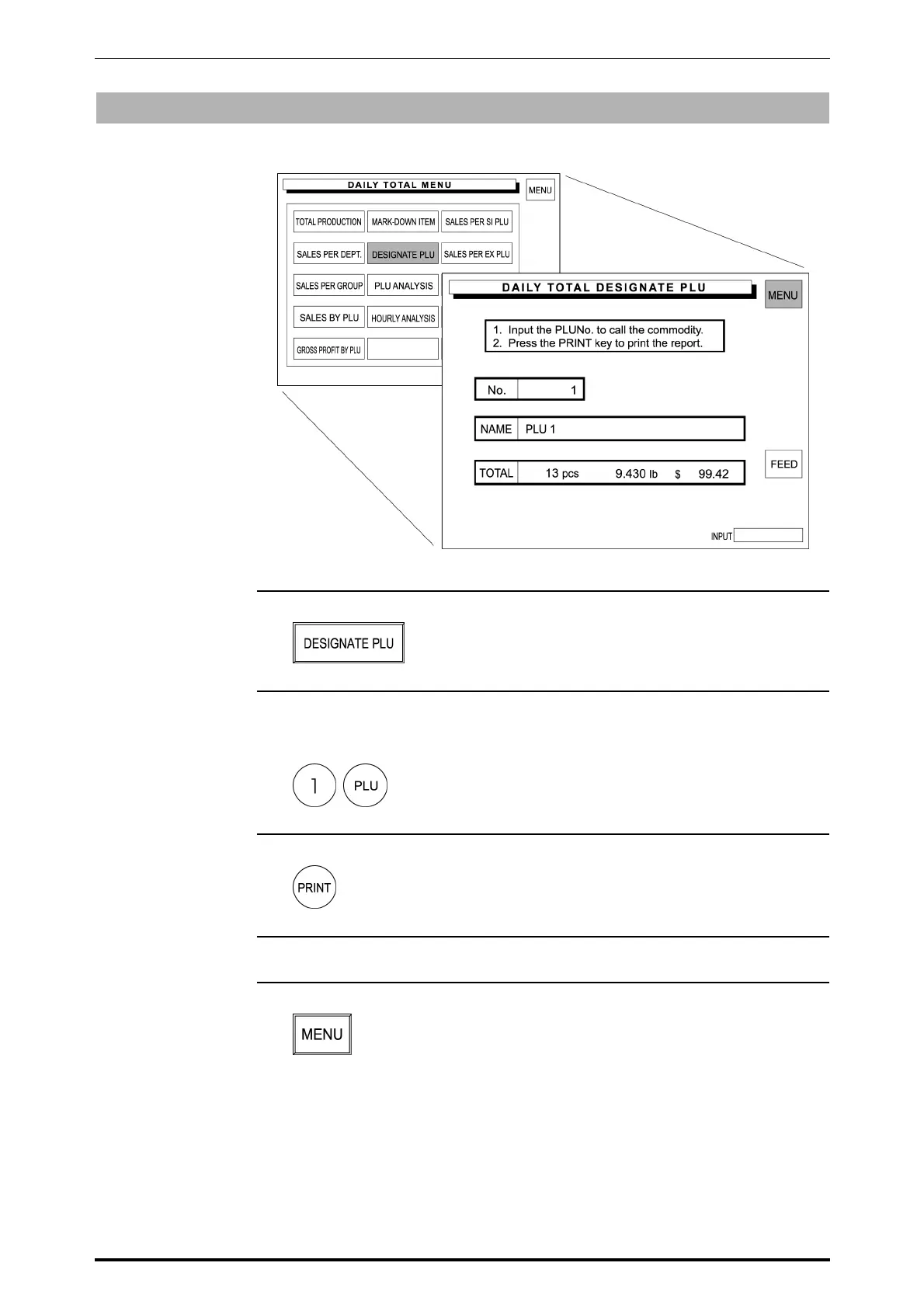
Sales data transacted on that day is totaled for each designated PLU.
1. Touch [DESIGNATE PLU] on the screen.
2. Enter the desired PLU number and press the PLU key to call up the data.
Example: PLU number “1”
3. Press the PRINT key on the keypad to issue a label.
4. Repeat .steps 2 and 3 above for more PLUs.
5. Touch [MENU] to return the display to the Daily Total Menu.
SR-2000α User’s Manual (No. 0000A) 4-9



 To Next Page