Chapter 5 PROGRAMING MODE
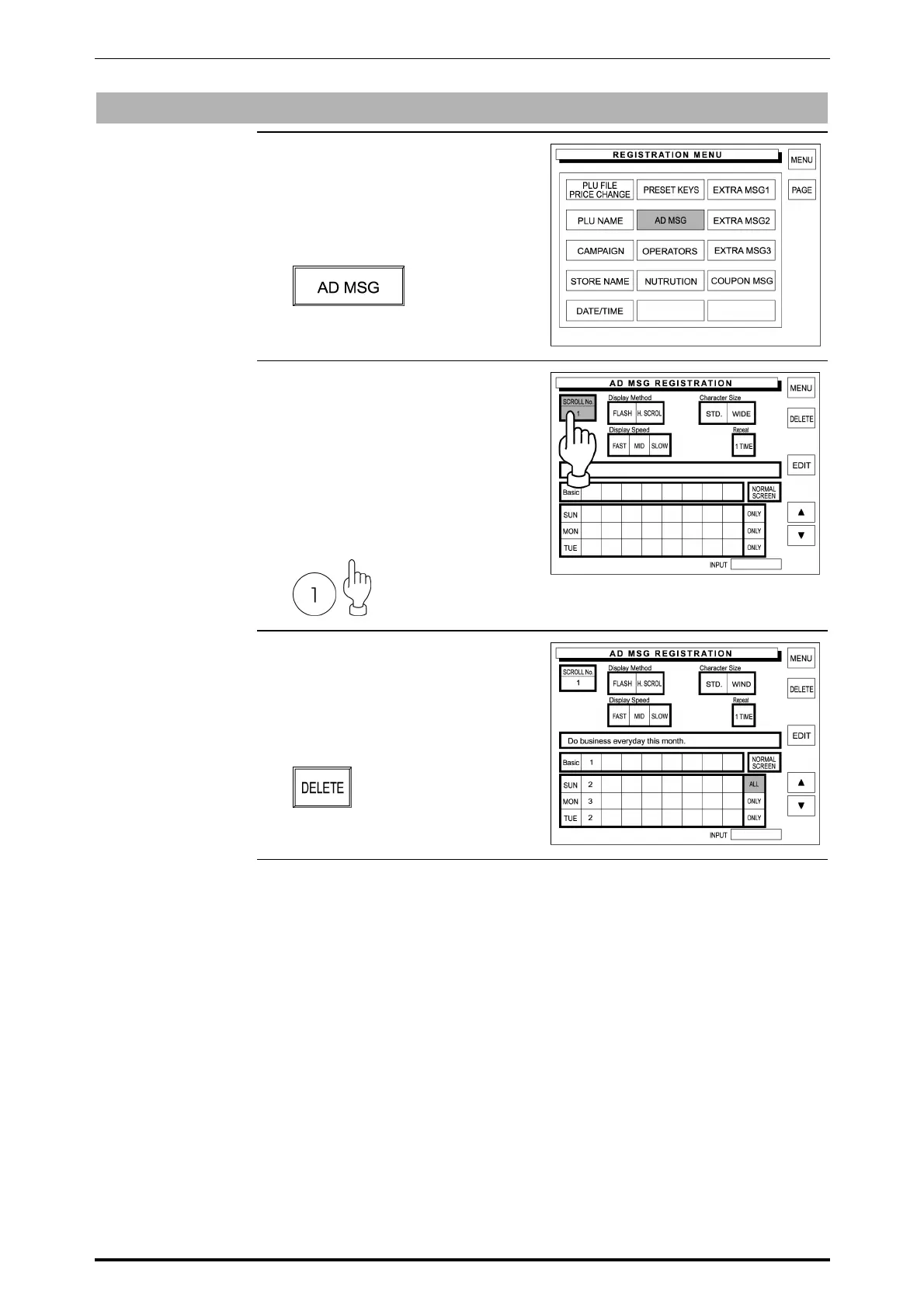
Message Deletion
1. Confirm that the Registration Menu
is displayed.
Then, touch [AD MSG]
(Advertisement Message) on the
screen to select.
2. The Advertisement Message
Registration screen appears on the
display.
Then, enter the scroll number using
the keypad, and touch the Scroll
No. field.
Example: Scroll number “1”
3. The Advertisement Message
Registration screen with the data of
the entered message number.
Then, touch [DELETE] on the
screen to delete the displayed text.
SR-2000α User’s Manual (No. 0000A) 5-47



 To Next Page