Chapter 4 TOTAL MODE
PLU Analysis
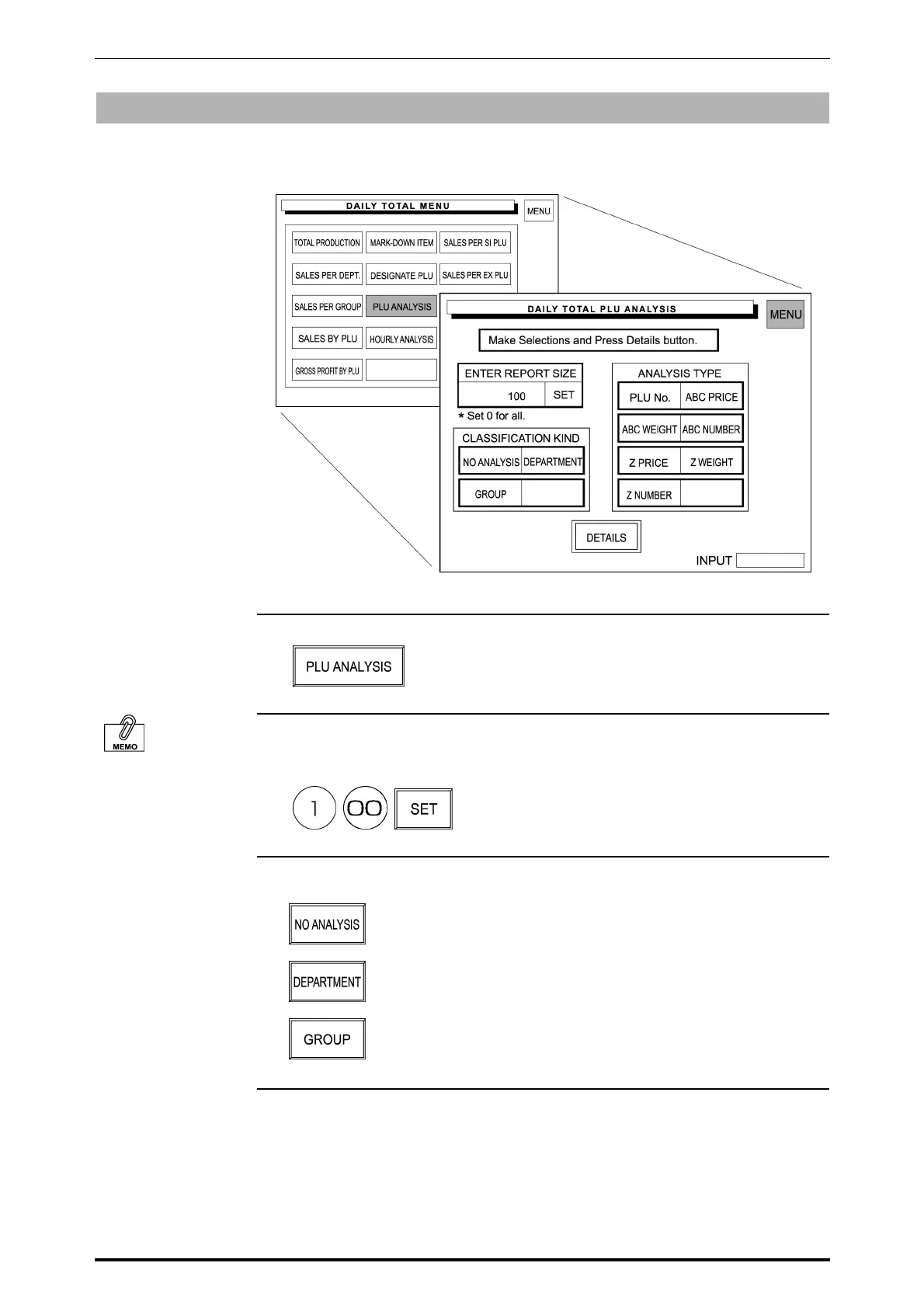
PLU sales data transacted on that day is analyzed according to the selected
conditions.
1. Touch [PLU ANALYSIS] on the screen.
When “0” is set, all
PLUs are selected.
2. Enter the report size and touch [SET].
Example: Report size “100”
3. Touch the desired classification type to select.
No analysis
For each department
For each group
4-10 SR-2000α User’s Manual (No. 0000A)



 To Next Page