Chapter 5 PROGRAMING MODE
5.14 DEPARTMENT NAME REGISTRATION
Department name (fresh meat, fresh fish, daily dishes, etc.) can be registered.
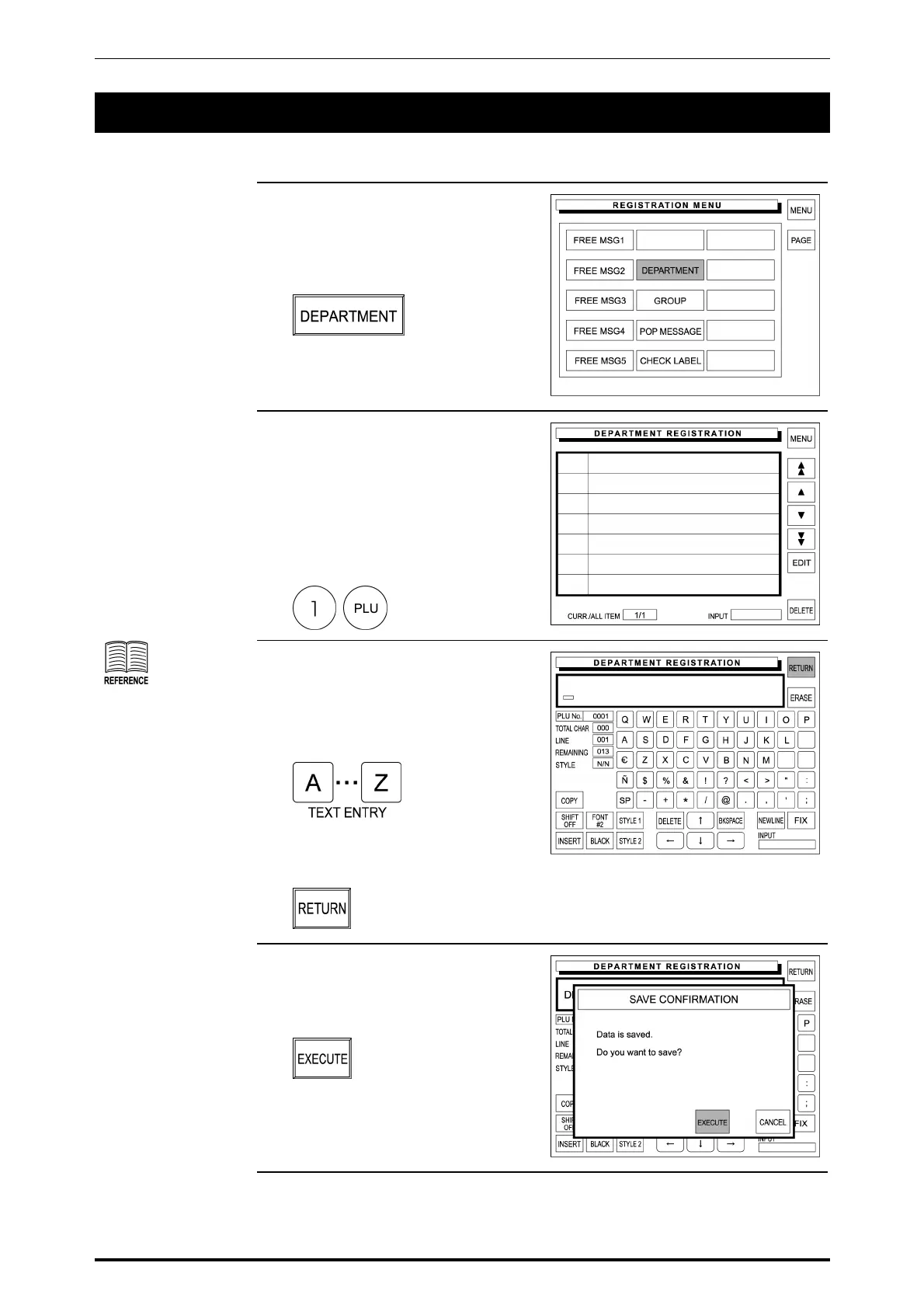
1. Confirm that the second page of
Registration Menu is displayed.
Then, touch [DEPARTMENT] on
the screen to select.
2. The Department Registration
screen appears on the display.
Then, enter the department
number using the keypad, and
press the PLU key.
Example: Department No. “1”
See Appendix “Text
Editing” for more
detailed information.
3. The text edit screen appears on the
display.
Enter the desired characters and
edit the text.
When the text editing is complete,
touch [RETURN] on the screen.
4. The confirmation screen appears
on the display for saving.
Touch [EXECUTE] on the screen.
SR-2000α User’s Manual (No. 0000A) 5-59



 To Next Page