Chapter 5 PROGRAMING MODE
Page Copy
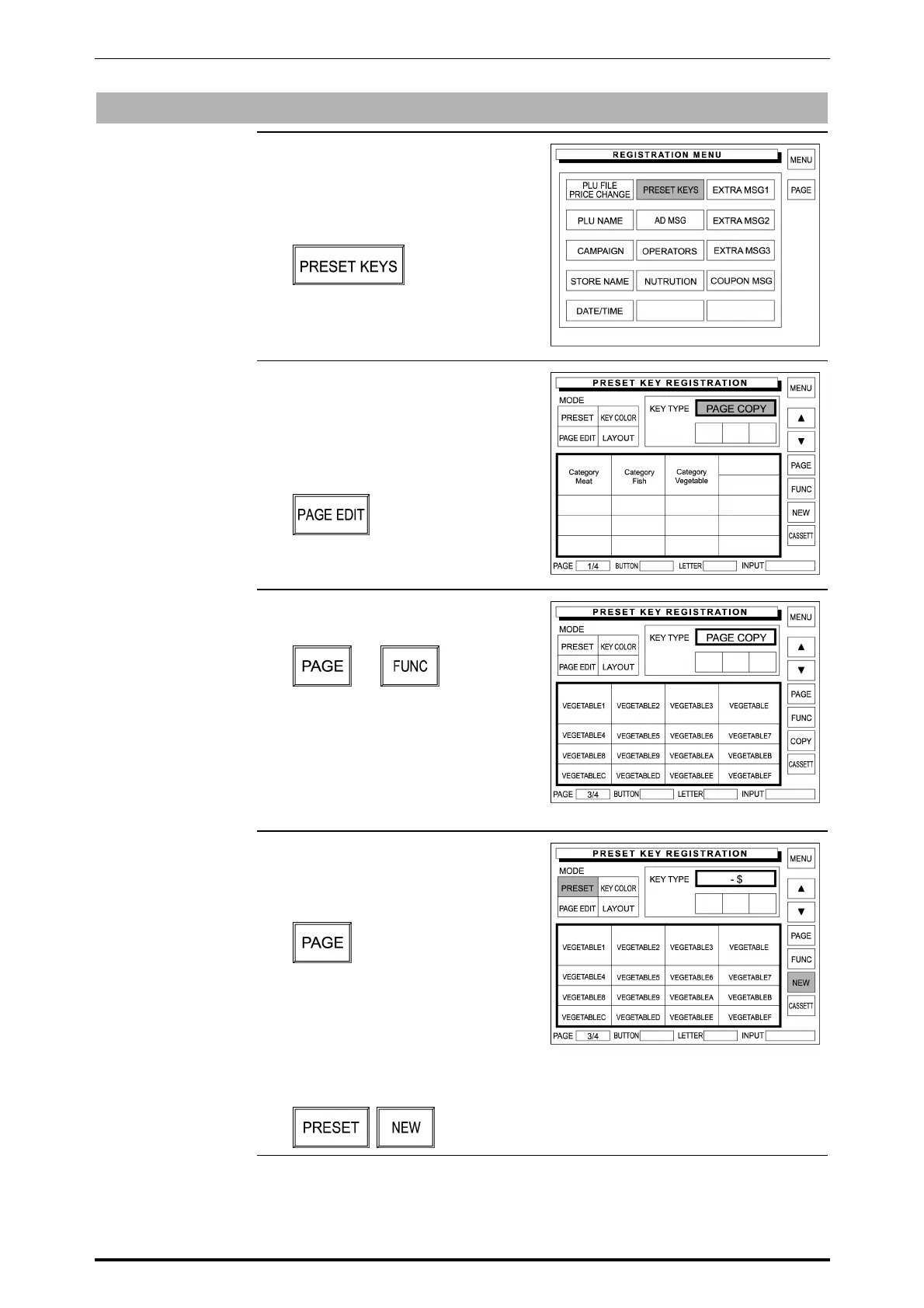
1. Confirm that the Registration Menu
is displayed.
Then, touch [PRESET KEYS] on
the screen.
2. The Preset Key Registration
screen (with product category
keys) appears on the display.
Then, touch [PAGE EDIT] on the
screen.
3. Touch [PAGE] or [FUNC] to find out
the original page to be copied.
or
At this time, confirm that “PAGE
COPY” is displayed in the key type
field, and remember the original
page number.
Example: Original page “3/4”
4. When copying the original page to
an existing page, touch [PAGE] to
display the page to which the
original page is copied.
Or, when copying the original page
to a new page, touch [PRESET]
and [NEW] buttons to display a
new page.
Example: Copy to a new page.
5-38 SR-2000α User’s Manual (No. 0000A)



 To Next Page