Chapter 5 PROGRAMING MODE
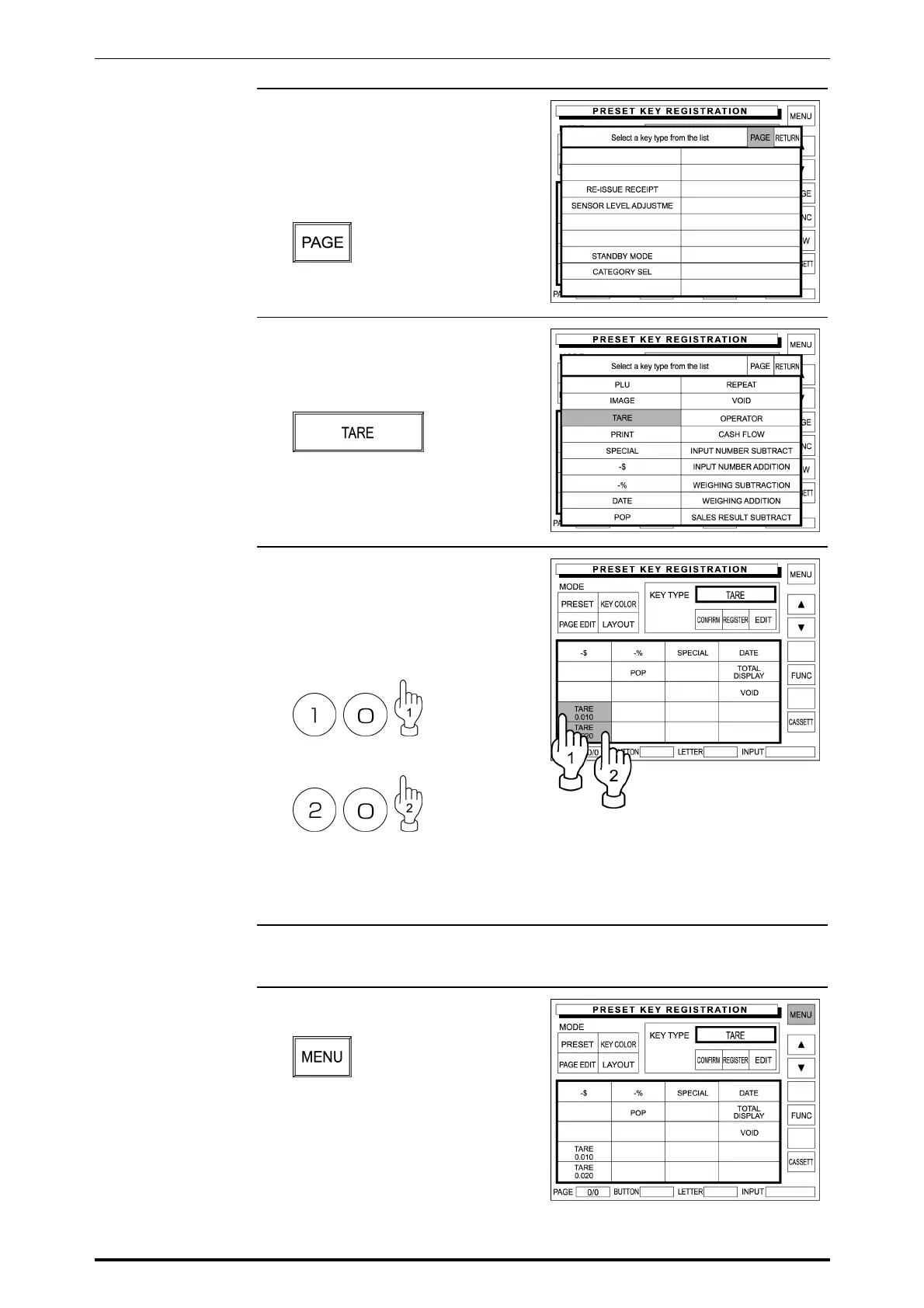
6. The preset key list appears on the
display.
When the desired function is not
found in this list, repeatedly touch
[PAGE] until it appears on the list.
7. Touch the desired function field to
select.
Example: Select [TARE].
8. For a function key that requires
numeric entry, enter a numeric data
using the keypad, and touch the
desired key to allocate.
Example: Tare 1 “0.010 lb”
Example: Tare 2 “0.020 lb”
For a function key that does not
require numeric entry, simply touch
the desired key to allocate.
9. Repeat steps 6 through 8 for more
registrations.
10. Touch [MENU] on the screen to
finish this procedure.
SR-2000α User’s Manual (No. 0000A) 5-37



 To Next Page