Chapter 2 OPERATION MODE
2.11 AUTOMATIC / ADVANCED LABELING
Automatic labeling can be performed both for weighing products and fixed price products.
However, advanced labeling can be performed only for fixed price products.
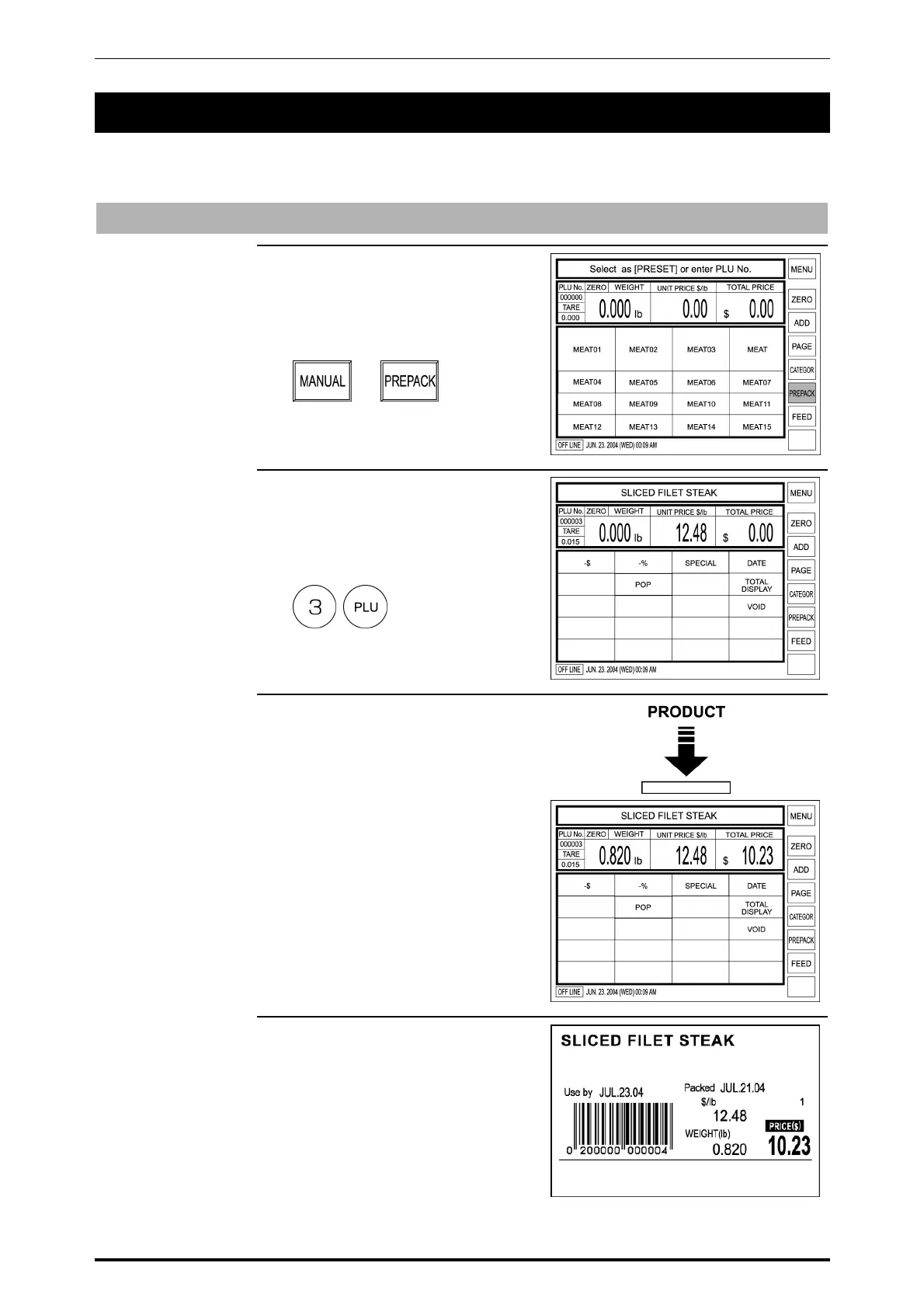
Automatic Labeling for Weighing Products
1. Confirm that [PREPACK] is
selected on the screen.
If not, touch [MANUAL] to change
to [PREPACK].
X
2. Enter the PLU number (Weighing
product) and press the PLU key on
the keypad.
Example: PLU No. 3
3. Place the weighing product on the
weighing platter.
4. When the weighing becomes
stable, the label is issued.
Then, the machine return to
[MANUAL] status.
2-18 SR-2000α User’s Manual (No. 0000A)



 To Next Page