APPENDIX
APPENDIX TEXT EDITING
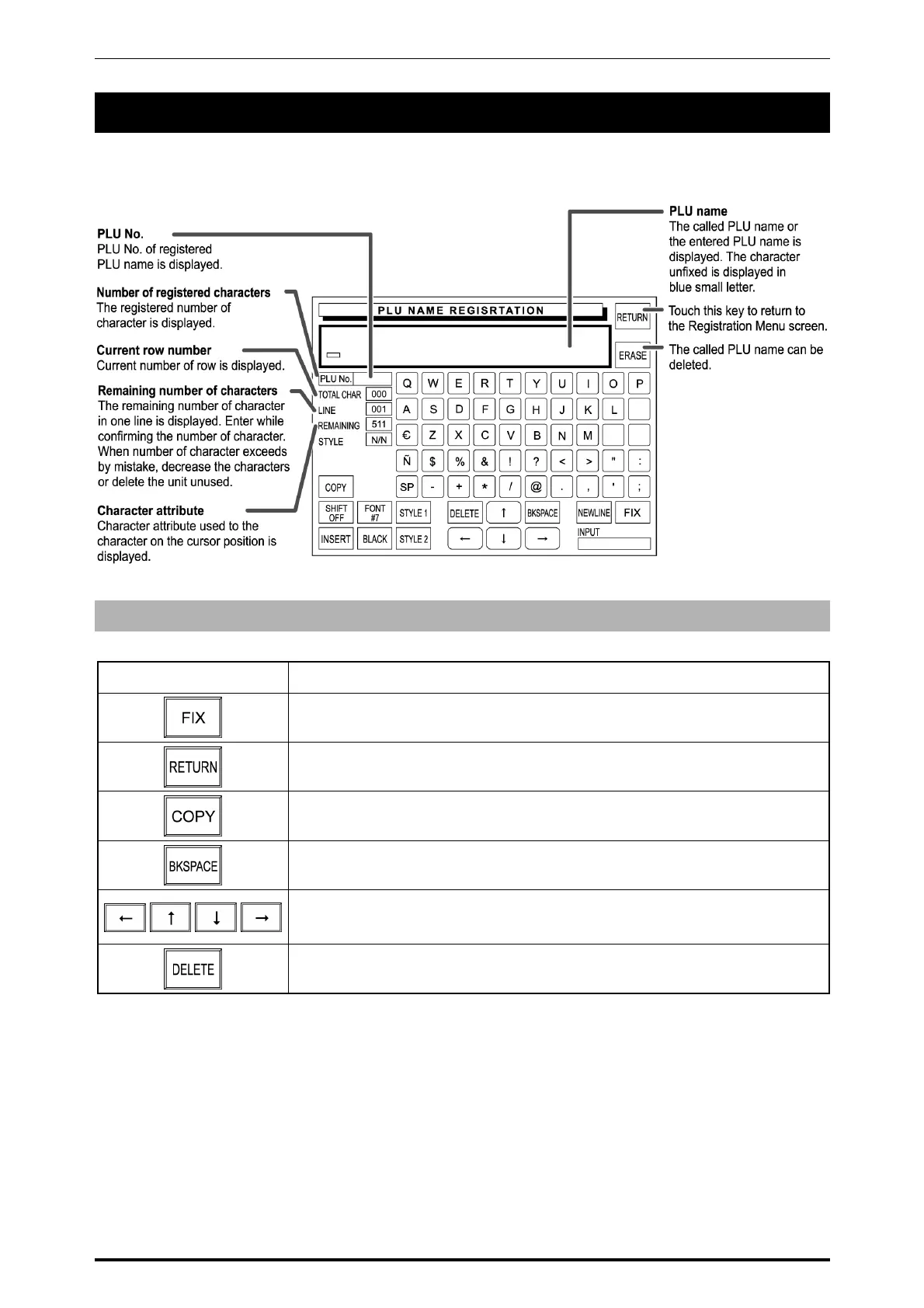
Text editing is explained by quoting the following PLU Name Registration screen as an example.
Single Function Buttons
Button Function
Used to confirm the specified character style on the screen.
Used for return the display to the Registration Menu screen.
Used to copy the original data to the current data.
Used to move the cursor back by one character.
Used to move the cursor in an arrow direction.
Used to delete a character at the position where the cursor is positioned.
A-1 SR-2000α User’s Manual (No. 0000A)



 To Next Page