Chapter 2 OPERATION MODE
2.4 FIXED PRICE PRODUCT SALES
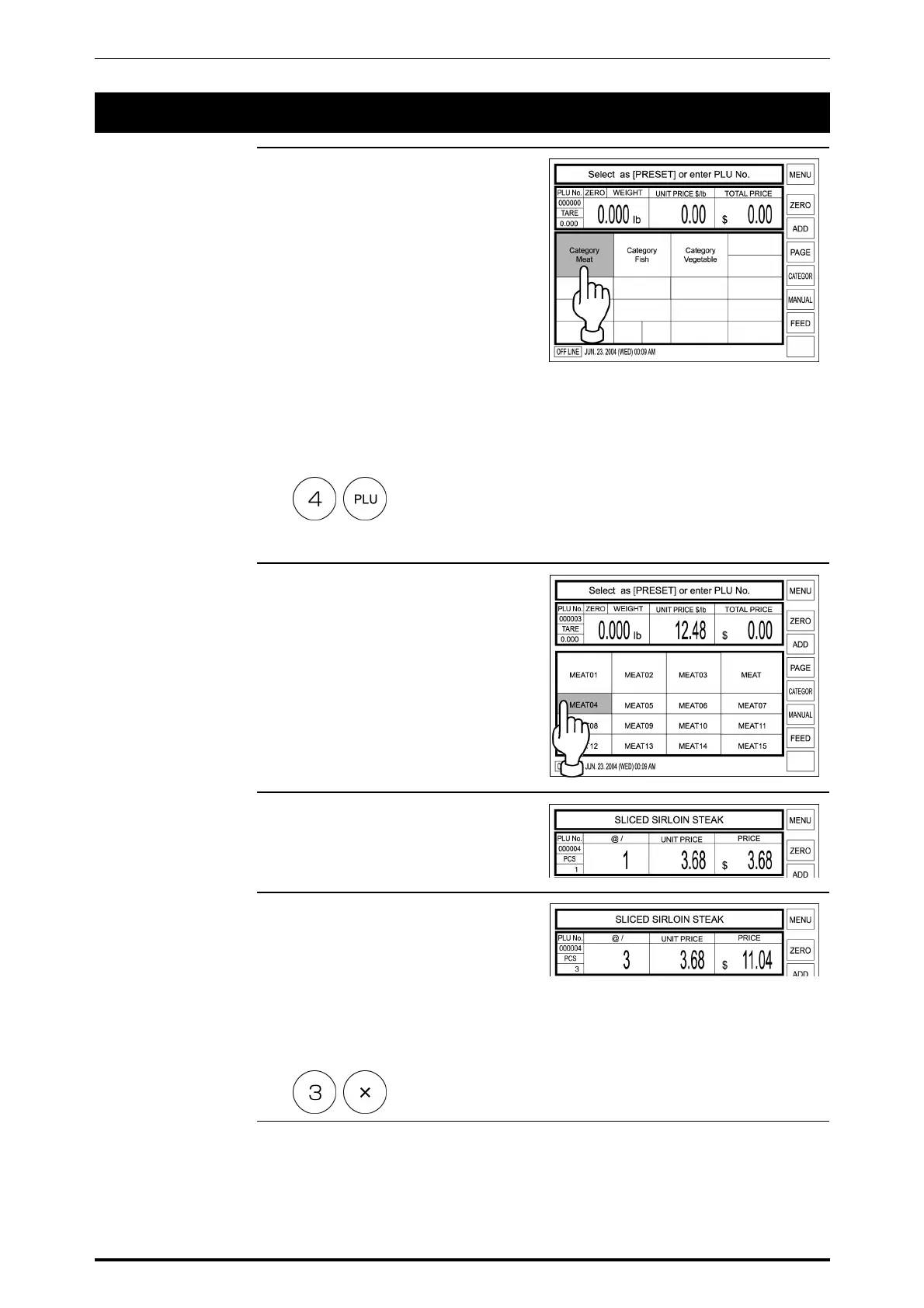
1. Confirm that the Initial screen is
displayed.
When the PLU is registered in the
preset key, touch the
corresponding product category
key.
Example: Category Meat
When the PLU is not registered in
the preset key, enter the desired
PLU number and press the PLU
key on the keypad.
Example: PLU number “4”
In this case, skip step 2 below.
2. When a category key has been
touched in step 1 above, the PLU
Select screen appears on the
display.
Then, touch a desired PLU key to
call.
Example: PLU “MEAT 04”
3. The PLU data appears on the
display.
4. When selling more than one piece,
enter the quantity and press [X]
key on the keypad.
When selling only one piece, skip
this step.
Example: Quantity “3 pieces”.
SR-2000α User’s Manual (No. 0000A) 2-7



 To Next Page