Chapter 2 OPERATION MODE
2.10 DAILY TOTAL DISPLAY
During sales operation, the sales total of that day can be confirmed on the screen
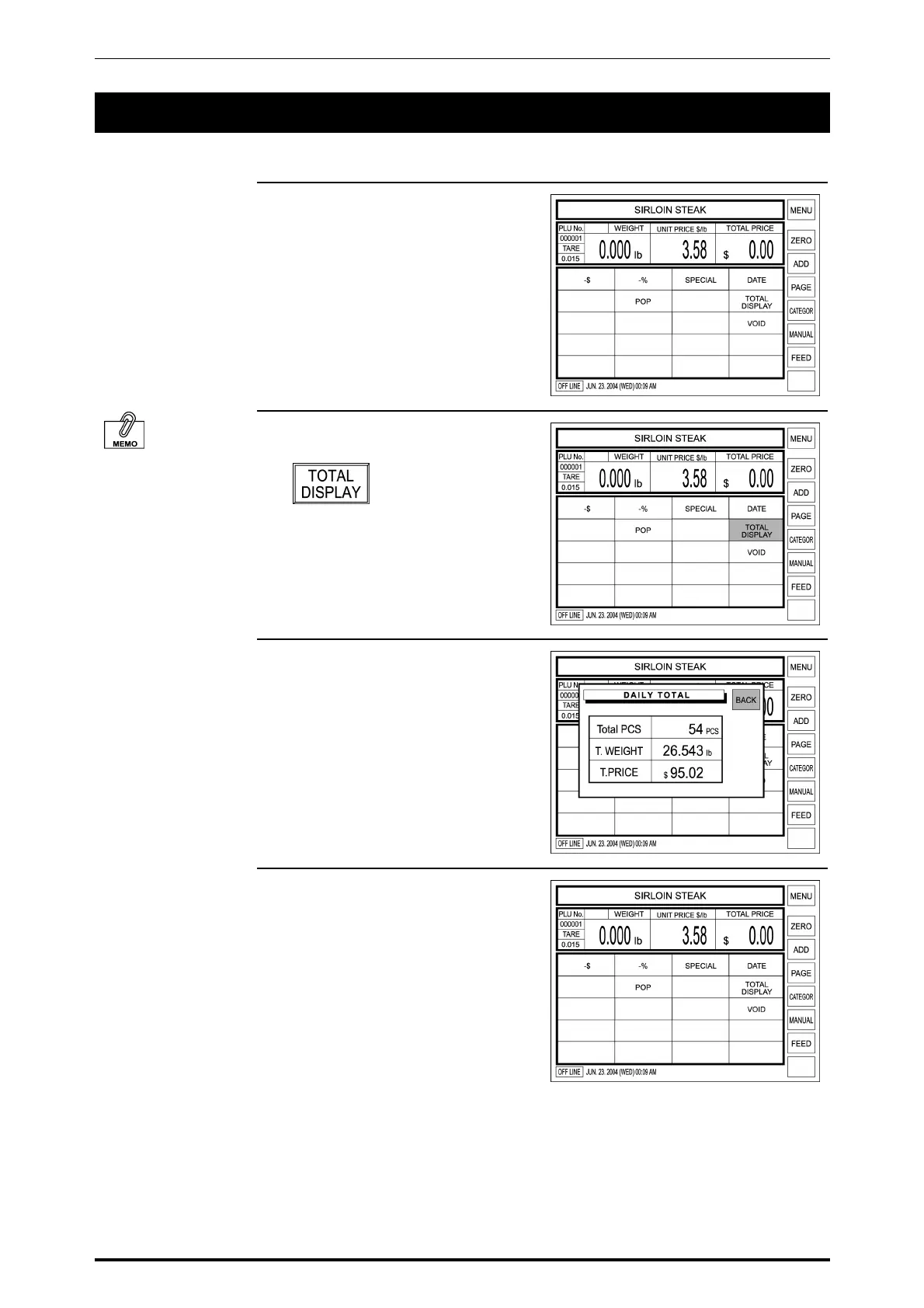
1. Confirm that a PLU data screen is
displayed.
To perform the Daily
Total Display, [Total
Display] key must have
been preset on the
function screen.
2. Touch [Total Display] on the
screen.
3. The daily total appears on the
display.
Confirm the sales totals of quantity,
weight, and price for the products
sold so far today.
Then, touch [BACK] to return the
display to the previous screen.
4. The previous screen appears on
the display again.
SR-2000α User’s Manual (No. 0000A) 2-17



 To Next Page