Chapter 5 PROGRAMING MODE
5.16 POP MESSAGE
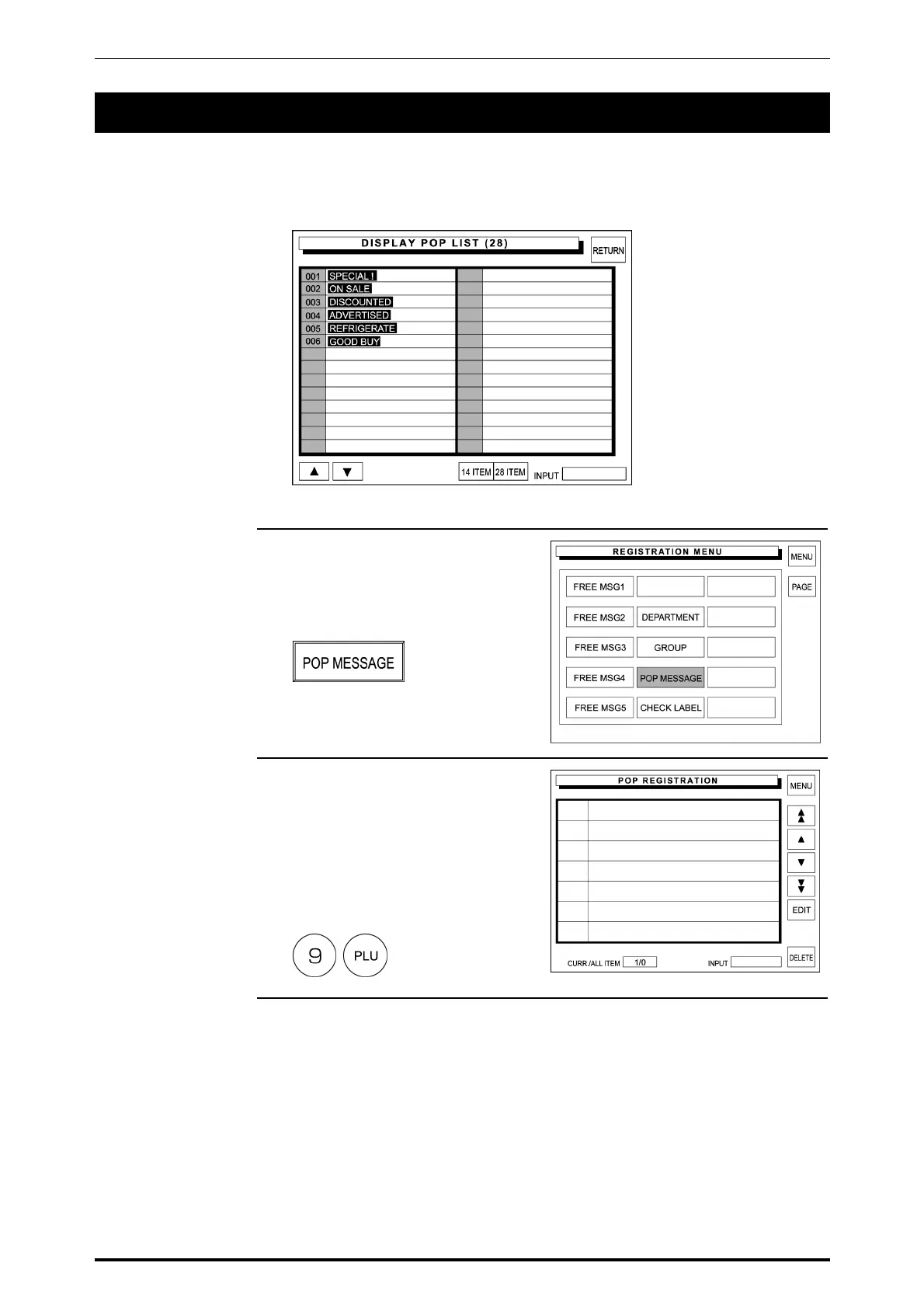
POP message can be registered within the range from message number 7 through 999.
Message number 1 through 6 are default settings as follows:
1. Confirm that the second page of
Registration Menu is displayed.
Then, touch [POP MESSAGE] on
the screen to select.
2. The POP Registration screen
appears on the display.
Then, enter the message number
and press the PLU key on the
keypad.
Example: Message No. “9”
SR-2000α User’s Manual (No. 0000A) 5-63



 To Next Page