Chapter 3 TOTAL ADJUSTMENT MODE
3.1 NUMBER ADD
When a product is to be added after checkout, input the quantity, weight, and/or price of the product to be
added to the sales total.
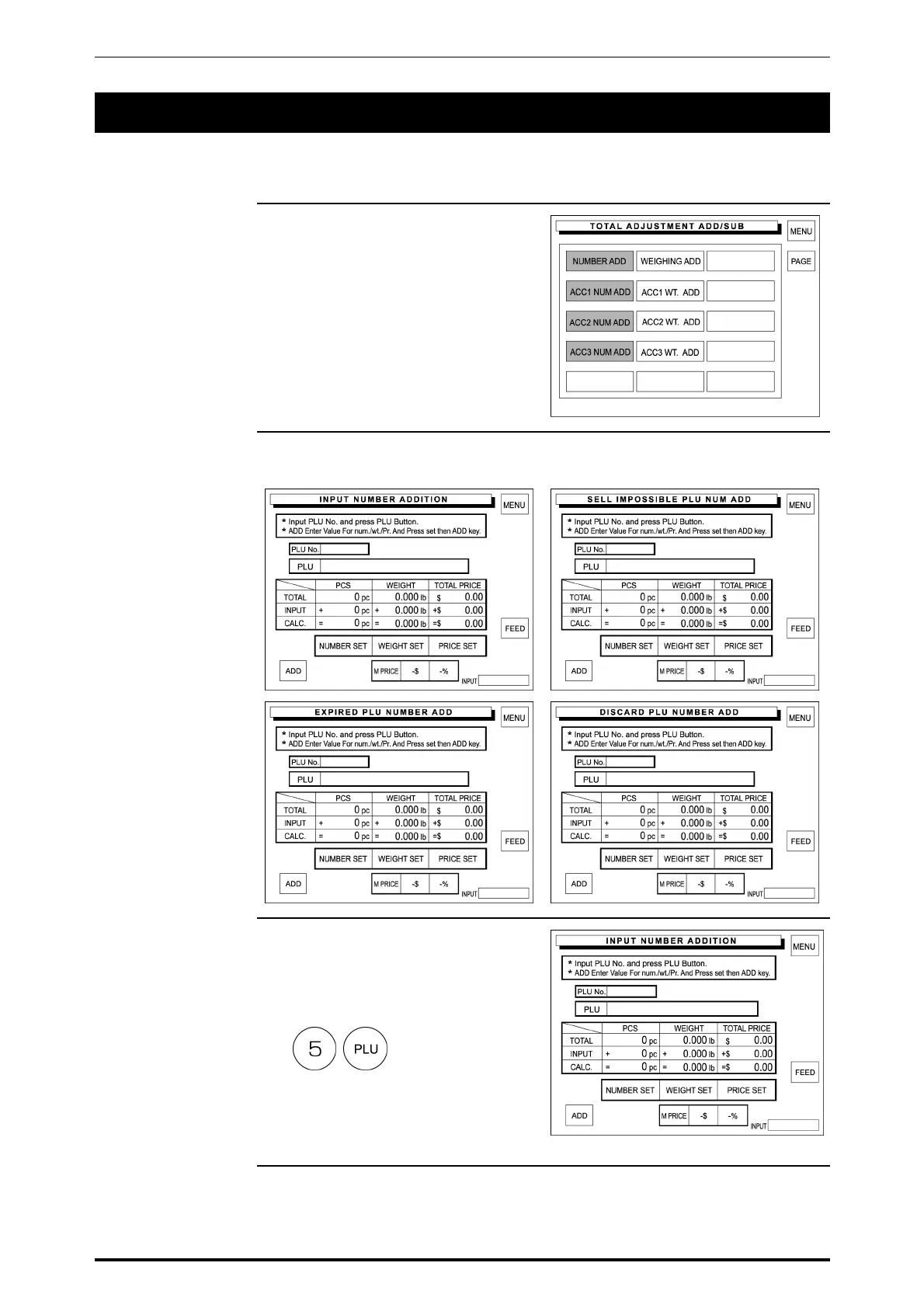
1. Touch a desired addition type on
the screen to select.
2. There are four number addition
menu screens.
3. Enter the PLU number using the
keypad and press the PLU key to
call.
Example: PLU number “5”
3-2 SR-2000α User’s Manual (No. 0000A)



 To Next Page