Chapter 3 TOTAL ADJUSTMENT MODE
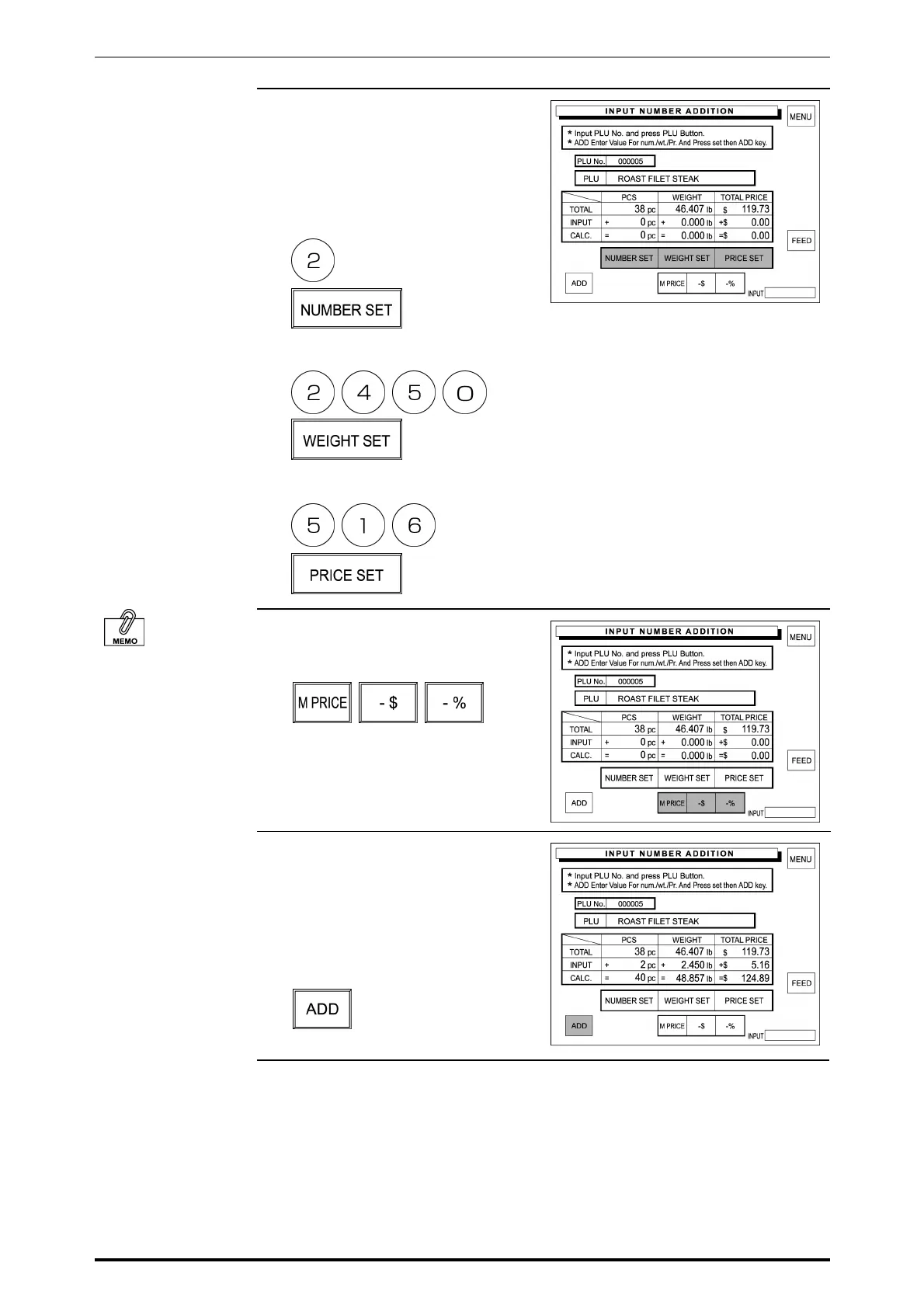
4. Enter the quantity, weight, and total
price to be added to the sales total
and touch [NUMBER SET],
[WEIGHT SET], and [PRICE SET]
respectively.
Example: quantity “2 pieces”
Example: Weight “2.450 lb”
Example: Price “$5.16”
See Section 2.6 in
Chapter 2 “Discount
Operations” for more
detailed procedure.
5. When a discount operation is
required, touch one of the following
buttons to select.
6. The entered data is displayed in
the corresponding INPUT data field
and the result is displayed in the
corresponding CALCULATION
data field.
Then, touch [ADD] on the screen.
SR-2000α User’s Manual (No. 0000A) 3-3



 To Next Page