Chapter 5 PROGRAMING MODE
5.6 DATE/TIME REGISTRATION
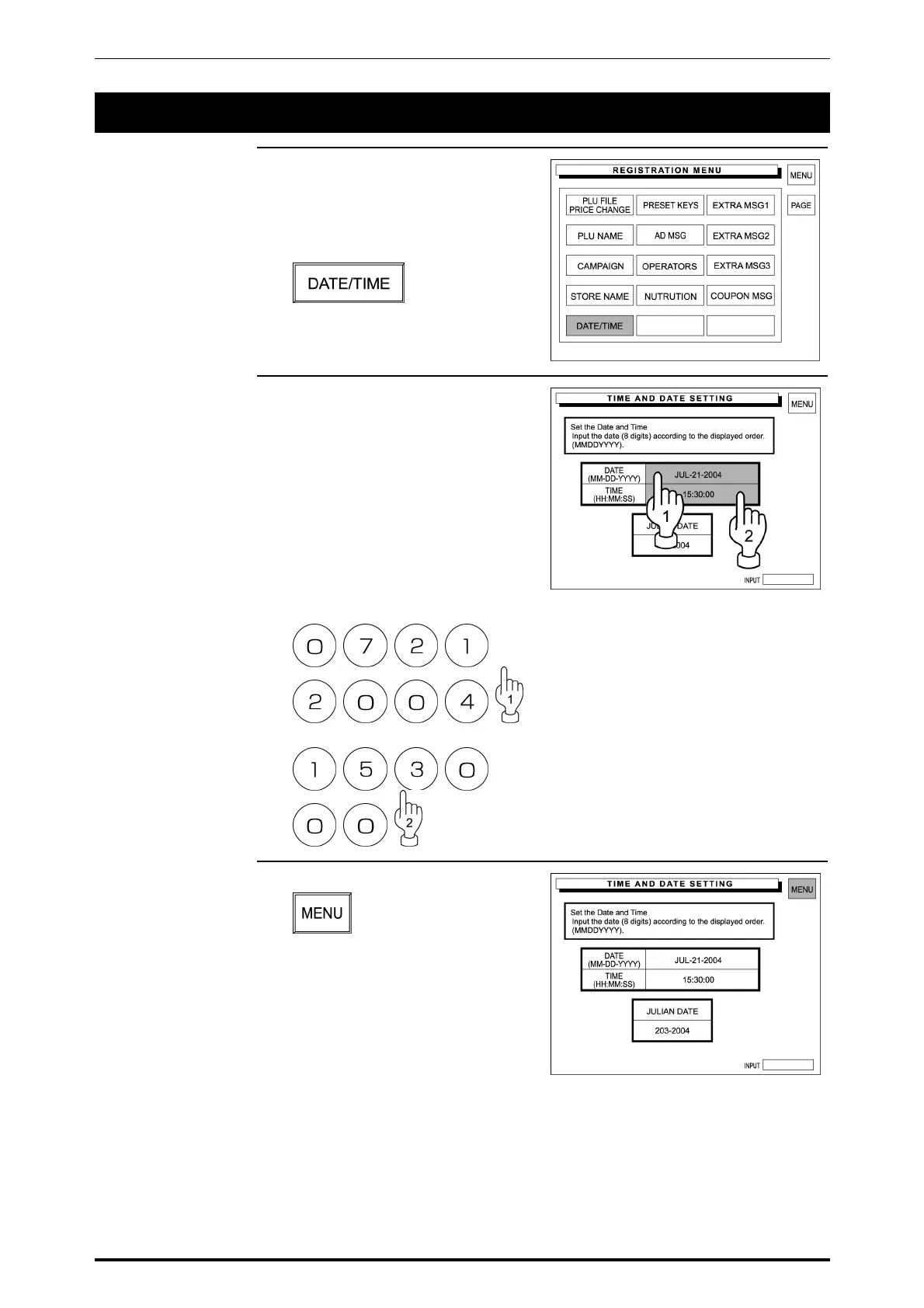
1. Confirm that the Registration Menu
screen is displayed.
Then, touch [DATE/TIME] on the
screen.
2. The Time and Date Setting screen
appears on the display.
Then, enter the desired date using
the keypad, and touch the DATE
field to register.
In the same manner, register the
time.
Example: 15:30 on July 21, 2004
3. Touch [MENU] on the screen.
The screen returns to the
Registration Menu screen.
5-24 SR-2000α User’s Manual (No. 0000A)



 To Next Page