Chapter 5 PROGRAMING MODE
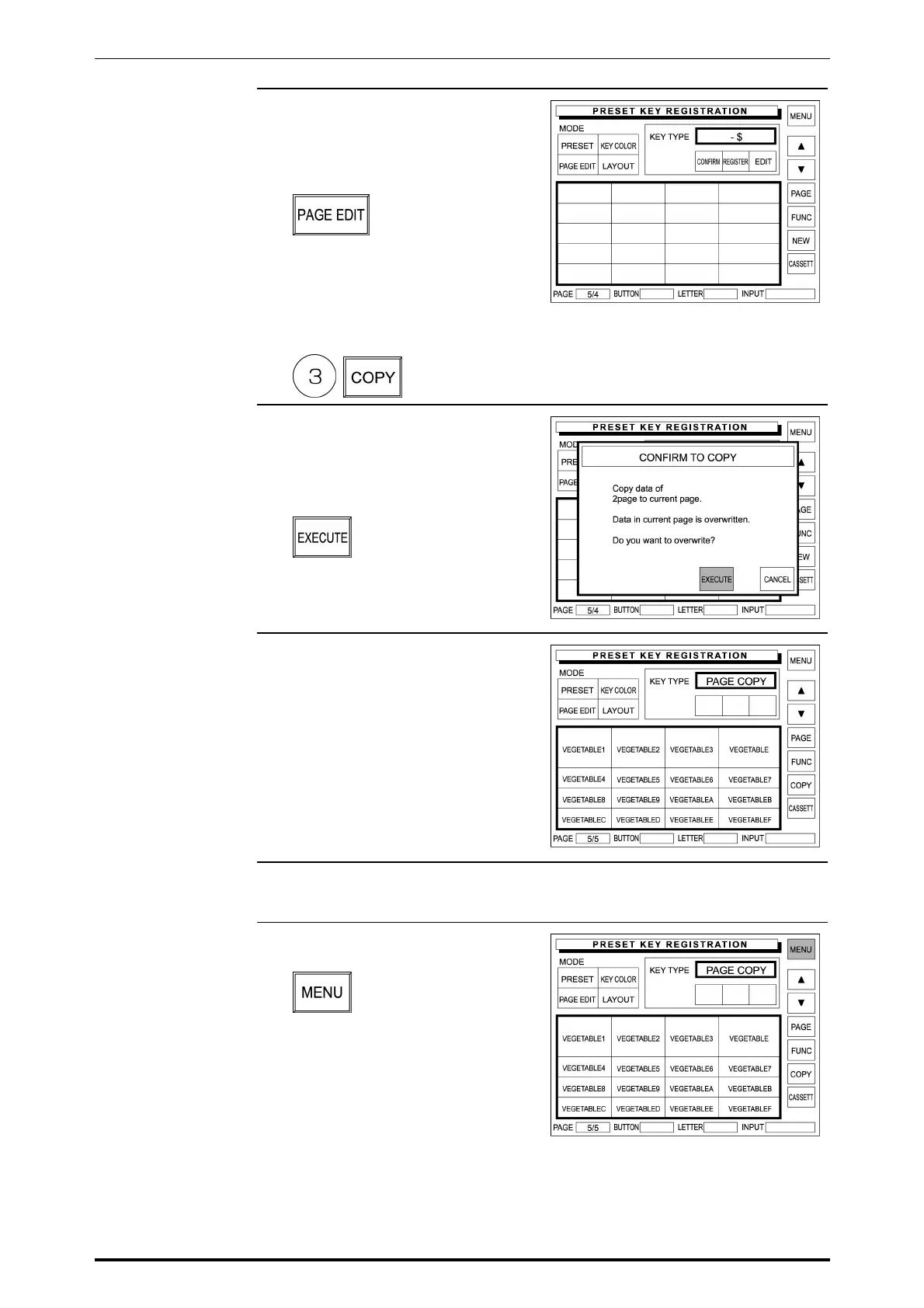
5. The new page appears on the
display.
Then, touch [PAGE EDIT] on the
screen.
Enter the original page number and
touch [COPY] on the screen.
Example: Copy page 3 to the
new page
6. The confirmation screen appears
on the display for copying.
Then, touch [EXECUTE] on the
screen.
7. The original page has been copied
to the current page.
8. Repeat steps 3 through 7 for more
copying.
9. Touch [MENU] on the screen to
finish this procedure.
SR-2000α User’s Manual (No. 0000A) 5-39



 To Next Page